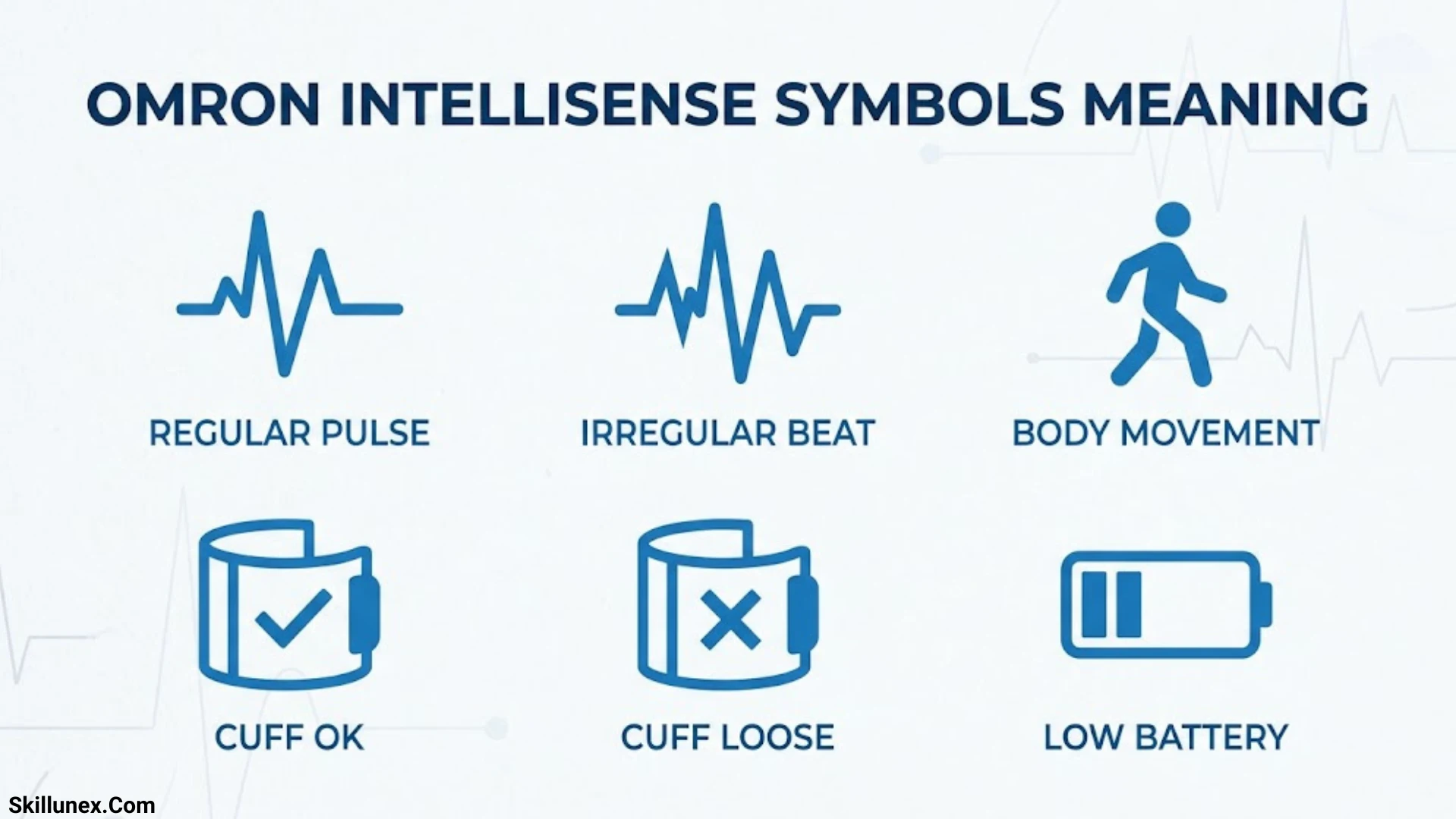
Understanding the Omron IntelliSense symbols helps you read your blood pressure monitor correctly. If you use an Omron IntelliSense blood pressure monitor, you may notice different icons on the display while checking your blood pressure. Each symbol provides useful information about your reading, device status, or measurement process.
When you check your blood pressure, you might see symbols for an irregular heartbeat, body movement, or high blood pressure readings. If you know what these icons mean, you can better understand your results and recognize when you may need to take another measurement. You should also remember that one reading alone cannot confirm a medical condition.
In this guide, you will learn what the common Omron IntelliSense symbols mean and how to interpret them. I’ll help you understand the display in simple terms so you can use your monitor with confidence. Since symbols can vary by model, you should also check your specific device’s user manual for accurate instructions.
What Is Omron IntelliSense Technology?
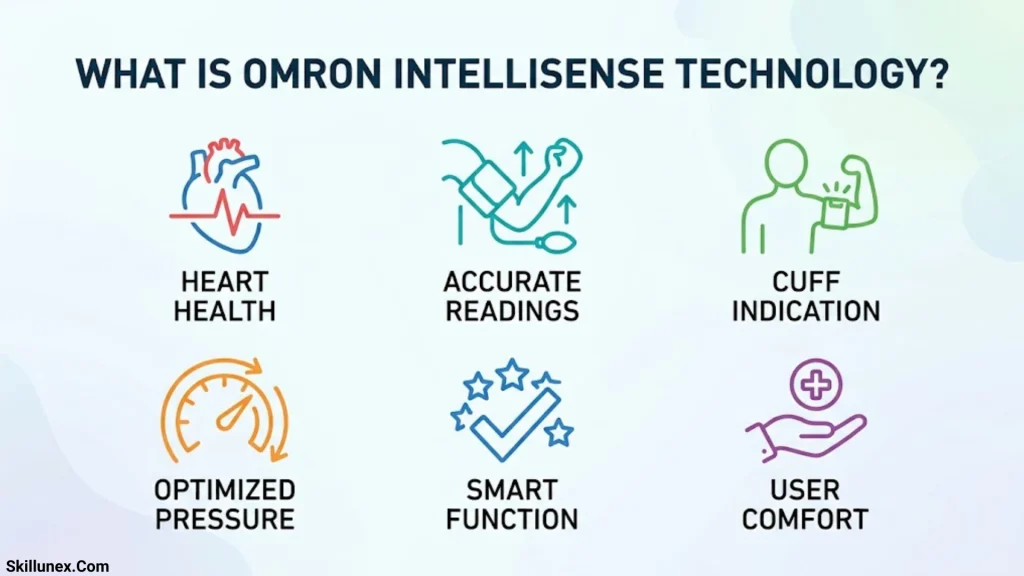
Omron IntelliSense is a technology used in compatible blood pressure monitors to control cuff inflation and help provide a comfortable, convenient measurement experience. Depending on the model, your monitor may also include features that help detect movement, identify irregular heartbeats, store readings, and indicate whether the cuff is fitted correctly.
The symbols displayed on the monitor provide information about its operation and the results of your measurement. Some are routine indicators, while others may require you to check your technique or repeat a reading.
Before interpreting an unfamiliar symbol, identify your monitor’s model number. You can usually find it on the device, its packaging, or the label on the back or underside. You can then use the official OMRON Product Support and Solutions page to locate the appropriate instruction manual.
Omron IntelliSense Symbols Meaning: Quick Reference Table
The following table covers common symbols and labels found on compatible Omron blood pressure monitors. The exact appearance and function of an icon can vary by model.
| Symbol or label | Meaning | What you should do |
| Heartbeat symbol | Indicates heartbeat detection during measurement on many models | Remain still until measurement finishes |
| Irregular heartbeat symbol | An irregular rhythm was detected during measurement | Repeat the reading and consult a healthcare professional if it recurs |
| SYS | Systolic blood pressure | Read the upper blood pressure number |
| DIA | Diastolic blood pressure | Read the lower blood pressure number |
| PUL or pulse | Pulse rate in beats per minute | Interpret alongside your symptoms and other readings |
| Movement indicator | Movement may have affected the measurement | Stay still and repeat the reading |
| Cuff fit or cuff wrap symbol | The cuff may not be fitted correctly | Adjust the cuff according to the manual |
| Low battery symbol | Batteries are running low | Replace them as instructed |
| M or memory symbol | Stored readings are available | Use the memory function to review previous results |
| Average indicator | Displays an average of selected readings | Check the manual to understand which readings are included |
| Inflation or deflation indicator | The cuff is inflating or releasing air | Allow the measurement to finish |
| Date and time | Shows the measurement time or clock setting | Check the clock if stored readings have incorrect timestamps |
| User indicator | Identifies the selected user on supported models | Select the correct user before measuring |
| Bluetooth symbol | Indicates wireless connectivity on supported models | Follow the device’s pairing instructions |
| High blood pressure indicator | Flags readings according to the model’s programmed thresholds | Review the reading and follow appropriate medical guidance |
| AFib indicator | Indicates a possible atrial fibrillation pattern on certain compatible models | Follow the manufacturer’s guidance and seek clinical confirmation |
Important: This is a general reference, not a universal symbol chart for every Omron IntelliSense device. For example, an irregular heartbeat indicator and an atrial fibrillation (AFib) indicator are different features. A symbol’s precise meaning should always be confirmed in the manual for your model.
Common Omron IntelliSense Symbols Explained
Heartbeat Symbol Meaning
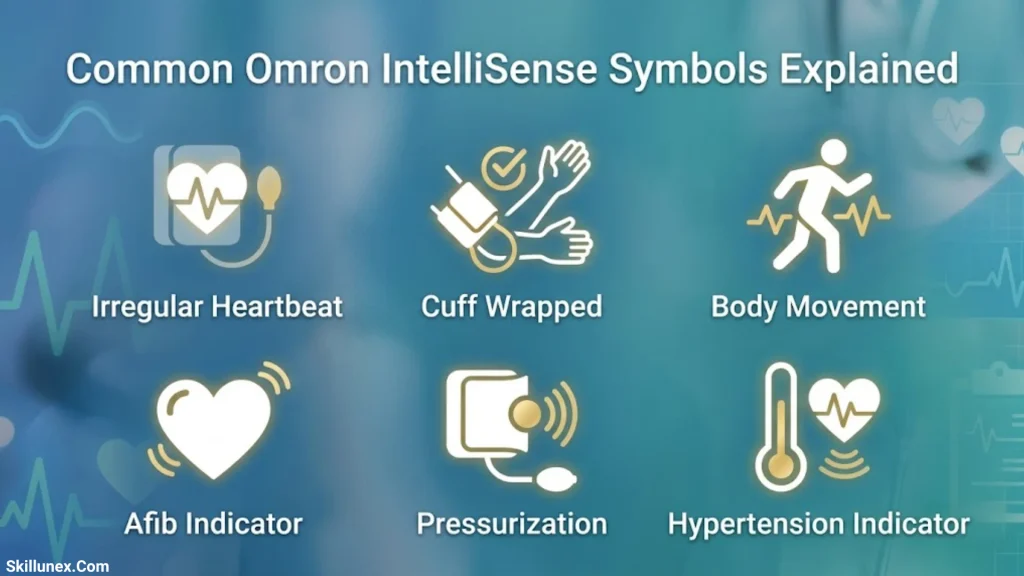
The heartbeat symbol, often represented by a heart icon, commonly flashes while an Omron monitor detects your heartbeat during measurement. This is a normal part of the measuring process.
The symbol helps indicate that the device is detecting pulse-related signals as it calculates your blood pressure. Its appearance during inflation or measurement does not, by itself, indicate a problem.
Some monitors use a separate heart-related icon for additional functions, such as irregular heartbeat detection or wrist positioning. Therefore, the timing of the symbol and its exact design matter.
What should you do?
- Remain seated and avoid talking or moving during measurement.
- Allow the monitor to complete the reading.
- Check your manual if the heart icon appears in an unexpected way or alongside another warning.
- Do not assume that a flashing heart symbol means your blood pressure is high unless your particular model’s manual explicitly identifies it that way.
Irregular Heartbeat Symbol Meaning
The irregular heartbeat symbol indicates that the monitor detected an irregular rhythm during the measurement. Depending on the device, it may appear as a heart icon with an additional mark or another distinctive heart-related symbol.
Some Omron monitors display this indicator when the detected rhythm differs substantially from the average rhythm during the measurement. For example, certain models define an irregular rhythm as one that is at least 25% faster or slower than the average detected rhythm.
This indicator is not a medical diagnosis. Movement, an unstable measurement, and other factors can affect the result.
What should you do if it appears?
- Sit quietly and relax for about five minutes.
- Check that the cuff is correctly positioned.
- Keep your arm supported and remain still.
- Repeat the measurement according to the instruction manual.
- If the indicator appears repeatedly, discuss the results with a healthcare professional.
Do not ignore recurring irregular heartbeat notifications, but do not assume they confirm a heart rhythm disorder either. Clinical evaluation may be needed.
SYS Symbol Meaning
SYS stands for systolic blood pressure. It is the upper number in a blood pressure reading.
Systolic pressure measures the force of blood against artery walls when the heart contracts.
For example, if your Omron monitor displays 120/80 mmHg, the systolic reading is 120 mmHg.
A consistently elevated systolic reading can be a sign of high blood pressure. However, one measurement cannot establish your usual blood pressure level.
For meaningful results, take measurements under consistent conditions and follow your healthcare professional’s recommendations.
DIA Symbol Meaning
DIA stands for diastolic blood pressure. It is the lowest number in a blood pressure reading.
Diastolic pressure measures the force of blood against artery walls when the heart relaxes between beats.
For a reading of 120/80 mmHg:
- SYS is 120 mmHg.
- DIA is 80 mmHg.
Both numbers are important. A person may have elevated systolic pressure, elevated diastolic pressure, or both. Review your results in the context of your health and the clinical guidelines applicable to you.
PUL or Pulse Symbol Meaning

PUL refers to your pulse rate, generally displayed in beats per minute (bpm).
For example, a pulse reading of 72 means that the monitor detected approximately 72 beats per minute during the measurement.
Pulse rate can change with physical activity, stress, fever, medication, and other circumstances. A single pulse reading should not be used to diagnose a medical condition.
If your pulse is repeatedly unusually fast, slow, or irregular, especially if you experience dizziness, chest discomfort, fainting, or shortness of breath, seek appropriate medical advice.
Movement Error Symbol Meaning
The movement error indicator means that movement may have affected the measurement. Some models show a person or movement lines, while others use a different icon or error code.
Talking, moving your arm, tightening your muscles, or shifting your body during measurement can interfere with the monitor’s ability to obtain a reliable result.
How to correct a movement error:
- Finish or stop the measurement as directed by the monitor.
- Sit quietly for two to three minutes before trying again, or follow the waiting period specified in your manual.
- Keep your back supported and both feet flat on the floor.
- Rest your arm on a table with the cuff at heart level.
- Avoid talking or moving until the reading is complete.
If the error continues, inspect the cuff and air tube for incorrect placement or visible damage. Refer to your model’s troubleshooting instructions if the problem persists.
Cuff Fit or Cuff Wrap Symbol Meaning
A cuff fit indicator helps you identify whether the cuff may be too loose or incorrectly positioned. Its function varies between upper-arm and wrist monitors.
For example, certain Omron wrist monitors include a cuff-wrap guide that alerts you when the wrist cuff is wrapped too loosely.
An improperly fitted cuff can contribute to inaccurate readings or measurement errors.
For an upper arm monitor:
- Use a cuff appropriate for your arm circumference.
- Place it on your bare upper arm as directed in the manual.
- Position the lower edge approximately 1–2 cm above the elbow when specified by the manufacturer.
- Align the artery marker and air tube according to the cuff’s instructions.
- Secure the cuff so it does not slip or rotate.
For a wrist monitor:
- Wrap the cuff securely around your wrist.
- Position the device as directed by the manufacturer.
- Keep the wrist at heart level during measurement.
Do not apply upper-arm cuff instructions to a wrist monitor. If the cuff warning remains, check the manual for your exact device.
Low Battery Symbol Meaning
The low battery symbol indicates that the batteries are running low. Depending on the model, it may flash or remain visible on the display.
Low batteries can prevent the monitor from operating reliably or cause it to stop working.
How to resolve the warning:
- Obtain the battery type specified in the manual.
- Open the battery compartment.
- Insert the batteries using the correct positive and negative orientation.
- Avoid mixing old and new batteries.
- Close the compartment and check whether the warning disappears.
If the monitor still displays a battery warning, check the battery contacts and consult the troubleshooting section of the manual. Some models can also operate with an approved AC adapter.
M or Memory Symbol Meaning
The letter M commonly indicates the memory function. It appears when you access readings stored in the monitor.
Memory is useful for reviewing blood pressure trends and sharing previous measurements with a healthcare professional.
Depending on the model, the device may store readings for one or more users and may offer additional history or averaging functions.
To review your results, press the Memory button or follow the steps in your instruction manual.
Remember that stored readings are only useful when you interpret them in context. A series of properly taken measurements is generally more informative than one isolated result.
Average Reading Symbol Meaning
Some Omron IntelliSense monitors display an average indicator when showing an average of previous measurements.
The number of readings included and the time period used vary by model. Certain devices can calculate an average from recent measurements taken within a specified period.
An average can help you identify patterns, but it does not automatically mean that your blood pressure is normal or that every individual reading is reliable.
Check the manual to learn how your monitor calculates averages and how to access individual readings.
Inflation and Deflation Symbols Meaning
Inflation and deflation indicators relate to the operation of the cuff.
During inflation, the monitor adds air to the cuff. During deflation, the cuff releases air while the monitor processes the signals needed to calculate your blood pressure.
These indicators generally represent normal operation rather than a warning.
What should you do?
- Keep your arm relaxed.
- Avoid talking or moving.
- Do not remove the cuff before the measurement finishes unless the device instructs you to stop.
- If the cuff fails to inflate or deflate properly, check the air tube, cuff connection, and manual.
If an error occurs repeatedly, stop using the device until you have checked the troubleshooting instructions.
Date and Time Symbols Meaning
Date and time indicators help you identify when a measurement was taken or adjust the monitor’s internal clock.
Correct time settings are useful when tracking blood pressure over several days or weeks.
If stored readings show an incorrect date or time, consult your manual for the clock-setting procedure. The steps vary across Omron models.
Some monitors store timestamps directly on the device, while others rely partly on a connected app.
User ID Symbol Meaning
Certain Omron monitors support multiple users and display an identifier, such as 1 or 2, or another model-specific user indicator.
This symbol identifies the user profile associated with the measurement or stored reading.
To maintain an accurate record:
- Select your user profile before measuring.
- Check that the correct profile is active when reviewing stored results.
- Follow the manual if your device includes a guest mode.
Not every Omron monitor supports multiple user profiles, so the absence of a user indicator is not necessarily a fault.
Bluetooth Symbol Meaning
Some Omron IntelliSense monitors include Bluetooth connectivity for transferring measurements to a compatible smartphone app.
The Bluetooth symbol may indicate wireless functionality or a connection status, depending on the model.
If your monitor is not connecting:
- Confirm that your model supports Bluetooth.
- Enable Bluetooth on your smartphone.
- Open the compatible Omron app.
- Follow the device-specific pairing instructions.
- Check the app and monitor manuals if the connection fails.
A Bluetooth indicator does not appear on every Omron blood pressure monitor. It is not a necessary part of taking a standard blood pressure measurement.
High Blood Pressure Indicator Meaning
Some Omron monitors include an indicator that flags readings above programmed blood pressure thresholds.
The threshold used by the monitor depends on the model. For example, certain Omron devices display a high reading indicator when systolic pressure is at least 130 mmHg and/or diastolic pressure is at least 80 mmHg.
This is a device-specific alert, not a universal definition for every monitor or a diagnosis on its own.
If a high blood pressure indicator appears, remain calm and repeat the measurement after resting if appropriate. Record the result and discuss repeated elevated readings with a healthcare professional.
Do not disregard a very high reading simply because you feel well.
AFib Indicator Meaning
Certain compatible Omron monitors have an atrial fibrillation detection feature. These devices use specific pulse wave patterns to screen for possible AFib.
AFib detection is different from a general irregular heartbeat indicator. A general irregular heartbeat notification identifies a variation in rhythm during a measurement, whereas an AFib feature is designed to identify patterns associated with atrial fibrillation.
Neither type of notification should be treated as a confirmed diagnosis.
If an AFib indicator appears, follow your device’s instructions and seek medical assessment as appropriate. A healthcare professional may use an electrocardiogram (ECG) and other clinical information to confirm or rule out atrial fibrillation.
How to Read an Omron IntelliSense Blood Pressure Display
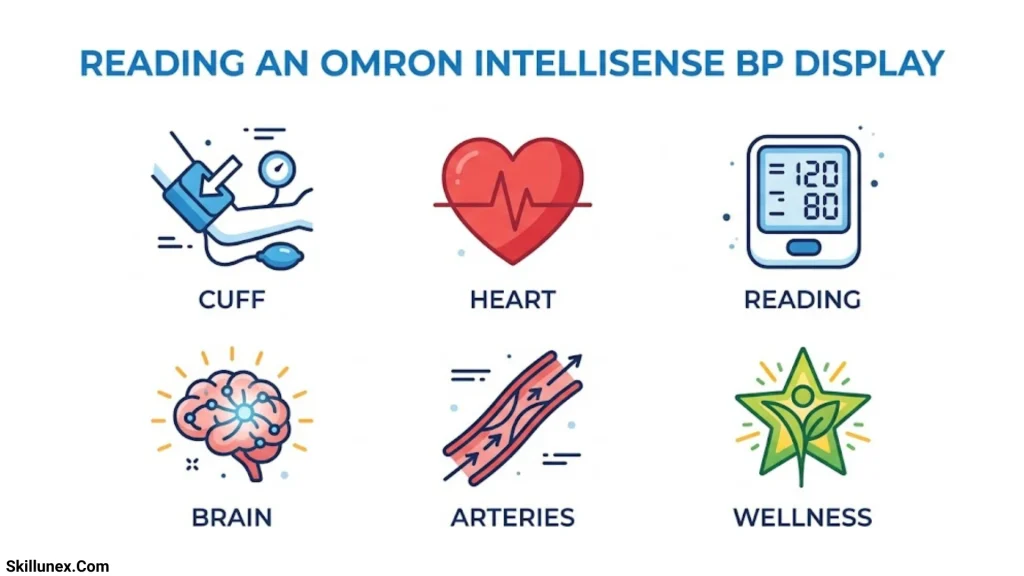
Understanding a Complete Blood Pressure Reading
A typical Omron monitor displays systolic pressure, diastolic pressure, and pulse rate.
Consider this example:
Blood pressure: 120/80 mmHg
- 120: Systolic blood pressure.
- 80: Diastolic blood pressure.
- 72 bpm: An example of a pulse rate displayed separately.
The numbers are measured in millimetres of mercury (mmHg), while pulse rate is measured in beats per minute.
A reading of 120/80 mmHg is an example, not a guarantee that your blood pressure is always normal. Blood pressure can vary throughout the day, and interpretation depends on repeated readings and your individual health circumstances.
How to Take an Accurate Blood Pressure Measurement
Follow these steps to improve the consistency of your measurements:
- Avoid smoking, caffeine, and exercise for at least 30 minutes before measuring.
- Empty your bladder if necessary.
- Sit quietly for at least five minutes.
- Keep your back supported and both feet flat on the floor.
- Place the cuff on your bare arm according to the manufacturer’s instructions.
- Support your arm at heart level.
- Do not talk or move during measurement.
- Take two readings about one minute apart when possible.
- Record both readings and follow your healthcare professional’s advice about monitoring frequency.
For additional guidance, consult the official Omron blood pressure monitor support resources.
Omron IntelliSense Troubleshooting Guide
Why Does My Monitor Display an Error?
An error message can appear if the monitor detects movement, the cuff is not fitted correctly, the air tube is disconnected, or another measurement problem occurs.
The meaning of an error code depends on the model. Check the instruction manual rather than assuming that the same code means the same thing on every Omron device.
If the monitor continues to show errors, inspect the cuff and tubing, replace low batteries if needed, and contact Omron support if the problem remains unresolved.
Why Are My Blood Pressure Readings Different Each Time?
Blood pressure naturally changes throughout the day. Stress, activity, caffeine, medication, sleep, and measurement technique can all affect readings.
To make comparisons more meaningful, measure at similar times each day and use the same correct procedure. Avoid interpreting a single result as your usual blood pressure level.
If readings vary substantially or remain elevated, discuss your measurement record with a healthcare professional.
What Should I Do if My Monitor Shows a Very High Reading?
If your systolic pressure is higher than 180 mmHg and/or your diastolic pressure is higher than 120 mmHg, wait at least one minute and measure again.
If the reading remains that high, contact a healthcare professional immediately for guidance. If you also have chest pain, shortness of breath, weakness, numbness, vision changes, or difficulty speaking, seek emergency medical care.
Do not delay emergency care while trying to troubleshoot the monitor.
Frequently Asked Questions About Omron IntelliSense Symbols
What does the heart symbol mean on an Omron IntelliSense monitor?
The heart symbol commonly indicates heartbeat detection during measurement. Its precise meaning depends on the model, and some devices use additional heart-related symbols for irregular heartbeat detection or positioning guidance.
What does the irregular heartbeat symbol mean?
It indicates that the monitor detected an irregular rhythm during the measurement. It does not confirm a heart condition. If the indicator appears repeatedly, consult a healthcare professional.
What does M mean on an Omron blood pressure monitor?
M usually refers to memory. It indicates that you are accessing previously stored blood pressure readings or a memory-related function.
What do SYS and DIA mean?
SYS means systolic blood pressure, the upper number. DIA means diastolic blood pressure, the lower number. Both are usually displayed in mmHg.
What does PUL mean on an Omron monitor?
PUL means pulse rate. It indicates the number of heartbeats detected per minute during measurement.
Why does my Omron monitor show a movement error?
The monitor may have detected movement that affected the reading. Sit still, support your arm, check your cuff placement, and repeat the measurement according to the manual.
What does the cuff-wrap symbol mean?
On compatible models, it indicates that the cuff may be too loose or incorrectly positioned. Adjust it according to the instructions for your particular upper-arm or wrist monitor.
Why is the low battery symbol still visible after replacing the batteries?
Check that the batteries are the correct type and inserted in the correct orientation. Inspect the battery contacts and consult the manual if the warning persists.
Do all Omron IntelliSense monitors use the same symbols?
No. Icons and functions differ between models. Bluetooth, multiple user profiles, cuff-fit indicators, high blood pressure alerts, and AFib screening are available only on compatible devices.
Where can I find the correct symbol guide for my Omron monitor?
Visit the official OMRON Product Support and Solutions page, identify your model, and download its instruction manual. The manual is the best source for confirming the meaning of individual icons and error codes.
Conclusion
Understanding the Omron IntelliSense symbols helps you read your blood pressure monitor display with greater confidence. By learning what the heartbeat, movement, and blood pressure indicators represent, you can better understand your readings and identify when a measurement may need to be repeated.
Always follow your Omron monitor’s user manual because symbols and their meanings can vary by model. If you notice consistently high blood pressure readings or unusual results, consult your healthcare professional. Using your monitor correctly can help you track your blood pressure and make more informed decisions about your health.

I’m Adrian Holloway, a writer and researcher who enjoys exploring the stories, meanings, and interesting facts behind the subjects people search for every day. I’m especially interested in symbols, nature, lakes, places, and cultural topics that help readers understand the world from a different perspective.
I believe useful content should be simple, accurate, and enjoyable to read. When I research a topic, I focus on finding meaningful details and presenting them in a way that makes information easy to understand.
My goal is to create helpful articles that answer real questions while encouraging readers to discover something new with every visit.
Books by Adrian Holloway
The Language of Symbols: Meanings, Stories & Traditions
Hidden Wonders of Nature: Lakes, Landscapes & Discovery