When your Samsung refrigerator displays an unfamiliar symbol, flashing temperature, or error code, it can be difficult to tell whether the appliance is working normally or needs repair. I know how frustrating it can be when you open your fridge and see letters or numbers instead of the usual temperature. You want to understand the warning quickly and keep your food fresh without paying for an unnecessary service call.
This guide explains Samsung fridge display codes and symbols, including temperature indicators, Power Cool, Power Freeze, water-filter reminders, Demo mode, and common error messages. You’ll learn what each indicator generally means, which troubleshooting steps you can safely try, and when to contact a technician. Because Samsung uses different displays and codes across refrigerator models, I’ll also show you how to find the correct information for your specific appliance.
What Do Samsung Fridge Display Symbols Mean?
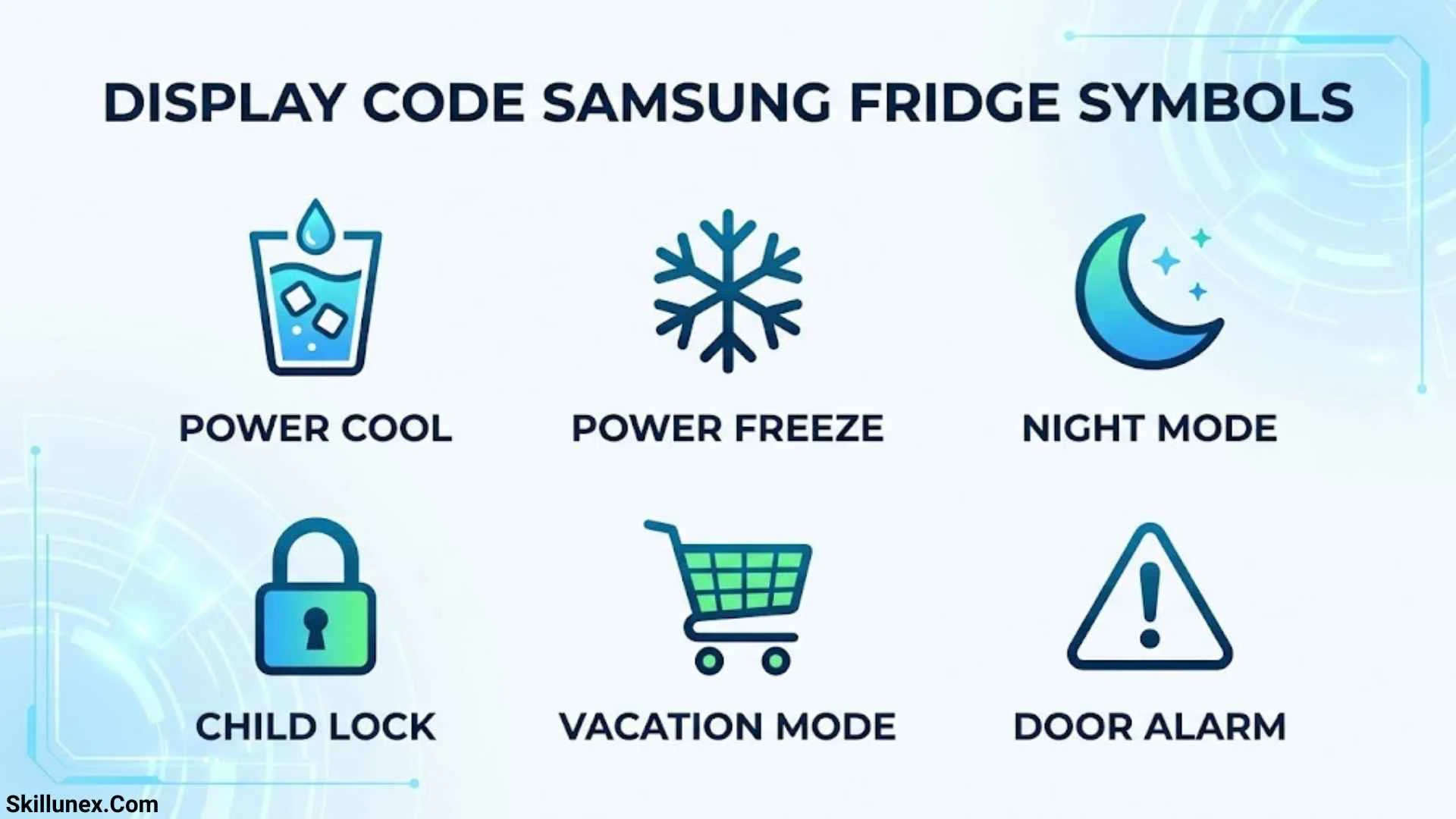
Samsung refrigerator display symbols communicate the appliance’s operating status, selected settings, maintenance reminders, and potential problems. Some icons indicate that a feature is active, while others alert you to a condition that needs attention.
For example, a Power Freeze symbol usually indicates that rapid freezing is enabled. A blinking temperature display may indicate that the compartment is too warm. An alphanumeric code, on the other hand, may identify a problem detected by an internal sensor or component.
Before troubleshooting, identify which type of indicator appears on your refrigerator:
- Feature icons: Show that functions such as Power Cool, Power Freeze, or Ice Off are enabled.
- Temperature indicators: Display the selected or measured temperature, depending on the model.
- Maintenance reminders: Alert you when a water filter needs attention or another maintenance task is due.
- Warning indicators: Draw attention to conditions such as an open door or unusually high temperature.
- Error codes: Use letters and numbers to identify a detected fault or operating condition.
The exact meaning depends on your refrigerator’s model number and control-panel design. A symbol that appears on one Samsung model may not be available on another.
Common Samsung Fridge Symbols and Their Meanings
The following table covers common Samsung refrigerator display icons. Use the symbol’s label and appearance together because icons can vary between French-door, side-by-side, Bespoke, and Family Hub refrigerators.
| Symbol or display label | What it means | What to check |
| Fridge | Refrigerator compartment settings | Confirm the temperature setting. |
| Freezer | Freezer compartment settings | Check whether food is staying frozen. |
| Power Cool | Rapid cooling is enabled | Turn it off when rapid cooling is no longer needed, if desired. |
| Power Freeze | Rapid freezing is enabled | Check the manual for how long to use this feature. |
| Door Alarm | Door alert function or open-door warning | Close the doors and check the seals. |
| Control Lock / Child Lock | Panel controls are locked | Use the model-specific unlock procedure. |
| Water Filter | Filter replacement reminder | Replace the filter if due and reset the reminder. |
| Ice Off | Ice production is disabled | Enable the ice maker if you want ice. |
| Ice Maker | Ice-making function | Check the ice-maker setting and bucket. |
| Wi-Fi | Wireless connection or setup | Check your SmartThings setup if applicable. |
| Vacation | Vacation mode is enabled | Review how your model manages cooling in this mode. |
| Energy Saver | Energy-saving setting | Check the manual for the function’s exact effect. |
What Does the Water Filter Symbol Mean?
A water-filter icon or indicator light usually reminds you to check or replace the refrigerator’s water filter. On many Samsung models, the indicator changes color or begins flashing after a programmed usage period.
If the filter reminder appears:
- Check the manual for your model’s replacement interval.
- Replace the filter with a compatible model if it is due.
- Follow the instructions to reset the filter indicator.
- Check for leaks after replacing the filter.
Resetting the light does not replace the filter. If the water tastes unusual or the flow has decreased, investigate the filter and water supply rather than relying on the indicator alone.
What Does the Ice Off Symbol Mean?
The Ice Off icon generally means the ice-making function is disabled. If you want ice, check the ice-maker setting and turn the feature on according to your manual.
If the Ice Off indicator blinks unexpectedly, Samsung identifies an incorrectly installed or missing ice bucket as one possible cause. Reinstall the bucket correctly and check whether the indicator stops blinking.
Samsung Fridge Error Codes and What They Mean
Samsung refrigerator error codes can help identify faults involving fans, sensors, ice makers, voltage, or internal communication. The table below summarizes common codes documented by Samsung. It is not a complete list, and the same-looking code should always be checked against your model’s documentation.
| Error code | Common meaning | Recommended next step |
| AP | Access Point mode for Wi-Fi setup | Complete SmartThings setup or wait for the mode to time out. |
| 5E | Refrigerator defrost sensor error | Consult the manual and arrange service if necessary. |
| 8E | Freezer ice-maker sensor error | Check the ice-maker troubleshooting instructions. |
| 14E | Ice-maker sensor error | Follow the model-specific guidance. |
| 21E | Freezer fan error | Check door closure and airflow; service may be required. |
| 22E / 22C | Refrigerator fan error | Check the doors and follow Samsung’s instructions for the code. |
| 33E | Ice pipe heater error | Contact service if the code persists. |
| 39E / 39C | Ice-maker function error | Check the ice-maker settings and manual. |
| 40E / 40C | Ice-room fan error | Seek service if troubleshooting does not resolve it. |
| 41C | Family Hub software-related issue on supported models | Follow the on-screen instructions and check for software updates. |
| 76C | Water detected in the Autofill compartment | Inspect and dry the compartment as directed by the manual. |
| 83E | Abnormal compressor current detected | Follow the official power-error guidance. |
| 85E | Low-voltage error on supported models | Follow the instructions for the exact model and code. |
| 86E | Overvoltage error on supported models | Check the official troubleshooting instructions. |
| PC ER / PC CH | Communication error between components | Check the door connections only as instructed; contact service if unresolved. |
| OF OF / O FF | Cooling Off or Demo mode | Follow the model-specific steps to reactivate cooling. |
Samsung’s official refrigerator error-code guide explains these codes and provides additional instructions.
What Does Error Code 21E Mean on a Samsung Fridge?
Code 21E commonly indicates a freezer fan error. The refrigerator may be unable to detect the fan rotating as expected.
Possible causes include ice buildup around the fan, a door that has been left open, a poor door seal, or a failed fan motor.
What you can do:
- Check that the freezer door closes completely.
- Make sure food packages do not prevent the door from closing.
- Inspect the visible door gasket for gaps or damage.
- Follow Samsung’s instructions for defrosting the appliance if appropriate.
If the code returns or the freezer is not cooling, contact a qualified technician. Do not remove internal panels or attempt electrical repairs unless you are qualified to do so.
What Does Error Code 22E or 22C Mean?
Codes 22E and 22C commonly indicate a refrigerator fan error. The fan may be obstructed by ice or may have a mechanical or electrical fault.
Check that the doors close properly and that food is not blocking airflow. Samsung provides model-specific instructions for these codes, which may include defrosting the appliance with the doors open and disconnecting power. Follow those instructions rather than applying a generic reset procedure.
If the error comes back after the recommended troubleshooting, arrange service.
What Does AP Mean on a Samsung Refrigerator?
The AP display usually means Access Point mode. It appears when a compatible refrigerator is preparing to connect to Wi-Fi for features such as Samsung SmartThings.
This is generally a setup status rather than a refrigerator cooling fault. Complete the wireless setup if you intended to connect the appliance. If you did not start setup, consult the manual for your model to understand why the indicator appeared.
What Does OF OF or O FF Mean on a Samsung Fridge?
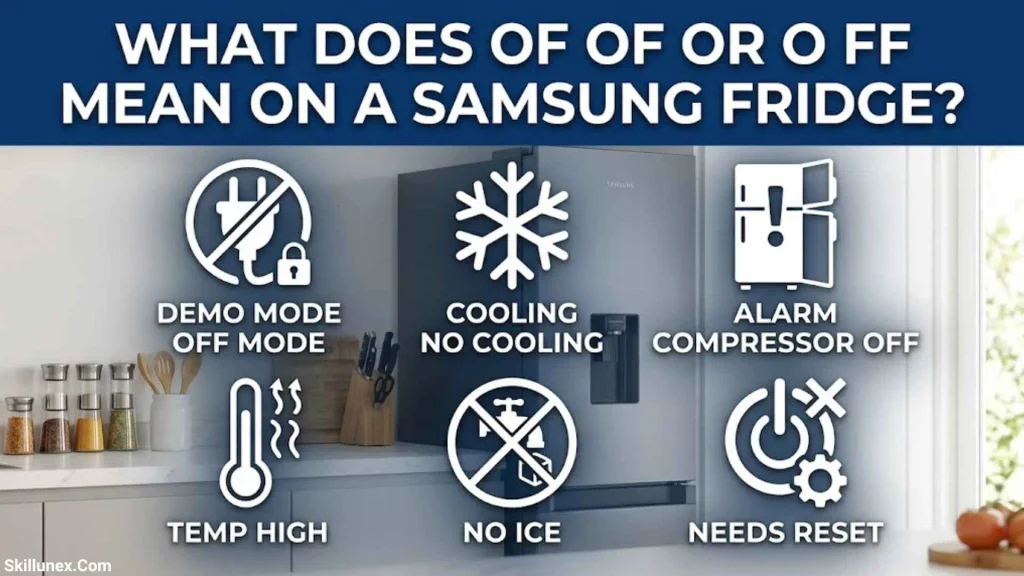
The display code OF OF, O FF, OFF OFF, or scrolling temperature bars usually indicates Cooling Off mode, also known as Demo mode or Shop mode.
This mode is designed for retail displays. The refrigerator lights and display may work, but the cooling system is disabled. As a result, the fridge and freezer will not keep food cold.
How to Turn Off Samsung Fridge Demo Mode
The button combination depends on your refrigerator model. Follow these steps to identify the correct procedure:
- Confirm that the display shows OF OF, O FF, OFF OFF, or scrolling temperature bars.
- Find your refrigerator’s model number and consult its user manual.
- Follow the exact instructions for exiting Cooling Off mode.
- On supported Family Hub models, open Fridge Manager, select Fridge Settings, choose Cooling Off, and deactivate the mode.
- Confirm that the normal temperature display returns and that cooling resumes.
Some models use a combination of control-panel buttons held for several seconds. Do not assume the same combination works on every Samsung refrigerator.
You can also use Samsung’s official Cooling Off mode guide to find instructions for different control panels.
Why Is My Samsung Fridge Display Blinking?
A blinking temperature display commonly indicates that the refrigerator is too warm. It may happen after a power outage, when a door stays open, or when the appliance is recovering from a change in temperature settings.
Samsung notes that a temperature display may blink when the refrigerator compartment rises above approximately 59°F (15°C). The display should stop blinking once the temperature returns to the appropriate level.
How to Fix a Blinking Temperature Display
Try these steps:
- Close the doors: Check that the refrigerator and freezer doors are fully shut.
- Inspect the seals: Look for gaps, dirt, or damage around the door gaskets.
- Check the vents: Rearrange food that blocks the internal air outlets.
- Allow time for cooling: After a power interruption, the refrigerator may need several hours to recover.
- Monitor the display: Check whether the temperature stops blinking as the appliance cools.
Samsung says that reaching the target temperature can take up to 28 hours under certain conditions, depending on the appliance and circumstances. If the display continues blinking and the refrigerator is not cooling correctly, use the official cooling troubleshooting guide.
What If All the Samsung Fridge Icons Are Flashing?
If all the display icons flash after the refrigerator is plugged in or power returns, the appliance may be performing a self-diagnostic check. This can be normal.
However, flashing icons can also accompany an error. Take a picture of the display, check whether a specific code appears, and consult Samsung’s error-code guide. If the flashing continues or cooling is affected, contact Samsung support.
Do not assume that every flashing display is harmless. The exact pattern and the refrigerator’s performance matter.
How to Troubleshoot Samsung Fridge Display Codes Safely
Before attempting a repair, identify the code and check whether the refrigerator is cooling properly. These steps can help you narrow down the issue without accidentally hiding useful diagnostic information.
Record the Display Code
Take a photo of the screen, including any flashing symbols, letters, numbers, or illuminated segments. Some older Samsung models communicate errors through unusual combinations of lit display segments rather than a conventional code.
Keep the photo available if you need to contact a technician.
Check the Refrigerator Doors and Airflow
Make sure every door closes completely. Look for food packages that prevent the doors from shutting or block internal air vents.
A door left open can contribute to temperature warnings and fan-related problems. If the code points to a specific component, however, correcting the door position may not resolve the underlying fault.
Identify the Model Number
Find the model number on the refrigerator’s product label or in its documentation. Use it to locate the correct manual on the Samsung Support website.
This step matters because button combinations, display icons, and diagnostic codes can differ across Samsung refrigerator models.
Follow the Instructions for Your Exact Code
Some issues can be resolved through ordinary settings or model-specific troubleshooting. Others require a technician.
Samsung advises against unplugging the refrigerator or trying to clear an error code unless the official instructions recommend it. Clearing a code without addressing the underlying issue may make diagnosis more difficult.
Protect Your Food and Arrange Service if Needed
If the refrigerator or freezer is not maintaining a safe temperature, move perishable food to another properly chilled appliance. Contact a qualified technician if the code persists, cooling fails, or the problem involves an internal electrical or mechanical component.
When Should You Call a Samsung Refrigerator Technician?
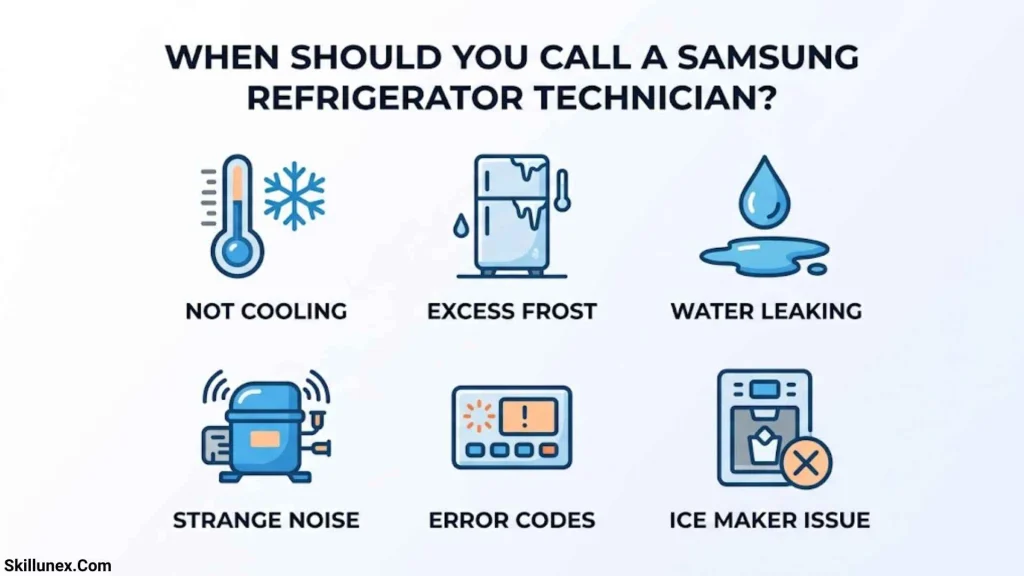
Contact Samsung support or a qualified appliance technician when:
- The refrigerator or freezer is no longer cooling correctly.
- A fan or sensor error keeps returning.
- A compressor, voltage, or communication code appears and the official instructions recommend service.
- The display remains unresponsive after the correct troubleshooting procedure.
- You notice unusual electrical symptoms, burning smells, or repeated power interruptions.
Avoid opening electrical compartments or attempting to repair internal components without the appropriate qualifications. If you smell burning or suspect an electrical fault, disconnect power only if it is safe to do so and seek professional assistance.
Frequently Asked Questions
What are the most common Samsung fridge display codes?
Commonly reported codes include AP for access point mode, 21E for a freezer fan error, 22E or 22C for a refrigerator fan error, and OF OF for Cooling Off mode. Other codes may indicate sensor, ice-maker, voltage, or communication problems. Always verify the code against your specific model.
What does the red light on a Samsung fridge mean?
A red light may indicate a filter reminder or another warning, depending on the symbol and model. Check the icon beside the light and consult your manual before replacing parts or changing settings.
Why is my Samsung fridge showing letters instead of the temperature?
The letters may be an error code, a setup status such as AP, or a mode indicator such as OF OF. Record the exact characters and check the official troubleshooting guide.
Can I reset a Samsung refrigerator to clear an error code?
Some errors have an approved reset procedure, but others require repair. Follow the instructions for your exact code and model. Do not reset the appliance simply to make a warning disappear.
How do I find the Samsung fridge symbols and meanings PDF?
Visit the Samsung Support website, search for your refrigerator’s model number, and open its user manual. The manual is the most reliable place to find the symbols and controls specific to your appliance.
How long does a Samsung refrigerator take to stop blinking?
It depends on why the display is blinking. A temperature warning may stop when the compartment cools sufficiently. After certain temperature changes or power interruptions, recovery can take several hours. If the refrigerator is not cooling or the warning persists, investigate the cause rather than waiting indefinitely.
Conclusion
Samsung fridge display symbols help you understand the appliance’s settings, maintenance needs, and possible faults. Icons such as Power Cool, Power Freeze, Ice Off, and Water Filter generally relate to everyday functions, while codes such as 21E, 22E, and PC ER can indicate issues that need further investigation. The OF OF display usually means Cooling Off mode is active rather than that a component has failed.
If you see an unfamiliar symbol, record the exact display, check your refrigerator’s model number, and consult Samsung’s official troubleshooting instructions. You can resolve some display issues with the correct settings, but persistent error codes or cooling problems may require professional repair. Understanding the code before acting helps you protect your food and avoid unnecessary repairs.

Isla Kensington
I’m Isla Kensington, a writer with a passion for research, culture, nature, and the fascinating meanings behind everyday things. I enjoy taking topics that may seem simple at first and discovering the history, facts, and ideas that make them more interesting.
I write with readers in mind. My aim is to provide clear explanations, useful information, and interesting details without making a topic unnecessarily complicated.
I believe learning should feel like discovering something rather than simply reading facts. That philosophy guides the content I create and the topics I choose to explore.
## Books by Isla Kensington
* Symbols Around the World: A Guide to Meaning & Culture
* Nature’s Beautiful Places: Lakes, Landscapes & Natural Treasures