When you see the heat exchanger code or symbol on your Samsung dryer display, you may wonder what it means and whether your appliance has a problem. I know how confusing these symbols can be, especially when you just want your dryer to work properly. Understanding the display symbols can help you identify what your dryer needs.
In this guide, you will learn what the heat exchanger symbol means on a Samsung dryer, why it appears, and how it relates to the dryer’s maintenance. I’ll also explain the common display symbols so you can understand what your appliance is telling you without unnecessary confusion.
By the end of this article, you’ll know how to check the heat exchanger area, clean the relevant filters, and respond to warning indicators correctly. I’ll walk you through simple, practical steps so you can keep your Samsung dryer running efficiently and avoid common maintenance mistakes.
What Is the Heat Exchanger on a Samsung Dryer?
The heat exchanger is an important component in Samsung condenser and heat pump dryers. Its primary function is to transfer heat during the drying process while helping remove moisture from clothes.
In a heat pump dryer, the heat exchanger works as part of a closed-loop system that recycles heat instead of continuously releasing it outside. In a condenser dryer, it helps cool moist air so that water can be collected in a tank or directed through a drainage hose.
Over time, lint, dust, and other debris can accumulate around the heat exchanger and its surrounding components. This buildup can affect airflow and reduce drying efficiency.
Regular cleaning helps maintain the dryer’s performance and prevents unnecessary maintenance warnings.
Why Does the Heat Exchanger Need Cleaning?
The heat exchanger needs regular maintenance because lint and dust can collect during normal dryer operation.
Common reasons for buildup include:
- Lint accumulation: Small fabric fibres can escape the lint filter and collect around the heat exchanger.
- Dust and debris: Dust from laundry and the surrounding environment can enter the dryer.
- Inadequate maintenance: Delaying routine cleaning allows debris to accumulate.
- Restricted airflow: Blockages can affect heat transfer and drying performance.
If the heat exchanger becomes dirty, clothes may take longer to dry, and the dryer may display a cleaning notification.
Samsung Dryer Heat Exchanger Codes and Display Symbols Explained
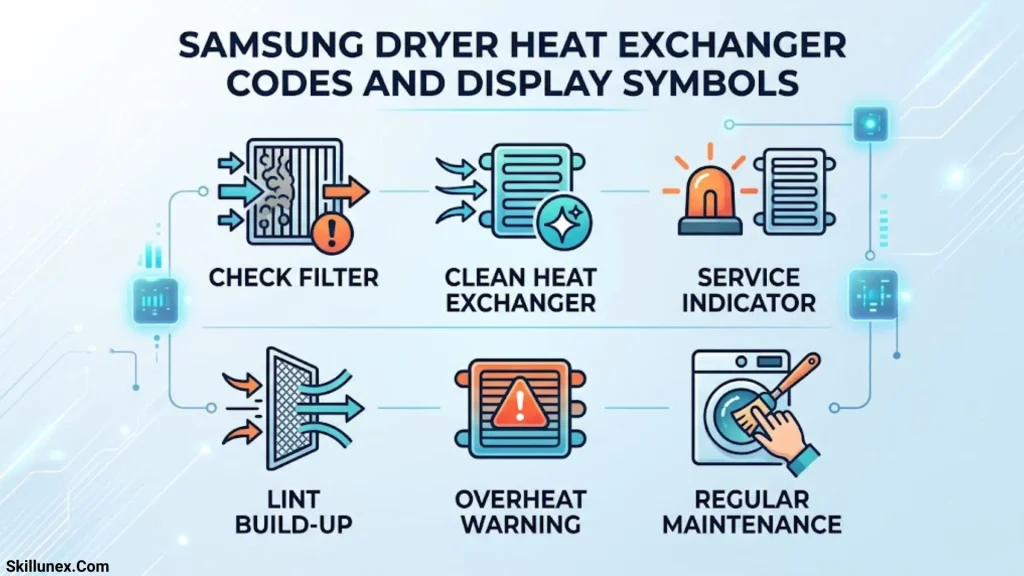
Samsung dryers use information codes and display indicators to communicate maintenance requirements and operating problems.
Some codes are directly related to the heat exchanger, while others concern the lint filter, temperature sensors, or compressor.
The following table explains the most relevant codes.
| Samsung dryer code | Meaning | Recommended action |
| FIL + tEr | Heat exchanger needs cleaning | Clean the heat exchanger according to the manual. |
| NC | Lint filter problem | Inspect and clean the lint filter assembly. |
| NC1 | Lint filter problem | Check the lint filter assembly and reinstall it correctly. |
| NC2 | Internal heat exchanger cover problem | Inspect the inner heat exchanger cover assembly. |
| tC | Air temperature sensor problem | Clean the lint filter and heat exchanger; check for restricted airflow. |
| tE | Air temperature sensor problem | Inspect the filters and airflow; seek service if the code remains. |
| tC5 | Compressor temperature sensor problem | Restart the dryer after 2–3 minutes and check for blockages. |
| tE5 | Compressor temperature sensor problem | Restart the dryer and contact service if the warning returns. |
Important: These codes are not universal across all Samsung dryers. Their availability and exact meanings can vary by model and market. Always check your model-specific user manual before attempting repairs.
What Does FIL + tEr Mean on a Samsung Dryer?
FIL + tEr is a heat exchanger cleaning notification found on supported Samsung dryer models.
It indicates that the heat exchanger needs cleaning. The dryer may also produce a buzzer sound when this notification appears.
This is generally a maintenance reminder rather than evidence of a failed heat exchanger or compressor.
To address it:
- Turn off the dryer and disconnect the power.
- Allow the appliance to cool.
- Open the heat exchanger compartment.
- Remove the inner cover according to the user manual.
- Clean the heat exchanger using the recommended brush.
- Reinstall the inner cover correctly.
- Close the compartment and restart the dryer.
If FIL + tEr continues to appear after proper cleaning, contact Samsung support or an authorized technician.
What Does NC Mean on a Samsung Dryer?

The NC information code indicates a lint filter problem.
The dryer may display this code if the lint filter assembly is obstructed, incorrectly installed, or not functioning as expected.
To troubleshoot NC:
- Remove the lint filter.
- Clear accumulated lint and debris.
- Check the filter for damage.
- Reinstall it correctly.
- Restart the dryer.
If the code remains, the filter assembly may require further inspection.
What Does NC1 Mean on a Samsung Dryer?
NC1 also indicates a lint filter problem on supported Samsung models.
Although NC and NC1 are closely related, the exact detection and troubleshooting procedure can depend on the dryer model.
Check the filter assembly, remove any accumulated lint, and ensure the filter is positioned correctly.
If cleaning does not resolve the issue, contact Samsung service.
What Does NC2 Mean on a Samsung Dryer?
NC2 specifically indicates an internal heat exchanger cover problem.
This distinction is important because NC2 does not simply mean that the heat exchanger is dirty.
The problem may involve:
- An incorrectly installed inner cover.
- A cover that is not securely locked.
- Damage to the cover assembly.
- An obstruction preventing correct installation.
Turn off the dryer, allow it to cool, and inspect the inner cover. Reinstall it according to the manufacturer’s instructions.
If NC2 remains on the display, the cover assembly or its detection mechanism may need professional inspection.
What Do tC and tE Mean on a Samsung Dryer?
The tC and tE codes indicate an air temperature sensor problem.
A blocked lint screen, dirty heat exchanger, or restricted airflow can contribute to temperature-related errors.
Try these troubleshooting steps:
- Clean the lint filter.
- Clean the heat exchanger according to the user manual.
- Check for restricted airflow.
- Restart the dryer.
If the error continues, the temperature sensor or another internal component may require professional diagnosis.
What Do tC5 and tE5 Mean?
The tC5 and tE5 codes indicate a compressor temperature sensor problem on supported Samsung dryer models.
These codes are particularly relevant to dryers equipped with heat pump technology.
Samsung recommends waiting approximately two to three minutes before turning the dryer back on. You should also check for a clogged lint screen or restricted airflow.
If the code returns, contact an authorized service centre rather than attempting to repair the compressor or sensor yourself.
How to Clean a Samsung Dryer Heat Exchanger Step by Step
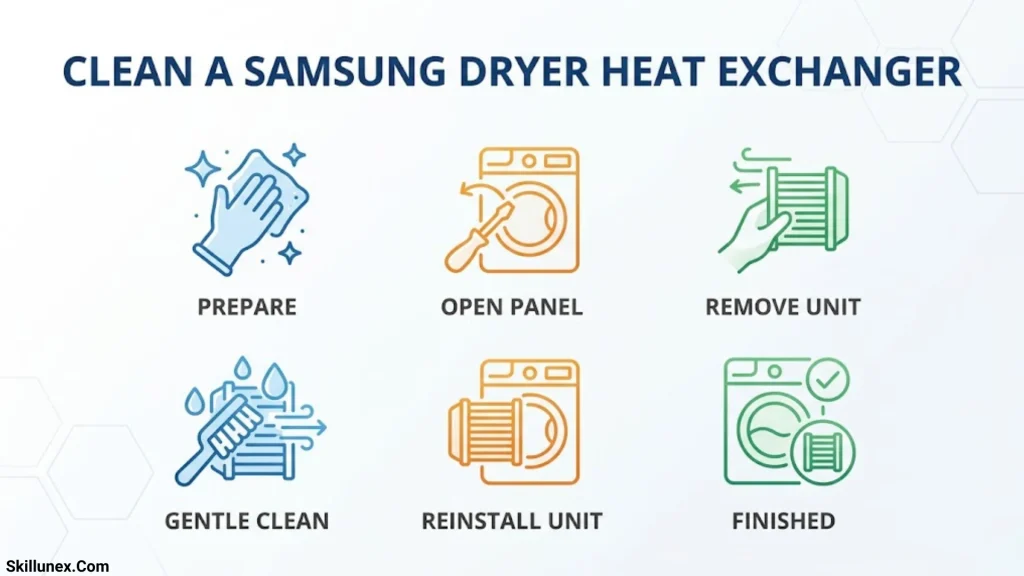
Cleaning the heat exchanger is one of the most important maintenance tasks for compatible Samsung dryers.
Before starting, check your user manual because the location of the heat exchanger, access cover, and cleaning procedure can vary.
Turn Off and Unplug the Dryer
Switch off the dryer and disconnect it from the electrical supply.
Wait until the appliance has cooled completely before opening the heat exchanger compartment.
Never perform maintenance while the dryer is operating.
Locate the Heat Exchanger Compartment
On many Samsung condenser and heat pump dryers, the heat exchanger compartment is located behind a lower front access panel.
Open the outer cover carefully.
You may find locking levers that secure the internal heat exchanger cover.
Remove the Inner Heat Exchanger Cover
Release the locking mechanisms and remove the inner cover according to your model’s instructions.
Avoid applying excessive force.
Inspect the cover for:
- Accumulated lint.
- Dust and debris.
- Cracks or other damage.
- Broken or incorrectly positioned locking components.
If the cover is damaged, it may need replacement.
Clean the Heat Exchanger
Use the cleaning brush supplied with the dryer, if available.
Gently remove visible lint and dust, following the direction and procedure described in the user manual.
Important precautions:
- Do not touch the heat exchanger fins with bare hands.
- Do not use sharp metal objects.
- Do not bend or damage the delicate fins.
- Do not pour water directly onto the heat exchanger.
- Do not use a pressure washer or aggressive cleaning chemicals.
The heat exchanger is a delicate component, so gentle cleaning is essential.
Clean the Inner Cover
Inspect the inner cover for lint and debris.
Where permitted by your model’s instructions, wipe the cover with a smooth, damp cloth.
Allow it to dry before reinstalling it.
Reinstall the Inner Cover Correctly
Position the inner cover in its original location.
Make sure it is aligned properly and that all locking levers are secured.
Incorrect installation can trigger an NC2 information code or another cover-related warning.
Close the Outer Cover and Restart the Dryer
Close the heat exchanger access panel securely.
Reconnect the power supply and switch on the dryer.
Check whether the warning has disappeared.
If the notification remains, consult the troubleshooting instructions for your specific model.
Why Does the Samsung Dryer Heat Exchanger Warning Keep Appearing?
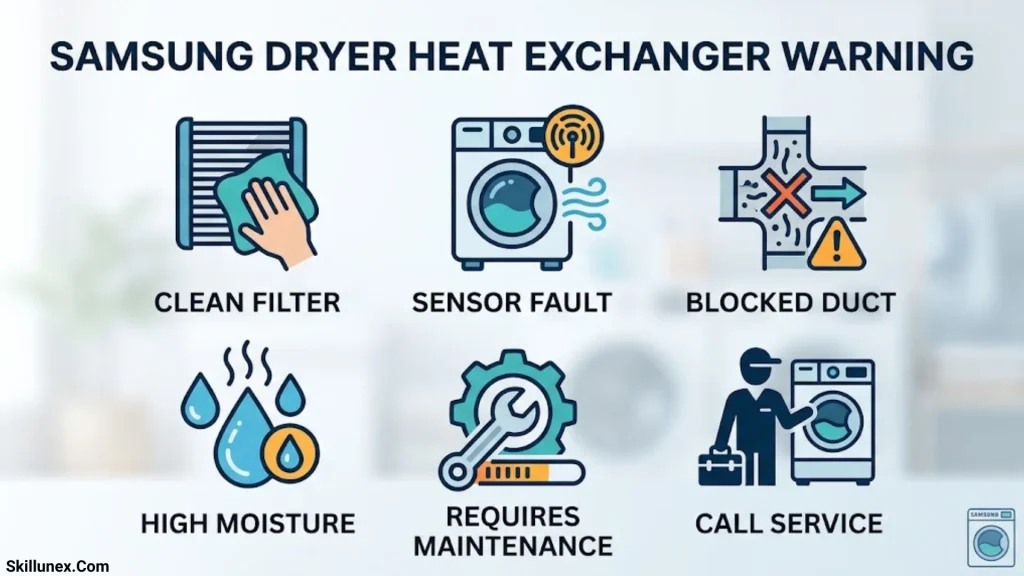
A heat exchanger warning that returns after cleaning can be frustrating. However, it does not automatically mean that the heat exchanger has failed.
Several different issues can cause persistent notifications.
The Heat Exchanger Is Still Dirty
Visible lint may be removed during cleaning, but debris can remain in difficult-to-reach areas.
Use the recommended cleaning brush and follow the manufacturer’s instructions carefully.
Never attempt to force debris out using sharp tools.
The Inner Heat Exchanger Cover Is Not Installed Correctly
This is particularly important when the dryer displays NC2.
Remove and reinstall the inner cover, making sure the locking levers are secured.
If the cover is damaged or does not fit properly, professional assistance may be necessary.
The Lint Filter Is Blocked
A blocked lint filter can restrict airflow and reduce drying efficiency.
Clean the lint filter after every drying cycle.
Also inspect it for damage and ensure it is correctly installed before operating the dryer.
The Temperature Sensor Has Developed a Fault
If tC or tE continues to appear after cleaning, the temperature sensor may be faulty.
A technician can inspect the sensor, wiring, and related components to identify the actual cause.
The Heat Exchanger Compartment Is Damaged
A damaged cover or locking mechanism can prevent the compartment from closing correctly.
Inspect the accessible components for visible damage.
Do not operate the dryer with a missing, damaged, or improperly secured heat exchanger cover.
Other Samsung Dryer Display Symbols and Their Meanings
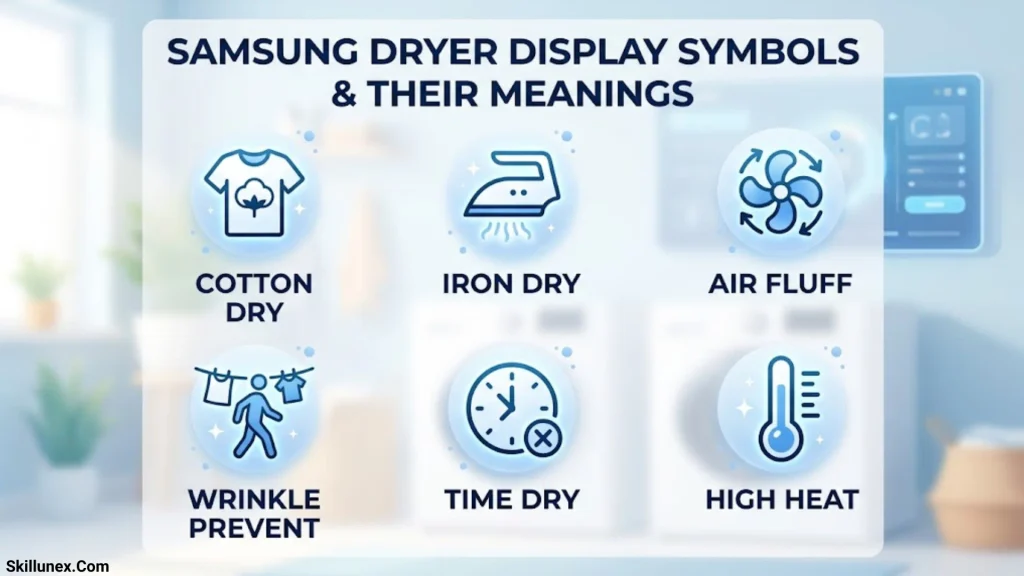
Apart from heat exchanger notifications, Samsung dryers display several symbols that help users understand the machine’s operating status.
Here are some common indicators.
Check Filter Symbol
< The Check Filter indicator >
This symbol reminds you to inspect and clean the lint filter.
Remove accumulated lint before starting another drying cycle. A clean filter helps maintain airflow and drying efficiency.
Water Tank Full Symbol
< The Water Tank indicator >
This notification indicates that the condensate water tank needs emptying on models that use a collection tank.
Remove the tank, empty the water, and reinstall it securely.
If your dryer is connected to a direct drainage system, check the drainage hose if a related drainage error appears.
Child Lock Symbol
< The Child Lock indicator >
The Child Lock symbol indicates that the control panel has been locked to prevent accidental changes.
The button combination used to activate or deactivate this feature varies by model.
Check your user manual for the correct procedure.
Delay End Symbol
< The Delay End indicator >
This symbol indicates that the dryer has been programmed to finish at a later time.
It is a scheduling feature rather than an error notification.
Sensor Dry Indicator
< The Sensor Dry indicator >
Sensor Dry indicates that the dryer is monitoring moisture levels to adjust the drying process.
This helps prevent unnecessary drying and can improve energy efficiency.
Damp Alert Symbol
< The Damp Alert indicator >
This feature alerts you when clothes reach a selected moisture level.
It can be useful when you want to remove certain garments before the entire load becomes completely dry.
Note: The symbols shown above are descriptive labels, not exact graphical reproductions. Actual icons vary according to Samsung dryer model and control-panel design.
How Often Should You Clean a Samsung Dryer Heat Exchanger?
Regular maintenance helps keep your dryer working efficiently.
Samsung’s Pakistan dryer FAQs recommend cleaning the heat exchanger approximately once a month or sooner if the buzzer sounds or the heat exchanger indicator illuminates.
A simple maintenance routine includes:
| Component | Recommended maintenance |
| Lint filter | Clean after every drying cycle. |
| Heat exchanger | Approximately once a month or when prompted. |
| Water tank | Empty when full. |
| Drainage hose | Check periodically for kinks or blockages. |
| Heat exchanger cover | Inspect during cleaning. |
| Dryer exterior | Wipe when needed to remove dust. |
Following these maintenance practices can help prevent restricted airflow, reduce unnecessary drying times, and maintain consistent performance.
Samsung Dryer Heat Exchanger vs Condenser: What Is the Difference?
The terms heat exchanger and condenser are sometimes used interchangeably when discussing condenser dryers, but they describe different aspects of the drying system.
The heat exchanger transfers thermal energy between air or refrigerant circuits, depending on the dryer design.
A condenser is the part of a condenser dryer that cools moist air so that water can be collected.
In heat pump dryers, the system uses heat exchangers as part of a refrigeration cycle to recover and reuse heat.
Understanding the difference helps explain why some Samsung dryers have heat exchanger cleaning indicators while other models use different maintenance procedures.
When Should You Contact a Samsung Dryer Technician?
Not every information code can be resolved through cleaning. Some errors require electrical testing, sensor inspection, or component replacement.
Contact a qualified technician if:
- FIL + tEr continues after cleaning.
- NC2 remains after correctly reinstalling the inner cover.
- tC or tE repeatedly appears.
- tC5 or tE5 returns after restarting.
- The dryer overheats or stops unexpectedly.
- The heat exchanger cover is cracked or damaged.
- Clothes remain wet despite correct cycle settings and clean filters.
- You notice unusual noises, burning smells, or signs of electrical damage.
If you notice a burning smell or smoke, stop using the dryer and disconnect the power if it is safe to do so.
Avoid opening sealed electrical compartments or attempting compressor and sensor repairs without appropriate training.
Frequently Asked Questions About Samsung Dryer Heat Exchanger Codes
What does the heat exchanger symbol mean on a Samsung dryer?
The heat exchanger symbol indicates that the heat exchanger needs attention or cleaning. It is generally a maintenance notification rather than a serious mechanical failure.
What is the FIL + tEr code on a Samsung dryer?
FIL + tEr indicates that the heat exchanger needs cleaning. Open the heat exchanger compartment, remove the inner cover, and clean the component according to your model’s instructions.
What does NC2 mean on a Samsung dryer?
NC2 indicates an internal heat exchanger cover problem. Check whether the inner cover is correctly positioned, securely locked, and free from visible damage.
What is the difference between NC1 and NC2?
NC1 relates to a lint filter problem, whereas NC2 indicates a problem with the internal heat exchanger cover. They require different inspection procedures.
How do I reset the Samsung dryer heat exchanger warning?
First, clean the heat exchanger and reinstall its cover correctly. Restart the dryer and check the display. Some notifications disappear after maintenance, while others may require additional troubleshooting. There is no universal reset combination for every Samsung dryer model.
Can I run my Samsung dryer with a heat exchanger warning?
If the warning is a routine cleaning reminder, follow the instructions in your model’s manual. If the dryer displays an error code or indicates an incorrectly installed cover, resolve the issue before continuing operation.
How often should I clean my Samsung dryer heat exchanger?
Samsung recommends approximately monthly cleaning or cleaning sooner when the buzzer sounds or the cleaning indicator appears. Your model’s maintenance instructions take priority.
Why is my Samsung dryer taking longer to dry clothes?
A dirty heat exchanger, blocked lint filter, restricted airflow, overloaded drum, or incorrect cycle setting can increase drying time. Clean the filters and heat exchanger and avoid overloading the dryer.
Does the heat exchanger warning mean the compressor is faulty?
No. A heat exchanger cleaning warning does not automatically indicate compressor failure. A separate code, such as tC5 or tE5, relates to the compressor temperature sensor and requires specific troubleshooting.
Where can I find the correct Samsung dryer error code manual?
Visit the official Samsung support website for your country and search using your dryer’s complete model number. The model-specific manual provides the correct information about display symbols, maintenance procedures, and troubleshooting.
Conclusion
Understanding the heat exchanger code Samsung dryer display symbols can help you identify maintenance reminders and keep your appliance working efficiently. When you see the heat exchanger symbol, I recommend checking your dryer’s heat exchanger area and cleaning it according to the manufacturer’s instructions. You should also pay attention to other display symbols because they can alert you when your dryer needs attention.
With the right care and regular maintenance, you can avoid common dryer problems and improve its performance. I hope this guide has helped you understand what the heat exchanger symbol means and what steps you should take when it appears on your Samsung dryer.

I’m Adrian Holloway, a writer and researcher who enjoys exploring the stories, meanings, and interesting facts behind the subjects people search for every day. I’m especially interested in symbols, nature, lakes, places, and cultural topics that help readers understand the world from a different perspective.
I believe useful content should be simple, accurate, and enjoyable to read. When I research a topic, I focus on finding meaningful details and presenting them in a way that makes information easy to understand.
My goal is to create helpful articles that answer real questions while encouraging readers to discover something new with every visit.
Books by Adrian Holloway
The Language of Symbols: Meanings, Stories & Traditions
Hidden Wonders of Nature: Lakes, Landscapes & Discovery