Quote symbols are punctuation marks used to show direct speech, identify quotations, highlight specific words, and separate quoted text from the rest of a sentence. They are commonly used in articles, books, academic assignments, emails, websites, social media posts, and professional documents.
The most familiar quote symbols are double quotation marks (” “), single quotation marks (‘ ‘), curly quotation marks (“ ” and ‘ ’), and guillemets (« »). Although these symbols serve similar purposes, their appearance and usage can differ depending on the language, writing style, and application.
In this complete guide, you will discover the names and meanings of quote symbols, learn the differences between straight and curly quotation marks, explore common examples, and find out how to type or copy quotation marks on Windows, Mac, Android, iPhone, Microsoft Word, and Google Docs.
What Are Quote Symbols?
Quote symbols, also known as quotation marks or inverted commas, are punctuation marks that enclose words, phrases, sentences, or passages. They usually appear in pairs, with an opening quotation mark before the quoted text and a closing quotation mark after it.
For example:
- Double quotation marks: “Hello, how are you?”
- Single quotation marks: ‘Hello, how are you?’
- Curly double quotation marks: “Hello, how are you?”
- Curly single quotation marks: ‘Hello, how are you?’
- Guillemets: «Bonjour, comment allez-vous ?»
Quotation marks help readers recognize which words are being quoted, discussed, or presented in a special way. The correct style depends on the language and the writing convention you follow.
Common Quote Symbols and Their Names
The following table lists common quotation marks, their names, and their typical uses.
| Symbol | Name | Common Use |
| “ | Straight double quotation mark | Plain text and direct quotations |
| ‘ | Straight single quotation mark | Single quotations and computing |
| “ | Opening curly double quotation mark | Beginning a quotation |
| ” | Closing curly double quotation mark | Ending a quotation |
| ‘ | Opening curly single quotation mark | Beginning a single quotation |
| ’ | Closing curly single quotation mark | Ending a quotation or forming an apostrophe |
| « | Left-pointing double guillemet | Opening quotations in some languages |
| » | Right-pointing double guillemet | Closing quotations in some languages |
| ‹ | Left-pointing single guillemet | Opening single quotations in some languages |
| › | Right-pointing single guillemet | Closing single quotations in some languages |
| „ | Low double quotation mark | Used in certain language conventions |
| ‚ | Low single quotation mark | Used in certain language conventions |
| 「 | Japanese corner bracket | Japanese quoted text |
| 」 | Japanese closing corner bracket | Closing Japanese quoted text |
| 『 | Japanese double corner bracket | Nested quotations and other uses |
| 』 | Japanese closing double corner bracket | Closing nested quotations |
| 《 | Chinese double angle bracket | Titles and other language-specific uses |
| 》 | Chinese closing double angle bracket | Closing the corresponding bracket |
Not every symbol in this table is used in English. Some belong to specific languages and writing systems, so choose quotation marks appropriate to your audience and language.
Why Are Quote Symbols Important?
Quotation marks make writing clearer by showing exactly which words belong to a quotation or are being discussed as text.
They are commonly used to:
- Show a person’s exact spoken words.
- Quote a passage from a book, article, or interview.
- Identify a word or phrase being discussed.
- Mark titles of certain shorter works, depending on the style guide.
- Separate a quotation inside another quotation.
- Indicate irony or a special meaning in some contexts.
For example:
Without quotation marks:
Sarah said, I will call you tomorrow.
With quotation marks:
Sarah said, “I will call you tomorrow.”
The second sentence clearly identifies Sarah’s exact words.
Types of Quote Symbols
There are several types of quotation marks, and each has its own appearance and conventions. Understanding their differences helps you choose the right symbol for your writing.
Straight Double Quotation Marks (” “)
Straight double quotation marks are vertical characters commonly found on computer keyboards. They are widely used in everyday writing, plain-text documents, programming, search queries, and digital communication.
Examples:
- She said, “I am ready.”
- He described the film as “interesting.”
- The word “quotation” refers to text repeated from another source.
Straight quotation marks are easy to type because they are available directly on many standard keyboards. However, they do not have separate opening and closing shapes, so they may look less typographic than curly quotation marks.
Straight Single Quotation Marks (‘ ‘)
Straight single quotation marks are also called single quotes. They can be used for quotations within quotations, for discussing words, and in technical contexts.
Examples:
- “Maya said, ‘I am ready,’ before leaving.”
- The term ‘photosynthesis’ describes a biological process.
In many American English styles, double quotation marks enclose the main quotation and single quotation marks enclose a quotation inside it. Many British English publications use the reverse arrangement, although conventions vary.
In programming and other technical contexts, single quotation marks may also have a specific function that is unrelated to ordinary punctuation.
Curly Double Quotation Marks (“ ”)
Curly double quotation marks are also called smart quotes or typographic quotation marks. Unlike straight quotation marks, they have distinct opening and closing forms.
- Opening double quotation mark: “
- Closing double quotation mark: ”
Example:
“Learning is a lifelong journey.”
Curly quotation marks are common in books, magazines, professionally formatted articles, and polished digital content. Word processors can often replace straight quotation marks with curly ones automatically.
Remember that the opening and closing marks are different characters. Use the opening mark at the beginning and the closing mark at the end of the quotation.
Curly Single Quotation Marks (‘ ’)
Curly single quotation marks are the typographic versions of single quotes.
- Opening single quotation mark: ‘
- Closing single quotation mark: ’
Example:
‘Practice makes progress.’
They can also enclose a quotation inside a larger quotation, depending on the selected writing convention.
Example:
“She described the result as ‘unexpected’ during the interview.”
The closing curly single quotation mark also resembles the apostrophe used in contractions and possessives, as in “don’t” and “writer’s.” Its function depends on how it is used in the sentence.
Guillemets (« » and ‹ ›)
Guillemets are angle-shaped quotation marks used in several languages. Their usage differs by language, country, and publishing style.
The main forms are:
- « — left-pointing double guillemet
- » — right-pointing double guillemet
- ‹ — left-pointing single guillemet
- › — right-pointing single guillemet
Example:
«Bonjour, comment allez-vous ?»
Guillemets are used as quotation marks in some French-language and other European publishing conventions. Spacing around them depends on the language and typographic rules being followed.
Although they resemble mathematical less-than and greater-than signs, guillemets are separate characters.
Language-Specific Quotation Marks
Different languages use different quotation marks and punctuation conventions.
These are broad examples rather than universal rules. The correct form may vary by region, publication, and context. When writing in a particular language, follow the relevant style guide.
How to Type Quote Symbols on a Keyboard
Typing straight quotation marks is usually simple, but curly quotes and language-specific symbols may require a character picker or a word processor’s symbol menu.
How to Type Quote Symbols on Windows
On a standard US keyboard, you can type common quotation marks directly.
| Symbol | How to Type It |
| “ | Shift + apostrophe |
| ‘ | Apostrophe key |
| “ | Use the symbol panel or Character Map |
| ” | Use the symbol panel or Character Map |
| ‘ | Use the symbol panel or Character Map |
| ’ | Use the symbol panel or Character Map |
The apostrophe key is usually located near the Enter key on a standard US keyboard, but its position may differ on other layouts.
To insert curly quotation marks through Windows:
- Place your cursor in the text field.
- Press Windows + . (period).
- Open the symbols section, if available.
- Browse for the required character.
- Select the symbol to insert it.
You can also open Character Map from the Start menu, select a font, choose the desired quotation mark, and copy it into your document.
How to Type Quote Symbols on a Mac
On a standard US Mac keyboard, the basic shortcuts are:
| Symbol | How to Type It |
| “ | Shift + apostrophe |
| ‘ | Apostrophe key |
| “ ” | Use Character Viewer or smart-quote settings |
| ‘ ’ | Use Character Viewer or smart-quote settings |
To open Character Viewer in many macOS applications:
- Open the application where you want to type.
- Press Control + Command + Space.
- Search for “quotation mark” or a more specific term such as “left double quotation mark.”
- Select the character you need.
Some Mac applications automatically convert straight quotes into curly quotation marks. If this happens, check the application’s smart-quote or text-replacement settings.
How to Type Quote Symbols on Android and iPhone
Mobile keyboards generally include straight quotation marks in their punctuation or symbols layout. Curly quotation marks may be available through alternative characters, automatic punctuation, or copy and paste.
On Android:
- Open a text field.
- Tap the ?123 or similar symbols key.
- Find the quotation mark.
- Tap it to insert the character.
On an iPhone or iPad:
- Open a text field.
- Tap 123 to access numbers and punctuation.
- Locate the quotation mark.
- Tap the symbol to insert it.
Keyboard layouts differ by language, device, and keyboard app. If you cannot find curly quotation marks, copy the characters directly from this list:
“ ” ‘ ’ « » ‹ ›
How to Type Quote Symbols in Microsoft Word
Microsoft Word supports automatic smart quotes and manual symbol insertion.
To enable smart quotes:
- Open Word’s settings or options.
- Find the AutoCorrect or AutoFormat settings.
- Locate the option that replaces straight quotation marks with smart quotation marks.
- Enable it if you want automatic conversion.
The exact location depends on your Word version and operating system.
If you need a specific quotation mark, you can also select Insert → Symbol and choose the required character. Manual insertion is particularly useful when you need a particular opening or closing mark and want to control exactly which character appears.
How to Type Quote Symbols in Google Docs
Google Docs offers a special-character tool for inserting quotation marks and other punctuation.
- Open your Google Docs document.
- Select Insert → Special characters.
- Search for “quotation mark” or “left double quotation mark.”
- Choose the character you need.
- Click it to insert it into the document.
Google Docs may also convert straight quotation marks automatically, depending on its settings and the way you type. If you need an exact character, use the special-character tool or copy and paste it.
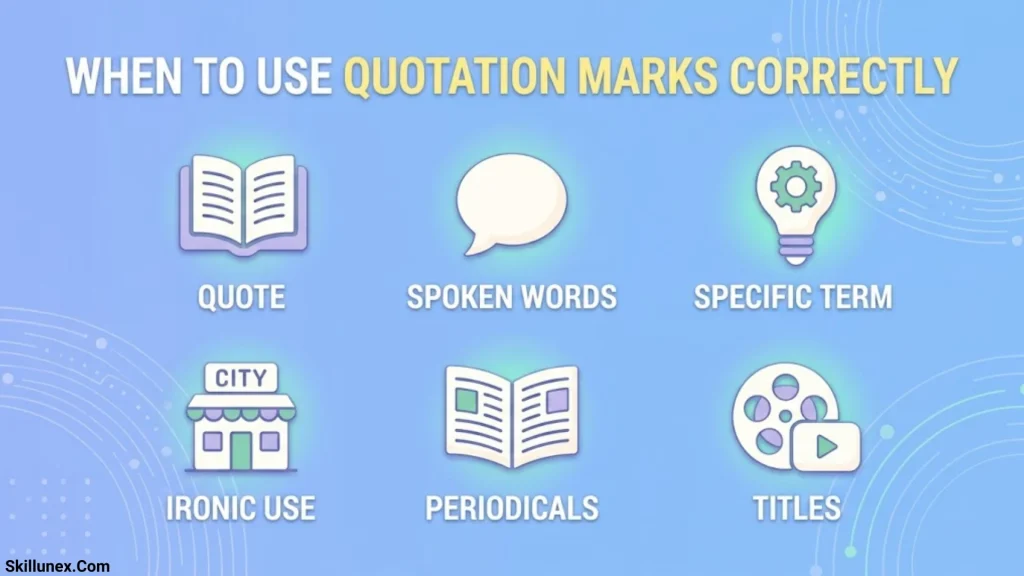
When to Use Quotation Marks Correctly
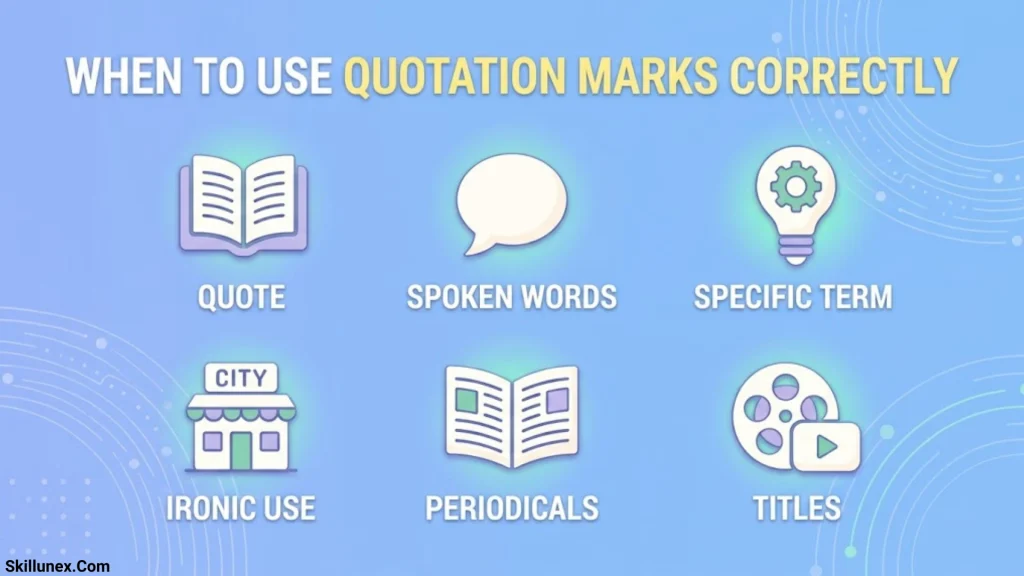
Using the right quotation symbol is only one part of correct punctuation. You also need to understand how quotation marks interact with speech, citations, punctuation, and nested quotations.
Use Quotation Marks for Direct Speech
Quotation marks show the exact words spoken by a person.
Examples:
- Sarah said, “I will arrive at noon.”
- “Please close the door,” he requested.
- “Are you ready?” she asked.
The punctuation depends on the sentence structure and the writing convention you follow.
For example:
“I will,” she said, “finish the work today.”
The quotation marks indicate that the speech is interrupted by a reporting phrase.
Use Quotation Marks for Quotations from Sources
Quotation marks can identify exact words taken from an article, book, interview, or another source.
Example:
The author writes, “Knowledge is a powerful tool.”
When quoting someone else’s work, include the attribution or citation required by the relevant style guide. Quotation marks do not replace proper source attribution.
Long quotations may be formatted as block quotations instead of being enclosed in quotation marks, depending on the citation style and the length of the passage.
Use Nested Quotation Marks Correctly
A nested quotation occurs when one quotation appears inside another.
In many American English styles, double quotation marks enclose the main quotation and single quotation marks enclose the inner quotation.
Example:
“He told me, ‘I will arrive early,’ before leaving.”
Many British English styles use single quotation marks for the main quotation and double quotation marks for the quotation inside it.
Example:
‘He told me, “I will arrive early,” before leaving.’
Both conventions can be correct within their respective styles. The important thing is to follow the convention required for your document and use it consistently.
Use Quotation Marks for Words and Titles When Appropriate
Quotation marks can identify a word being discussed as a word.
Example:
The word “quotation” refers to text repeated from another source.
They are also commonly used for certain shorter works, such as short stories, articles, poems, and individual television episodes, depending on the style guide.
Longer works, such as books and films, are often italicized instead. Title formatting varies by publication style, so check the rules relevant to your assignment or website.
Common Quote Symbol Mistakes to Avoid
Even though quotation marks are simple punctuation marks, incorrect use can make writing look inconsistent or confusing.
Using the Wrong Opening or Closing Quotation Mark
Curly quotation marks have distinct opening and closing forms.
Incorrect: ”Hello, how are you?”
Correct: “Hello, how are you?”
Straight quotation marks look identical on both sides, while curly quotation marks show the direction visually.
Mixing Straight and Curly Quotation Marks
Mixing different quotation styles within a document can create inconsistent formatting.
For example, avoid opening a quotation with a curly mark and closing it with a straight mark unless a specific technical or formatting requirement calls for it.
Choose a consistent style and check that quotation marks are paired correctly.
Confusing Apostrophes with Single Quotation Marks
An apostrophe and a closing curly single quotation mark may use the same character, but they serve different grammatical purposes.
Examples:
- Apostrophe: don’t
- Possessive: the writer’s book
- Quotation: ‘hello’
The correct punctuation depends on the intended meaning and the structure of the sentence.
Using Quotation Marks for Emphasis Too Often
Quotation marks can suggest irony, skepticism, or an unusual meaning. Using them around ordinary words for emphasis may confuse readers.
Example:
The product is “excellent.”
Depending on the context, the quotation marks may imply that the writer doubts the product is excellent.
If you simply want to emphasize a word, bold or italics may be clearer.
Frequently Asked Questions
What are the most common quote symbols?
The most common quotation marks in English are straight double quotation marks (” “), straight single quotation marks (‘ ‘), curly double quotation marks (“ ”), and curly single quotation marks (‘ ’). Their usage depends on the language and writing style.
What is the difference between straight and curly quotation marks?
Straight quotation marks are vertical characters commonly found on keyboards. Curly quotation marks have typographic shapes and separate opening and closing forms. Straight quotes are common in plain text and computing, while curly quotes are often used in professionally formatted writing.
How do I type quotation marks on a keyboard?
On a standard US keyboard, press Shift + apostrophe to type a double quotation mark and press the apostrophe key to type a single quotation mark. Other keyboard layouts may use different key positions.
How do I type curly quotation marks on Windows?
Use the Windows symbol panel, Character Map, or the Insert Symbol feature in a word processor. You can also copy and paste these characters: “ ” ‘ ’. Microsoft Word can convert straight quotation marks into curly ones when smart quotes are enabled.
What are quotation marks called in British English?
Quotation marks are also called inverted commas in British English. Many British English publications use single quotation marks for the main quotation and double quotation marks for quotations within quotations, although the exact convention varies.
Should I use single or double quotation marks?
It depends on the language and style guide. Many American English styles use double quotation marks for the main quotation, while many British English styles use single quotation marks. Follow the convention required by your publication, school, or employer.
What are guillemets used for?
Guillemets (« ») are quotation marks used in several languages and publishing conventions. They are particularly associated with French and some other European-language traditions. Their spacing and exact usage depend on the language.
Can I copy and paste quote symbols into WordPress?
Yes. You can copy quotation marks from a character list and paste them into WordPress. For example, copy “ ” ‘ ’ « » or ‹ ›. Check the final published page to ensure that the symbols display correctly in your selected font and theme.
Conclusion
Quote symbols help make writing clear, readable, and professional. The main types include straight double quotation marks, straight single quotation marks, curly double quotation marks, curly single quotation marks, and language-specific forms such as guillemets.
You can type basic quotation marks directly from a keyboard and insert special forms through Windows Character Map, Mac Character Viewer, Microsoft Word, Google Docs, or a mobile keyboard. When writing, choose a quotation style appropriate to your language, use matching opening and closing marks, and follow the relevant punctuation conventions consistently.
Understanding quote symbols makes it easier to write accurate quotations, format articles, prepare assignments, and create polished digital content.

Caleb Thornton
I’m Caleb Thornton, a researcher and content writer who loves exploring fascinating subjects and sharing what I learn with readers. My interests include natural places, lakes, symbols, culture, history, and the stories that make ordinary topics more meaningful.
When I write an article, I try to go beyond a basic answer. I look for useful facts, relevant context, and details that can help readers understand the subject more completely.
My purpose is simple: I want every article I contribute to provide genuine value, satisfy the reader’s curiosity, and make discovering new information enjoyable.
## Books by Caleb Thornton
* Symbols & Meanings: Exploring the Signs We See Every Day
* Lakes of the World: Nature, Beauty & Exploration