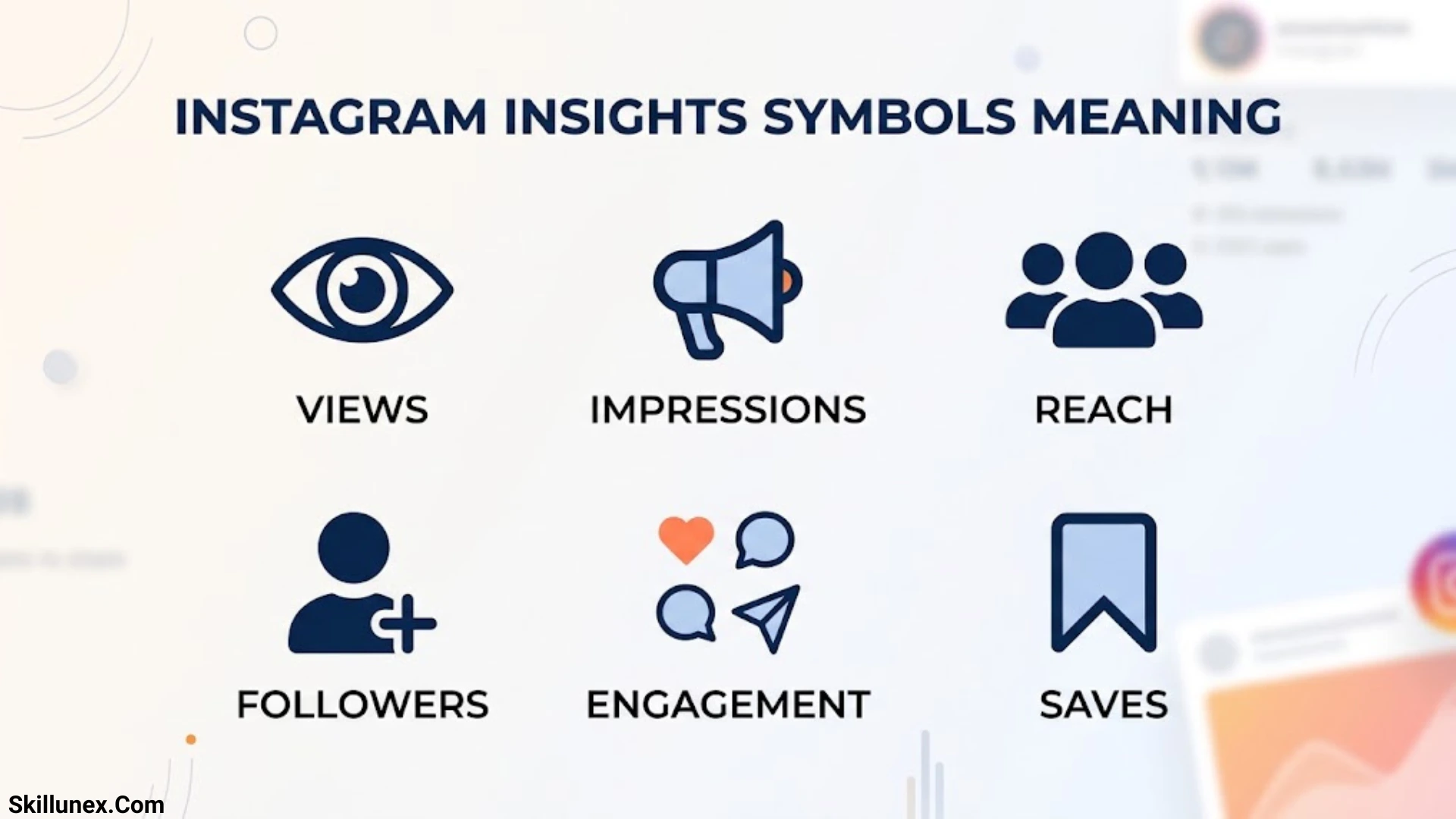
Instagram Insights symbols meaning is a common question for creators, businesses, and everyday users who want to understand their Instagram analytics. These symbols represent different activities, including likes, comments, shares, saves, views, reach, profile visits, and audience engagement. Once you understand what each icon means, you can read your analytics more confidently and identify which content performs well.
Instagram Insights gives you information about how people discover and interact with your posts, Reels, and Stories. However, some metrics look similar even though they measure different things. For example, reach counts unique accounts, while views measure viewing activity according to Instagram’s metric definitions. Understanding these differences helps you avoid misleading conclusions about your content.
In this guide, you’ll learn the meaning of common Instagram Insights symbols, how to interpret individual metrics, where to find your analytics, and how to use the data to improve your content strategy. You’ll also discover common mistakes to avoid and answers to frequently asked questions about Instagram analytics.
What Are Instagram Insights Symbols?
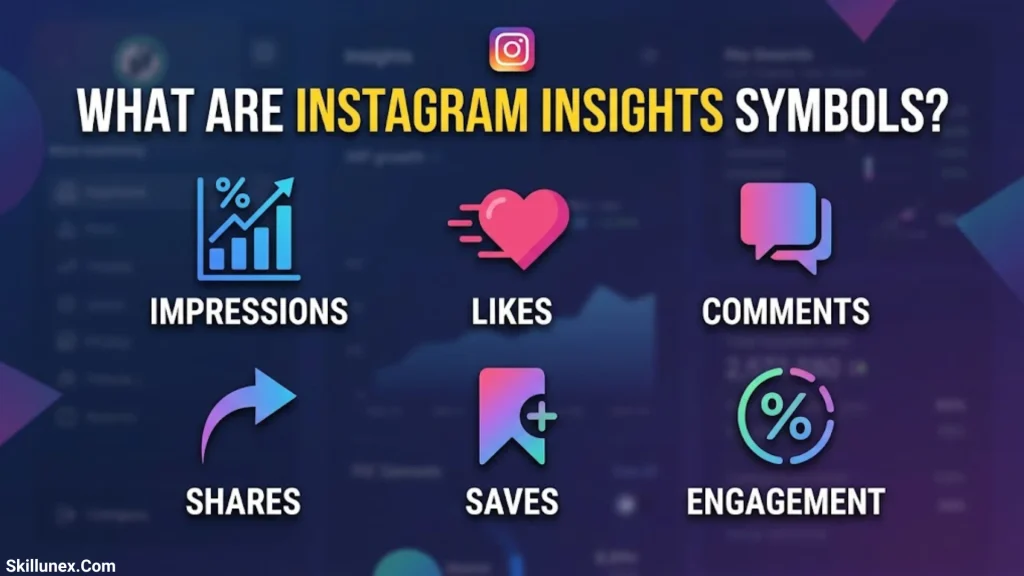
Instagram Insights symbols are small icons that represent analytics, audience information, and content interactions. You can find them in the professional dashboard and in the performance details of individual posts, Reels, and Stories.
Each symbol helps you recognize a particular action or category of information. A heart usually represents likes, a speech bubble represents comments, and a bookmark represents saves. Other icons may represent views, profile activity, audience data, or performance trends.
Instagram’s interface can change over time. The same icon may also appear in different contexts, so you should check the label beside it instead of relying on the image alone.
Who Can Access Instagram Insights?
Instagram’s full professional Insights features are generally available to accounts set up as Creator or Business accounts. A standard personal account may not have access to the complete professional analytics dashboard.
If you create content professionally, promote a business, or manage a brand, Insights can help you understand how your audience responds to your content. You can use these measurements to compare posts, evaluate engagement, and make informed decisions about future content.
Why Do Instagram Insights Symbols Matter?
Understanding these symbols helps you answer practical questions about your account.
- Which posts attract the most attention?
- How many unique accounts see your content?
- Which Reels receive the most viewing activity?
- What content do people save or share?
- Are viewers visiting your profile after seeing a post?
- Which content helps you reach your Instagram goals?
Instead of guessing what your audience likes, you can use these metrics to identify patterns and test new ideas.
Instagram Insights Symbols Meaning at a Glance
The following table explains common Instagram icons and their usual meanings. The exact appearance and availability of some symbols may vary depending on your app version and the screen you’re viewing.
| Symbol or icon | Meaning | What it tells you |
| Heart | Likes | How many likes your content receives |
| Speech bubble | Comments | How many comments people leave |
| Paper airplane | Shares or sends | How often people share or send content |
| Bookmark | Saves | How often people save content for later |
| Eye or play icon | Viewing activity | Video or content viewing information, depending on context |
| Bar chart | Analytics or performance | Access to performance information |
| Person or profile icon | Profile or account information | Profile-related activity or audience details |
| People or audience icon | Audience information | Available follower or audience data |
| Arrow | Navigation or change | Movement between screens or a performance change, depending on context |
| Circular arrows | Repeat or another action | Meaning depends on the feature and screen |
| Calendar | Date selection | A reporting period or date filter |
| Three dots | More options | Additional settings or actions |
Important: Instagram does not use every icon in exactly the same way across all screens. When an icon appears beside a number, read the accompanying metric label to confirm what the number measures.
Instagram Insights Symbols Meaning for Posts
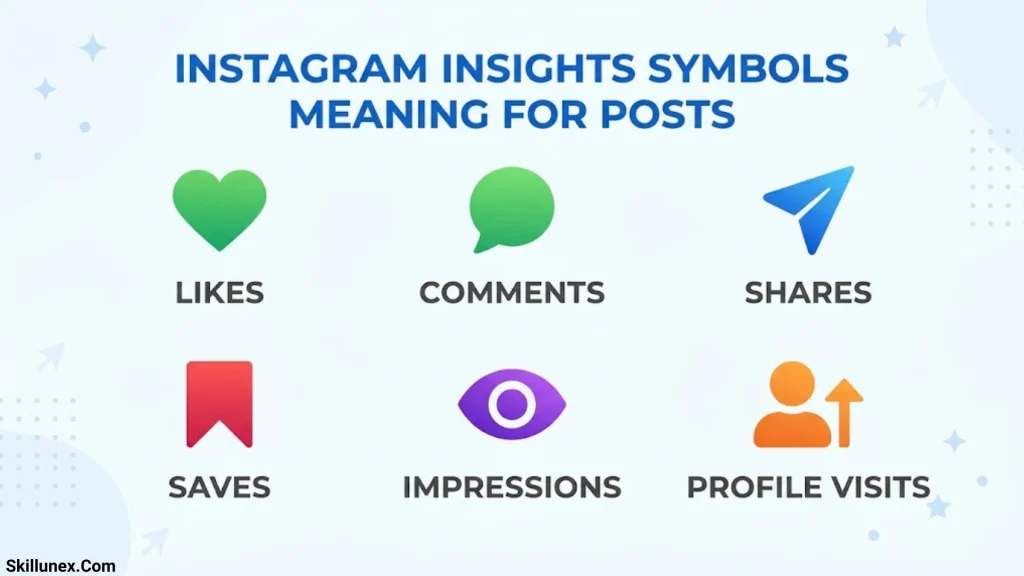
Post Insights show how people interact with your feed content, including photos and carousels. These metrics help you understand whether a post attracts attention, encourages conversation, or provides information that people want to revisit.
Heart Symbol: Likes
The heart symbol represents likes. When someone taps the heart on your post, Instagram records that interaction.
Likes can indicate that people appreciate your content, agree with your message, or find your post entertaining. However, likes alone don’t tell you everything about performance.
For example, one post might receive 400 likes but very few saves. Another might receive 150 likes and 100 saves. If your goal is to publish useful educational content, the second post may offer stronger evidence that people want to revisit the information.
Compare likes with reach, shares, saves, and comments to understand the bigger picture.
Speech Bubble Symbol: Comments
The speech bubble represents comments on your content. Comments can show that people want to ask questions, share opinions, or participate in a discussion.
If your posts receive thoughtful comments, examine what encourages people to respond. You may discover that practical questions, personal experiences, and open-ended discussions create more interaction than general promotional messages.
To encourage meaningful comments, make your content easy to understand and invite relevant responses. Avoid judging success by comment count alone because the quality and relevance of those comments also matter.
Paper Airplane Symbol: Shares
The paper airplane commonly represents sharing or sending content. On an Insights screen, the associated metric can help you understand how often people share your post or send it to others.
Shares can be valuable when you want your content to reach people beyond your existing audience. For example, someone might send a useful checklist to a friend or share a relatable post with a group.
If your goal is greater discovery, compare the shares received by different posts. Look for topics, formats, and presentation styles that encourage people to pass your content along.
Bookmark Symbol: Saves
The bookmark symbol represents saves. When someone saves a post, they keep it available for future reference.
Saves can indicate that your content offers lasting value. People might save a tutorial, a recipe, a travel checklist, a workout demonstration, or a step-by-step guide.
If your educational posts receive more saves than your other content, consider creating related tutorials or practical resources. However, a save doesn’t automatically mean someone will return to the post or become a customer.
Reach and Views on Instagram Posts
Reach and views describe different aspects of content performance.
Reach generally measures the number of unique accounts that saw your content. Views measure viewing activity according to Instagram’s applicable metric definition and may count repeated viewing activity.
For example, if 500 unique accounts see your content, your reach may be 500 even when the total number of views is higher. The exact reporting depends on the content type and the metric Instagram displays.
Use reach to understand how many different accounts your content reaches. Use views to evaluate viewing activity when that metric is available.
Instagram Reels Insights Symbols Meaning
Reels Insights help you understand how people watch and interact with your short-form videos. These metrics can show whether your videos attract attention, generate engagement, and encourage people to explore your account.
Play Symbol or Views Metric
A play icon or views label generally relates to video viewing activity. Instagram’s exact presentation may vary across screens and app versions.
A high number of views can indicate that a Reel received substantial viewing activity. However, views alone don’t tell you how long people watched, whether they finished the video, or whether they found it useful.
Compare views with watch-time information, shares, saves, and other available metrics to evaluate performance more accurately.
Watch Time
Watch time measures the amount of time viewers spend watching a video when this metric is available.
For example, if viewers leave your Reel shortly after it starts, your opening may not be giving them a strong reason to continue. You could test a clearer introduction, show the result earlier, or remove unnecessary pauses.
Watch time is particularly useful when comparing videos that serve similar purposes. Keep the topic and video length in mind so you don’t draw conclusions from unrelated content.
Average Watch Time
Average watch time helps you understand how long viewers typically spend watching a Reel, according to Instagram’s displayed definition.
Suppose two Reels cover the same topic. One is 15 seconds long and the other is 30 seconds long. If the shorter video holds attention more effectively, you could experiment with a more concise format.
However, don’t assume every short video is better. Some subjects need more explanation, and the right length depends on the audience and the content.
Shares and Saves on Reels
The share and bookmark icons help you evaluate how people respond to your videos beyond watching them.
Shares may suggest that viewers find a Reel entertaining, relatable, or useful enough to send to someone else. Saves may indicate that the video contains information worth revisiting.
For example, a quick editing tutorial may receive many saves, while a humorous Reel may receive more shares. Both results can be valuable, depending on your objective.
How to Improve Reels Performance Using Insights
Use your analytics to test specific improvements.
- Start with a clear hook that tells viewers what the video offers.
- Keep the main message focused on one topic.
- Remove unnecessary pauses or repeated explanations.
- Add readable on-screen text when it helps people follow the content.
- Review watch-time and engagement patterns across several Reels.
- Repeat successful content themes without copying every detail of an earlier video.
Measure the results over time. One Reel’s performance doesn’t guarantee that a similar video will produce the same outcome.
Instagram Story Insights Symbols Meaning
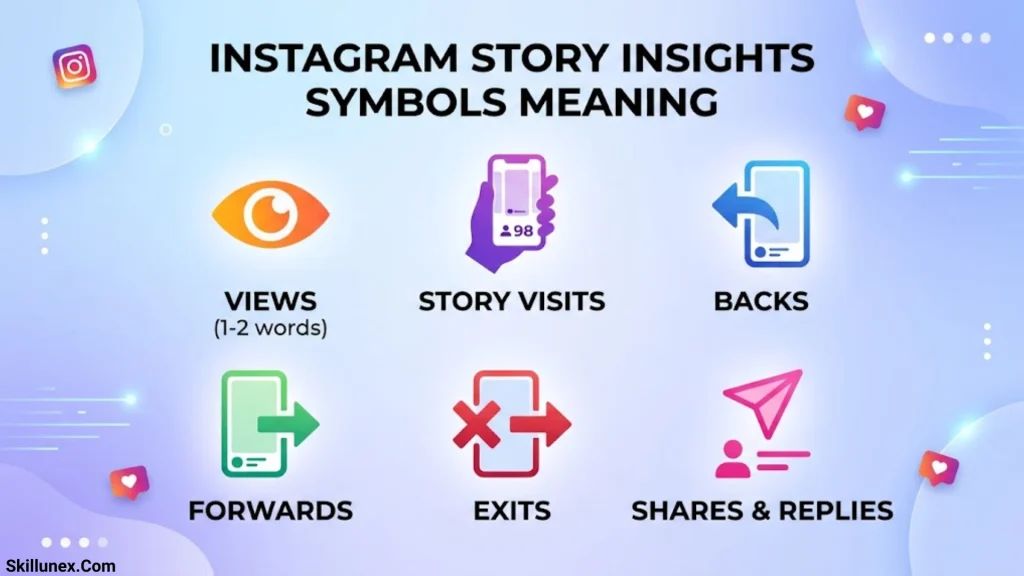
Story Insights help you understand how people interact with your Stories and move through a sequence of slides. Depending on your account and Instagram’s current interface, available metrics may include reach, views, interactions, replies, and navigation activity.
Story Views and Reach
Story views and reach are related but distinct metrics.
Reach generally measures unique accounts that saw your Story. Views describe viewing activity under the metric’s applicable definition.
For example, a person may watch more than one Story slide or view content again. That activity doesn’t necessarily represent a new unique account reached.
Check the labels in your Story Insights before comparing the numbers.
Forward Arrow: Forward Taps
A forward arrow in Story analytics generally relates to viewers tapping to move to the next Story item in your sequence.
Forward taps don’t automatically mean viewers disliked your content. People often move quickly through Stories to reach the information they want.
If many viewers tap forward on a particular slide, consider whether the message is clear, the text is readable, and the slide provides enough value to hold attention.
Backward Arrow: Backward Taps
A backward arrow generally represents viewers tapping back to a previous Story item.
This action may indicate that someone wants to reread information, look at an image again, or check a detail they missed.
For example, viewers might return to a slide containing a discount code, product details, or an important instruction.
Backward taps can provide useful context, but they don’t reveal exactly why someone returned to the previous slide.
Next Story Metric
The Next Story metric generally describes viewers moving away from your Story sequence to another account’s Stories.
If this number is high, review the content and its position in the sequence. Your Story may be too long, unrelated to the previous slide, or less relevant to the viewer.
Compare several Story sequences before deciding whether a particular format needs improvement.
Exits Metric
Exits generally measure viewers leaving the Story viewer or exiting the Story experience, depending on Instagram’s displayed definition.
A high number of exits may suggest that some viewers stopped watching your sequence. However, people also leave Stories for ordinary reasons, such as closing the app or returning to other activities.
Look for repeated patterns across several slides rather than treating every exit as a negative response.
Replies and Story Interactions
Replies and other interactions show how people respond directly to your Stories when those metrics are available.
Question stickers, polls, and prompts can encourage people to participate. If your audience responds well to interactive Stories, you can use similar formats to learn about their preferences and questions.
Instagram Profile Insights Symbols Meaning
Profile Insights help you understand what people do after discovering your account. These metrics are particularly useful for creators, businesses, and service providers who want to turn content discovery into meaningful action.
Profile Visits
Profile visits measure profile-viewing activity during the reporting period, according to Instagram’s displayed metric.
If a Reel receives many views but relatively few profile visits, consider whether the content gives viewers a reason to learn more about your account.
You can improve the connection between content and profile activity by using a clear call to action, explaining what you offer, and keeping your bio relevant to your audience.
Follower Growth
Follower metrics provide information about your audience and changes in follower numbers, where available.
Review follower growth alongside your content activity. If a particular topic consistently attracts new followers, it may be worth developing more content around that subject.
Remember that follower count doesn’t measure every aspect of success. A smaller audience can still be valuable when its members regularly engage with your content or are genuinely interested in your products and services.
Website Link Taps
Professional account Insights may provide information about certain profile actions, including external link activity, depending on the current interface and available metrics.
If your goal is to direct visitors to a website, online store, booking page, or portfolio, track available link-related activity.
A link tap shows an action, not necessarily a completed purchase or signup. Use website analytics alongside Instagram metrics when you need to measure what visitors do after leaving Instagram.
Contact Button Actions
Some professional accounts offer contact options, such as email or calling buttons. Available Insights may show relevant profile actions depending on the account and interface.
These metrics can help service providers understand whether Instagram encourages potential customers to contact them.
For example, a local business might compare profile visits with contact activity to see whether its profile provides a clear next step.
Instagram Insights Symbols Meaning for Engagement
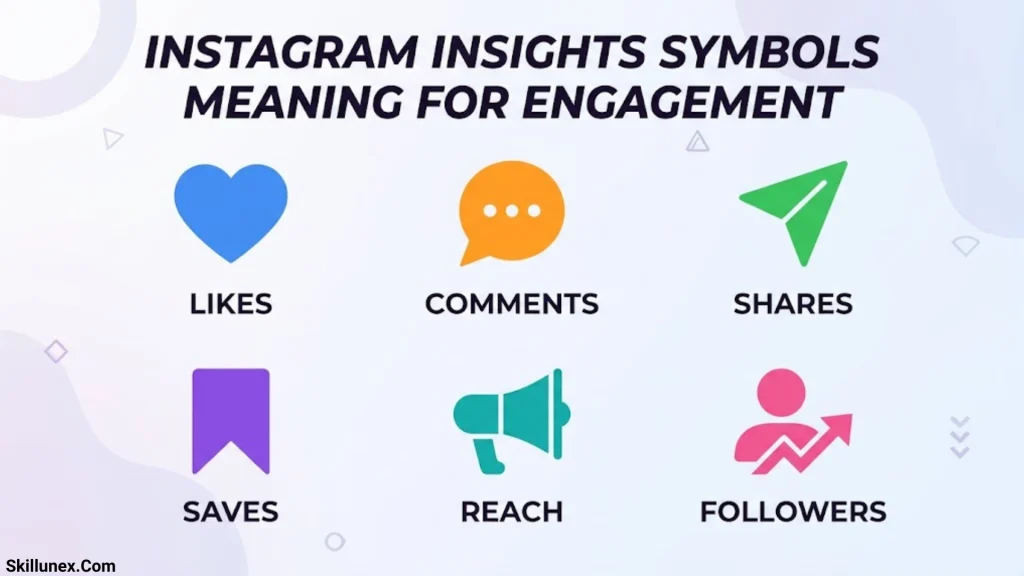
Engagement metrics help you understand how people interact with your content. The most useful metrics depend on whether you want more visibility, stronger conversations, repeat interest, or business results.
What Is Engagement on Instagram?
Engagement refers to interactions with your content. Depending on the content type and reporting screen, these interactions can include likes, comments, shares, saves, replies, and other actions.
A post with fewer views can still be useful if it generates relevant conversations or leads to meaningful profile activity. That’s why you should measure engagement in relation to your goal.
Reach vs. Views
Reach and views answer different questions.
| Metric | What it measures | When it helps |
| Reach | Unique accounts reached | Understanding how many different accounts saw your content |
| Views | Viewing activity under Instagram’s metric definition | Evaluating how often content was viewed |
| Likes | Likes received | Measuring one type of positive interaction |
| Shares | Sharing or sending activity | Understanding whether people pass content along |
| Saves | Saves received | Identifying content people may want to revisit |
| Profile visits | Profile-viewing activity | Understanding whether content encourages profile exploration |
Instagram has changed its analytics terminology over time. Older guides may refer to impressions, while newer interfaces may emphasize views or other metrics. Use the label and definition currently shown in your account.
What Is an Instagram Engagement Rate?
Engagement rate expresses interactions as a percentage of a chosen base, such as reach or followers. Different formulas serve different purposes, so you should state which calculation you’re using.
A common calculation is engagement rate by reach:
Engagement rate by reach = Total engagements ÷ Reach × 100
For example, suppose a post receives 60 engagements and reaches 1,200 accounts.
60 ÷ 1,200 × 100 = 5%
The post has an engagement rate by reach of 5% using this calculation.
This is a practical measurement method, not a claim that Instagram uses the same formula for every account or report. When comparing posts, use a consistent definition of engagement and the same denominator.
Which Instagram Insights Metrics Matter Most?
Choose metrics based on your main goal.
- Brand awareness: Review reach and views.
- Community engagement: Compare comments, replies, and other interactions.
- Useful educational content: Look at saves and shares.
- Video performance: Review views and available watch-time metrics.
- Audience growth: Track follower changes alongside content performance.
- Business activity: Review profile visits and available contact or link actions.
No single metric explains everything. A combination of relevant measurements usually provides a clearer picture.
How to Check Instagram Insights Step by Step
You can access professional analytics through the Instagram app, although the exact labels and navigation may change.
Open Your Instagram Profile
Launch Instagram and sign in to the account you want to analyze. Go to your profile page.
Open the Professional Dashboard
Look for the Professional Dashboard or Insights option. If you don’t see the full professional analytics features, check whether your account is set to Creator or Business.
Open Insights
Select the available Insights or analytics section. You may see an account overview with reach, views, interactions, audience information, or other metrics.
Choose a Reporting Period
If a date filter is available, select the period you want to review. Use the same time range when comparing results to avoid misleading comparisons.
Review Individual Content
Open a post, Reel, or Story and look for its performance details. You may find metrics such as likes, comments, shares, saves, reach, or viewing activity.
Compare Metrics With Your Goal
Don’t just record the largest numbers. Ask what each result tells you about your content.
If you want more people to discover your account, examine reach and views. If you want people to save educational content, compare saves across similar posts.
How to Use Instagram Insights to Grow Your Account
Understanding Instagram Insights symbols is useful, but applying the information is what helps you improve your content strategy.
Identify Your Best Performing Content
Compare similar posts rather than treating every format as interchangeable. For example, evaluate educational carousels against other educational carousels and product videos against similar product videos.
Look for repeated patterns in reach, saves, shares, comments, and other relevant metrics. These patterns can help you decide which topics deserve more attention.
Create More Shareable Posts
If your goal is to increase discovery, review the posts that receive the most shares. Practical tips, relatable situations, and concise explanations may encourage people to send content to friends.
Use those results to test related topics while keeping your content original and relevant.
Make Educational Content Worth Saving
If saves are important to your strategy, give people a reason to return to your posts. You could publish checklists, tutorials, step-by-step instructions, or useful reference material.
Make the information easy to scan and organize it so readers can find the key points quickly.
Improve Video Retention
Review watch-time information when Instagram provides it. If viewers leave early, test a clearer opening, tighter editing, or a more direct explanation.
Avoid making too many changes at once. Testing one or two improvements can help you understand which changes may be associated with better results.
Turn Profile Visits Into Meaningful Actions
If profile visits are a key goal, make sure your profile answers three basic questions:
- Who are you?
- What value do you offer?
- What should visitors do next?
Use a clear bio, relevant pinned content, and an appropriate link or contact option. Then review available profile-action metrics to see whether your changes coincide with improved results.
Review Performance Consistently
Choose a regular time to review your analytics. Depending on how often you publish, this might be weekly or monthly.
Record your most relevant metrics, note which content performed well, and use those observations to plan your next posts. A consistent process is more useful than making large strategy changes after one unusually successful or unsuccessful post.
Common Mistakes When Reading Instagram Insights
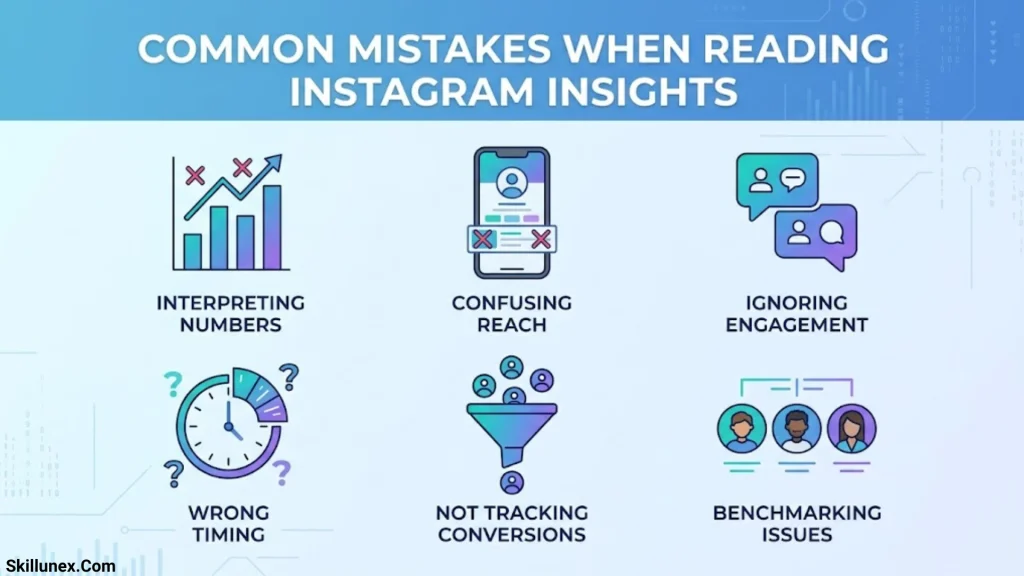
Even when you recognize the icons, you can misunderstand the data if you don’t consider its context.
Focusing Only on Likes
Likes show one type of interaction. They don’t reveal how many people saved your post, shared it, visited your profile, or watched your video.
Compare multiple metrics that match your goal.
Confusing Reach With Views
Reach generally counts unique accounts, while views measure viewing activity according to the applicable definition. Don’t treat these metrics as interchangeable.
Comparing Different Reporting Periods
A post measured over one day may appear less successful than a post measured over a week. Use comparable periods whenever possible.
Assuming High Views Always Mean Success
High views can help with visibility, but they don’t automatically produce followers, website visits, or sales. Evaluate the outcome you actually want.
Treating Every Exit or Forward Tap as Negative
Story navigation metrics describe actions, not viewers’ exact reasons. Consider the content, slide order, and patterns across several Stories before making changes.
Assuming Every Icon Has One Universal Meaning
The same or similar icons can appear in different parts of Instagram. Read the accompanying label and use the definition provided in your current interface.
Frequently Asked Questions About Instagram Insights Symbols
What Does the Heart Symbol Mean on Instagram Insights?
The heart symbol generally represents likes. It shows how many likes your content received in the relevant view. To understand performance more fully, compare likes with reach, comments, shares, and saves.
What Does the Paper Airplane Symbol Mean on Instagram?
The paper airplane commonly represents sharing or sending content. In Insights, the associated metric can show how often people shared or sent a post or Reel, depending on the screen.
What Does the Bookmark Symbol Mean on Instagram Insights?
The bookmark symbol represents saves. It indicates how often people saved your content for later reference. Saves can be useful when evaluating tutorials, guides, checklists, and other informational posts.
What Does the Arrow Mean on Instagram Story Insights?
An arrow’s meaning depends on its location and label. In Story analytics, forward and backward navigation metrics generally describe viewers moving to the next Story item or returning to a previous one. Check the displayed label before interpreting the result.
Why Can’t I See Instagram Insights?
Full professional Insights generally require a Creator or Business account. If you already have a professional account, the available features may depend on your app version, account settings, content type, and reporting period.
Are Instagram Insights Symbols the Same for Posts, Reels, and Stories?
No. Some icons and metrics appear across multiple formats, but others are specific to a particular content type. Reels may include video-viewing information, while Stories can include navigation metrics. Always check the label beside the icon.
Can I See Who Viewed My Instagram Posts?
Instagram Insights provides aggregate performance information rather than a complete list of every person who viewed an ordinary post or Reel. Some features, such as Story viewer lists, may show individual viewers while that information is available. Don’t assume that a views metric reveals the identities of everyone who saw your content.
Conclusion
Understanding Instagram Insights symbols meaning helps you interpret your account’s analytics and make better content decisions. Icons such as the heart, speech bubble, paper airplane, and bookmark represent common interactions, while other metrics help you understand reach, viewing activity, audience behavior, and profile actions. The exact symbols and labels may vary, so always check the metric displayed in your current Instagram interface.
To get the most from your analytics, focus on the measurements that match your goals. Compare reach and views when evaluating visibility, shares and saves when assessing content value, and profile actions when measuring interest in your account. Review results consistently, test improvements, and use repeated patterns to guide your strategy rather than relying on one number or one post.

Caleb Thornton
I’m Caleb Thornton, a researcher and content writer who loves exploring fascinating subjects and sharing what I learn with readers. My interests include natural places, lakes, symbols, culture, history, and the stories that make ordinary topics more meaningful.
When I write an article, I try to go beyond a basic answer. I look for useful facts, relevant context, and details that can help readers understand the subject more completely.
My purpose is simple: I want every article I contribute to provide genuine value, satisfy the reader’s curiosity, and make discovering new information enjoyable.
## Books by Caleb Thornton
* Symbols & Meanings: Exploring the Signs We See Every Day
* Lakes of the World: Nature, Beauty & Exploration