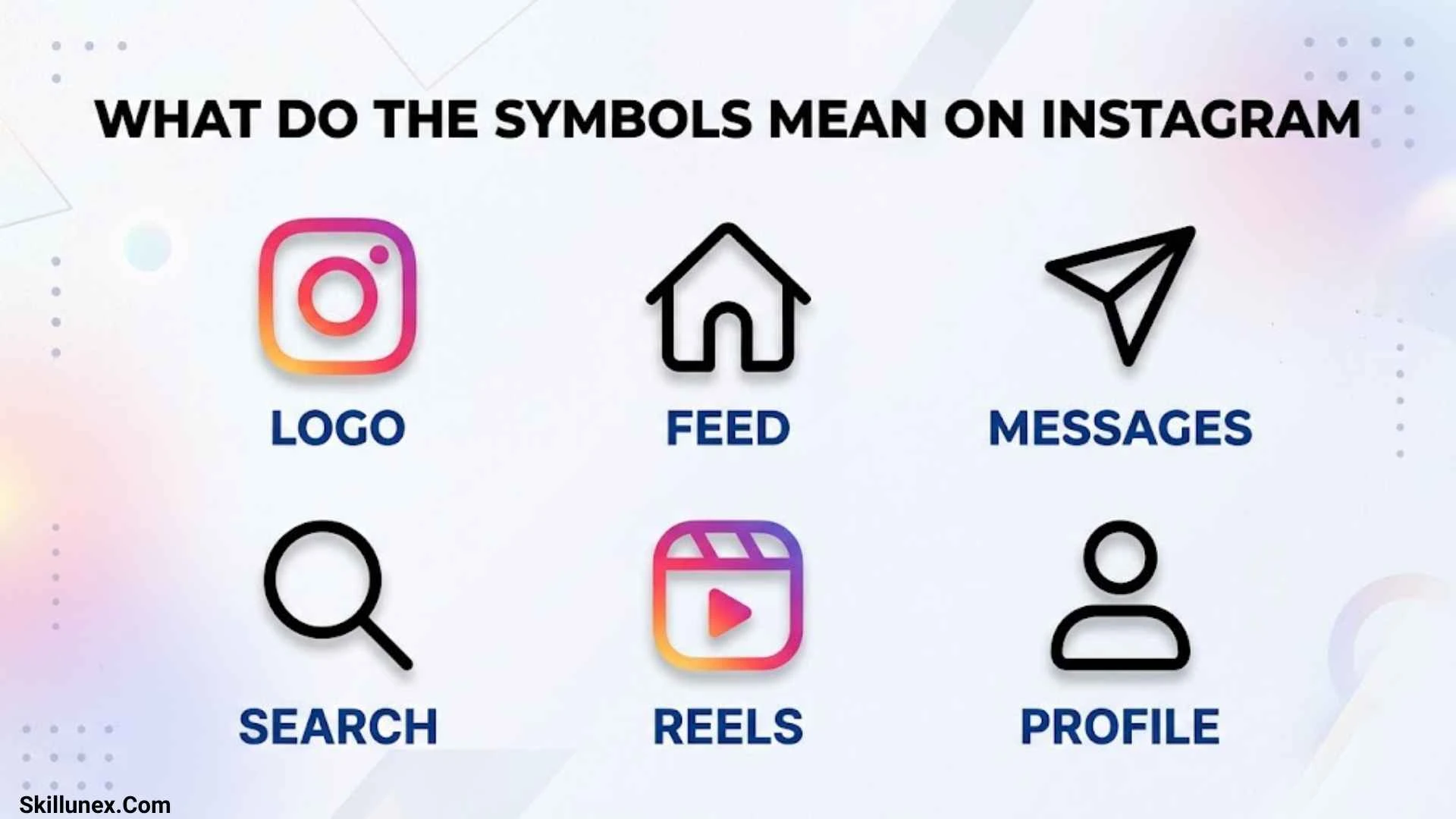
Instagram uses symbols to help you like posts, share Reels, send messages, save content, manage your profile, and understand account activity. However, some icons look similar while performing completely different functions, making it difficult to understand what they mean at first glance.
I know how confusing it can feel when you see a heart, paper airplane, two arrows, green circle, bookmark, or blue checkmark and are unsure what happens when you tap it. The meaning often depends on where the symbol appears, whether you are viewing a post or a message, and which Instagram features are available on your account.
In this guide, you will learn what the symbols mean on Instagram, how to recognize the icons on posts, Stories, Reels, DMs, and profiles, and how to distinguish activity indicators from buttons you can tap. You will also find answers to common questions about Instagram symbols so you can use the app with greater confidence.
what do the symbols mean on instagram: (Quick Answer)
Instagram symbols represent actions, navigation shortcuts, account indicators, and content status. Here is a quick reference to the icons you are most likely to encounter.
| Instagram symbol | Meaning |
| Heart (♥) | Like a post, Reel, or Story |
| Speech bubble | Open or view comments |
| Paper airplane | Share content or access messaging, depending on location |
| Bookmark | Save a post for later |
| Two curved arrows | Repost eligible content |
| Three dots | Open additional options |
| House | Go to the Home feed |
| Magnifying glass | Search and explore content |
| Plus sign | Create content |
| Reels icon | Browse short-form videos |
| Bell | Access notifications or notification settings, depending on location |
| Green Story ring | Identify a Close Friends Story |
| Pink-orange Story ring | Indicate an available Story that has not been viewed |
| Blue checkmark | Indicate a verified account |
| Music note | View audio associated with content |
| Crossed-out speaker | Indicate muted sound |
| Green activity dot | Indicate activity status when available |
| Person or tagged-content icon | Open a profile or view tagged content, depending on placement |
| @ symbol | Identify a username or mention |
Important: Instagram occasionally changes its interface. An icon’s exact appearance, location, and available actions may differ between Android, iPhone, desktop, and individual accounts.
What Do the Symbols Under an Instagram Post Mean?
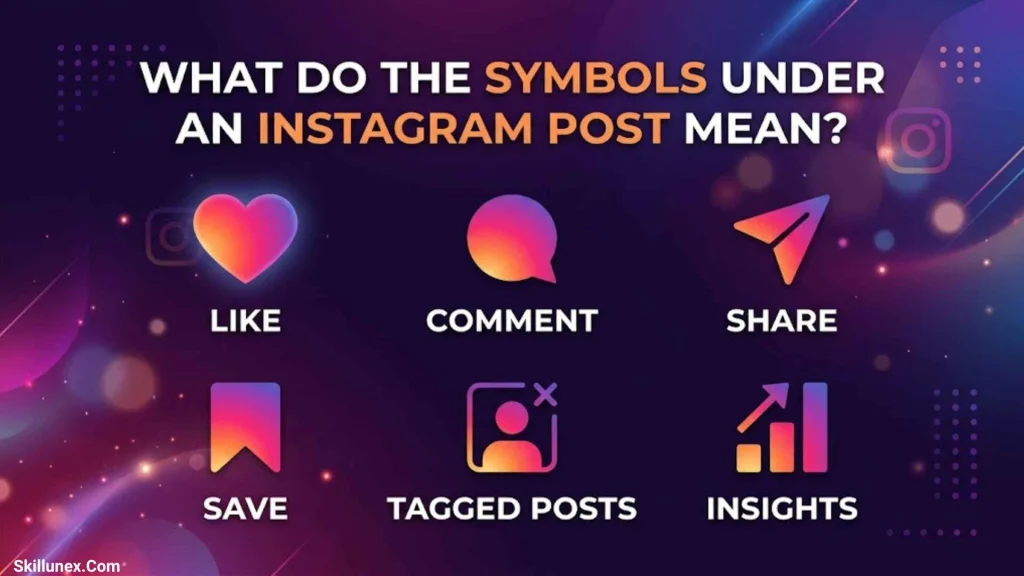
The symbols underneath an Instagram post let you interact with photos, videos, and carousels. Most appear near the Like, comment, and share controls, while the bookmark usually appears on the opposite side.
Heart Symbol: What Does It Mean?
The heart represents a Like. When you tap it, you show appreciation for a post, and the heart typically becomes filled or changes color. Tap it again to remove your Like.
You can also double-tap a photo or video to Like it. The heart’s meaning changes slightly in other areas of Instagram: it can represent a Story Like or a reaction to a Direct Message.
Speech Bubble Symbol: What Does It Mean?
The speech bubble opens the comments section of a post or Reel. You can read what other users have written, leave your own comment, or reply to an existing comment when the feature is available.
A number displayed near the comment icon generally represents the visible comment count. The number may be hidden or displayed differently depending on the post and your settings.
Paper Airplane Symbol: What Does It Mean?
The paper airplane usually represents sharing. When it appears beneath a post or Reel, tapping it opens sharing options, which may include sending the content through Direct Messages or copying its link.
However, a similar icon in the navigation area may open your message inbox. Always consider where the symbol appears before deciding what it does.
Two-Arrows Symbol: What Does It Mean?
The two-arrows symbol commonly represents Instagram’s Repost feature when displayed as a repost control. It allows you to repost eligible content so it can appear in your Reposts area and potentially reach your followers.
Reposting is different from sending a post privately to a friend. It is also different from sharing content to your Story, which follows separate visibility and expiration rules.
Bookmark Symbol: What Does It Mean?
The bookmark represents Save. Tap it when you want to keep a post for later, whether it contains a recipe, inspirational quote, fashion idea, travel recommendation, or helpful video.
You can generally find saved posts through your profile menu. Saving content does not automatically publish it on your profile, and your saved collection is not normally visible to other users.
Three-Dot Symbol: What Does It Mean?
The three dots open a menu containing additional options. Depending on the post and your account permissions, the menu may let you copy a link, report content, hide a post, manage notifications, or change other settings.
The available options can differ between your own content and someone else’s post.
What Do the Symbols Mean on Instagram Reels?
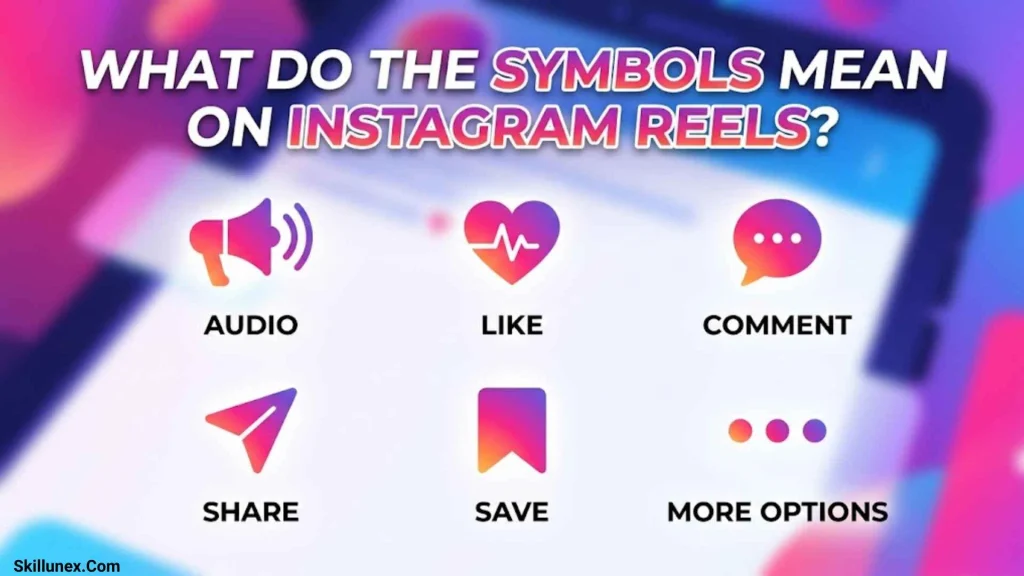
Instagram Reels uses familiar interaction symbols, often arranged vertically along the right side of the video. These controls help you react to a Reel, share it, view its audio, and explore additional options.
Heart, Comment, and Share Symbols on Reels
- Heart: Like the Reel and show appreciation for the creator’s content.
- Speech bubble: Open the comments section to read or write responses.
- Paper airplane: Share the Reel with another person or access other sharing options.
- Two arrows: Repost eligible content using the Repost feature.
- Bookmark: Save the Reel so you can revisit it later, when the control is available.
- Three dots: Access more actions, such as reporting or managing the content.
These symbols generally perform the same core functions as their counterparts beneath regular posts, although their placement may be different.
What Does the Music Note Mean on Instagram?
The music note identifies audio associated with a Reel or other content. Tapping it may open an audio page showing the track information and other videos using the same sound.
Depending on music licensing, account type, and feature availability, you may be able to use the audio in your own Reel. Some tracks may have restrictions.
What Does the Speaker Symbol Mean on Instagram?
The speaker symbol indicates sound controls or the current audio state.
- Speaker with sound waves: Sound is generally enabled.
- Crossed-out speaker: The video is muted.
- Speaker control: Tap it to change the sound state when the interface allows it.
If a Reel plays silently, check its sound control and your device’s volume before assuming the video is broken.
What Does the Rotating or Circular Arrow Mean on Instagram?
A circular arrow may indicate a replay, refresh, repeat, or another action, depending on the screen. When two arrows form Instagram’s Repost symbol, the meaning is different: it relates to reposting eligible content.
Look at the surrounding controls and any label displayed beside the icon to identify its exact purpose.
What Do the Symbols Mean on Instagram Stories?
Instagram Stories use rings, reaction buttons, and sharing controls to help you view and interact with temporary content. A Story normally disappears from the public Story display after 24 hours, unless it is preserved or shared through another supported feature.
What Does the Pink and Orange Circle Mean?
A pink-orange gradient ring around a profile picture generally indicates that the account has an available Story you have not viewed yet.
After you watch the Story, the ring typically becomes gray or muted. If the account publishes another Story, the indicator may appear again.
What Does the Green Circle Mean on Instagram?
A green ring around someone’s profile picture generally identifies a Close Friends Story. It means the Story was shared with the account’s Close Friends audience, which includes you for that particular Story.
The green Story ring does not mean that the person is online. A separate green dot may indicate activity status in other parts of Instagram.
What Does the Heart Mean on Instagram Stories?
The heart lets you like a story. It allows you to show appreciation without sending a written reply.
Story Likes differ from comments on regular feed posts. They are associated with the Story interaction rather than appearing as ordinary public comments beneath a post.
What Does the Paper Airplane Mean on Instagram Stories?
The paper airplane represents sharing options. Depending on the account’s privacy settings and the features available, you may be able to send a Story to someone or share its link.
Not every Story can be reshared. Privacy restrictions and the creator’s settings may limit the available options.
What Does the Star Mean on Instagram Stories?
A star may appear in certain Instagram interfaces and can have different meanings depending on the feature. It should not automatically be interpreted as a Close Friends indicator.
If you encounter an unfamiliar star, check the surrounding text or tap the control only after understanding the action it describes.
What Do the Symbols Mean on Instagram Direct Messages?
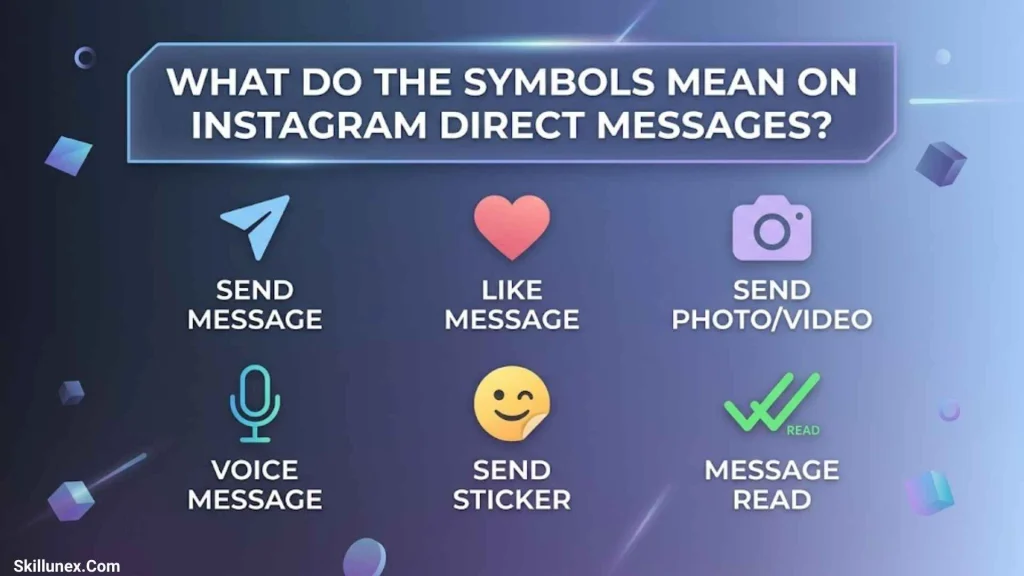
Instagram Direct Messages, commonly called DMs, include icons for sending messages, reacting to content, recording voice notes, and starting calls. Some icons also help you understand whether a message has been viewed or whether an account may be active.
What Does the Heart Mean in Instagram DMs?
The heart commonly represents a reaction to a message. You can use it to respond to something a friend sends without typing a separate reply.
This differs from the heart beneath a post, which records a Like on that content.
What Does the Green Dot Mean on Instagram DMs?
A green dot generally indicates that an account is active or available, when activity status is enabled and the indicator is displayed.
It does not tell you exactly what someone is doing, who they are talking to, or whether they are reading your particular conversation. Activity indicators may also be unavailable because of privacy settings or account conditions.
What Does “Seen” Mean in Instagram Messages?
“Seen” is a read-status label rather than a separate symbol. It generally indicates that the recipient has viewed the message or conversation, subject to the interface and its features.
It does not necessarily mean the recipient is ready to reply. Read-status visibility can vary with messaging features and settings.
What Do the Microphone, Camera, and Phone Symbols Mean?
These icons represent communication tools within a conversation.
- Microphone: Record or send a voice message.
- Camera: Capture or send a photo or video.
- Phone handset: Start a voice call when available.
- Video camera: Start a video call.
- Photo or landscape icon: Select visual content to send.
- Plus symbol: Open additional messaging options in interfaces where it appears.
Their placement can vary between chat versions, but the labels and surrounding controls usually make their purpose clear.
What Do the Symbols on an Instagram Profile Mean?
Your Instagram profile contains icons for creating content, viewing posts, managing saved items, and exploring account settings. Understanding these symbols helps you find the features you need without searching through every menu.
What Does the Plus Sign Mean on Instagram?
The plus sign generally opens a content creation menu. Depending on the interface, you may be able to create a post, Reel, Story, or another supported type of content.
If you want to upload a photo, publish a video, or share something new with your followers, look for the plus icon.
What Does the Grid Symbol Mean on Instagram?
The grid symbol represents the profile’s post grid. It displays your published photos and videos in a tiled layout, allowing visitors to browse your content.
On some profiles, the grid tab appears alongside other content tabs, such as Reels and tagged posts.
What Does the Tagged Person Symbol Mean?
The tagged-person or person-in-a-frame symbol generally identifies posts in which an account has been tagged, when that profile tab is available.
You can use it to view relevant photos and videos shared by other accounts. The exact symbol and its placement may vary with Instagram’s profile layout.
What Does the Bookmark Mean on an Instagram Profile?
The bookmark is associated with saved posts. You can generally access your saved collections through the profile menu.
Saving a post is different from adding it to your own profile. The bookmark helps you keep content for personal reference without publishing it as your own post.
What Does the Blue Checkmark Mean on Instagram?
The blue checkmark indicates a verified account. Depending on the account, verification may come from Meta Verified or an eligible legacy verification process.
The badge helps distinguish verified accounts, but it does not guarantee that everything an account publishes is accurate or trustworthy.
What Do the Symbols on the Instagram Home Screen Mean?
Instagram’s navigation symbols help you move between your feed, search, content creation tools, Reels, messages, and profile.
| Symbol | Function |
| House | Opens the Home feed |
| Magnifying glass | Opens Search and Explore |
| Plus sign | Starts content creation |
| Reels icon | Opens the Reels viewing experience |
| Messenger or paper-plane icon | Opens Direct Messages in supported layouts |
| Heart | May open activity notifications in some layouts |
| Profile picture | Opens your profile |
What Does the Magnifying Glass Mean on Instagram?
The magnifying glass opens Search and Explore. You can use it to find accounts, hashtags, topics, places, and content that interests you.
Instagram may also recommend posts and Reels based on your activity and the content available to your account.
What Does the Bell Mean on Instagram?
The bell is associated with notifications or notification controls, depending on where it appears. On an account’s profile, it may let you manage alerts for new posts, Stories, Reels, or other activity.
The options displayed can vary depending on the account, content type, and current Instagram features.
What Does the House Symbol Mean on Instagram?
The house takes you to the Home feed, where Instagram displays posts and other content from accounts and recommendations.
If you are exploring a profile or viewing a Reel and want to return to your main feed, the Home icon is a useful navigation shortcut when displayed.
What Do the Symbols Next to Instagram Usernames Mean?
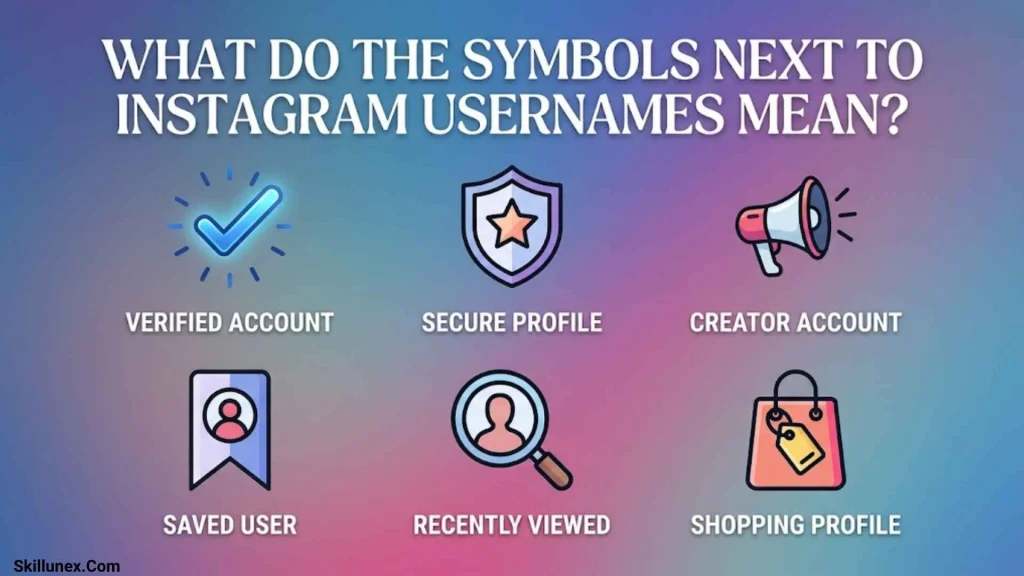
Symbols near usernames can indicate verification, activity, Story availability, or account information. Their meaning depends on the screen where they appear.
Blue Checkmark Beside a Username
A blue checkmark indicates that the account is verified. It is an account-status indicator, not a button for liking or following someone.
Green Dot Beside a Username
A green dot generally signals activity status when Instagram displays that information. It should not be confused with the green ring around a profile picture, which is associated with Close Friends Stories.
Colored Ring Around a Profile Picture
A colored Story ring indicates available Story content. A pink-orange gradient generally marks an unviewed Story, while a green ring generally identifies a Close Friends Story shared with you.
Bell Beside a Username
A bell may open notification preferences for an account. Depending on the options offered, you may be able to choose which types of updates you want to receive.
Category Label Beside a Username
Some professional accounts display a category such as creator, artist, or business. This label describes the account’s selected professional category rather than indicating verification.
What Do the Symbols Mean on Instagram Notifications?
Instagram notifications help you recognize activity involving your posts, comments, followers, and account.
| Symbol or label | Common meaning |
| Heart | Someone liked your content |
| Speech bubble | Someone commented |
| Person icon | Follow or account-related activity |
| @ symbol | A username mention |
| Blue checkmark | Indicates a verified account |
| Bell | Notification access or settings, depending on location |
What Does the @ Symbol Mean on Instagram?
The @ symbol is used to identify usernames and mentions. When you type @ followed by a username in a supported field, you can mention an account in a caption, comment, or message.
A mention is different from a hashtag. Mentions identify accounts, while hashtags group content around a topic.
What Does a Red Notification Badge Mean?
A red badge or dot generally indicates new or unread activity. Depending on where it appears, it may relate to messages, notifications, or another app section.
It does not always mean that someone has sent you a direct message. Open the relevant section to see what needs your attention.
What Do the Numbers Beside Instagram Symbols Mean?
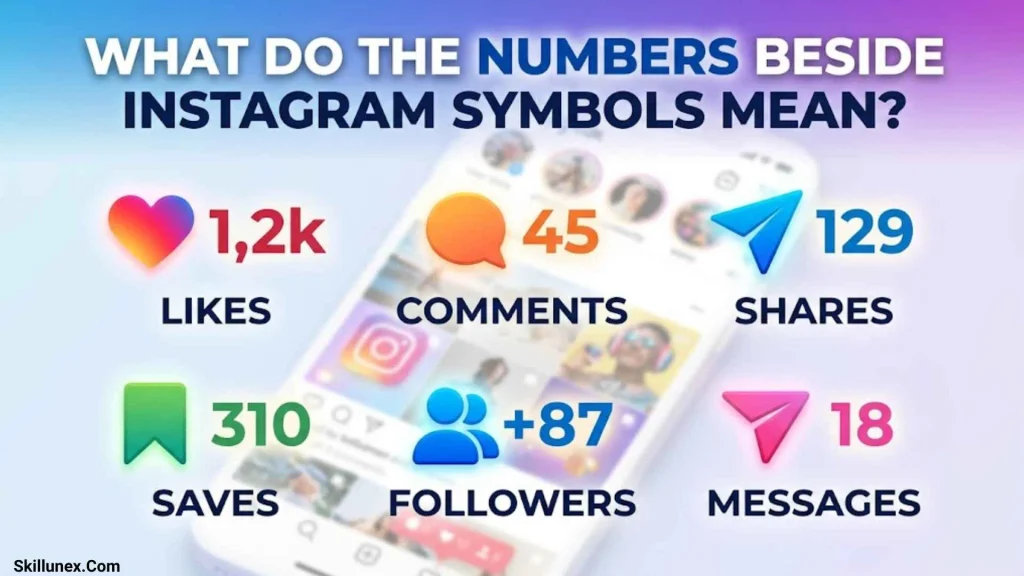
Numbers displayed near icons usually represent counts, notifications, or positions within a collection.
- Number beside the heart: May show the Like count when visible.
- Number beside the comment icon: Generally shows the comment count.
- Number inside a notification badge: Indicates the number of items or notifications represented by that badge.
- 1/5 on a carousel: Means you are viewing the first item in a set of five.
- Number beside an account or metric: May represent a count associated with that specific feature.
Instagram can hide certain engagement counts or display them differently. If a number is unfamiliar, check its label and location rather than assuming it has the same meaning everywhere.
How to Identify an Unknown Instagram Symbol
If you encounter an icon that is not covered in this guide, use these simple steps to understand it.
- Check where it appears. An icon beneath a post may perform a different action from a similar icon in a message or profile.
- Look for a label. Instagram sometimes displays a description when you tap or open a feature.
- Check the surrounding controls. Nearby icons and text can help explain the symbol’s purpose.
- Review your app version. Updated interfaces may introduce new icons or move existing controls.
- Consider whether it is a status indicator. Some symbols communicate information, while others perform an action when tapped.
If the icon relates to privacy, account security, or content reporting, read the available options carefully before making a change.
Frequently Asked Questions About Instagram Symbols
What does the heart symbol mean on Instagram?
The heart generally means Like. Under a post or Reel, it records your Like; on a Story, it sends a Story Like; and in Direct Messages, it can represent a reaction to a message.
What does the two-arrow symbol mean on Instagram?
The two-arrow symbol commonly represents Repost when displayed as Instagram’s Repost control. It lets you reshare eligible content so it can appear in your Reposts area and potentially reach your followers.
What does the paper airplane mean on Instagram?
The paper airplane generally represents sharing. Beneath a post, it opens sharing options, while a similar icon in the navigation area may open your message inbox.
What does the green circle mean on Instagram?
A green ring around a profile picture generally indicates a Close Friends Story. A separate green dot near a username or in a messaging interface may indicate activity status when available.
What does the bookmark mean on Instagram?
The bookmark represents Save. It lets you keep posts for later and generally access them through your profile menu. Saved posts are not automatically published on your profile.
What does the blue checkmark mean on Instagram?
The blue checkmark indicates a verified account. Verification may come through Meta Verified or an eligible legacy verification process, depending on the account.
What does the three-dot symbol mean on Instagram?
The three dots open an additional-options menu. Depending on the screen, you may find actions such as copying a link, reporting content, hiding a post, or managing settings.
Why do Instagram symbols look different on my phone?
Instagram updates its interface and may test different layouts or features. Your device, app version, account settings, and feature availability can affect which icons you see and where they appear.
Can I see who viewed my Instagram profile?
Instagram does not generally provide a list of everyone who visits your profile. Some features, such as Stories, display viewer information, while professional accounts may offer aggregate insights. Be cautious of third-party apps claiming to reveal all profile visitors.
What is the difference between an Instagram Story ring and a green activity dot?
A Story ring surrounds a profile picture and indicates available Story content or a Close Friends Story. A green activity dot is a separate indicator that generally relates to an account’s active status.
Conclusion
Understanding what the symbols mean on Instagram helps you navigate posts, Reels, Stories, messages, notifications, and profiles without confusion. From the heart and bookmark to the paper airplane, repost arrows, green Story ring, and blue verification checkmark, each icon has a specific purpose depending on where it appears.
I recommend checking an unfamiliar symbol’s location and label before tapping it. Once you understand the difference between action buttons, navigation icons, and account indicators, you can use Instagram more confidently, manage your content more easily, and get more out of the features available to you.

I’m Adrian Holloway, a writer and researcher who enjoys exploring the stories, meanings, and interesting facts behind the subjects people search for every day. I’m especially interested in symbols, nature, lakes, places, and cultural topics that help readers understand the world from a different perspective.
I believe useful content should be simple, accurate, and enjoyable to read. When I research a topic, I focus on finding meaningful details and presenting them in a way that makes information easy to understand.
My goal is to create helpful articles that answer real questions while encouraging readers to discover something new with every visit.
Books by Adrian Holloway
The Language of Symbols: Meanings, Stories & Traditions
Hidden Wonders of Nature: Lakes, Landscapes & Discovery