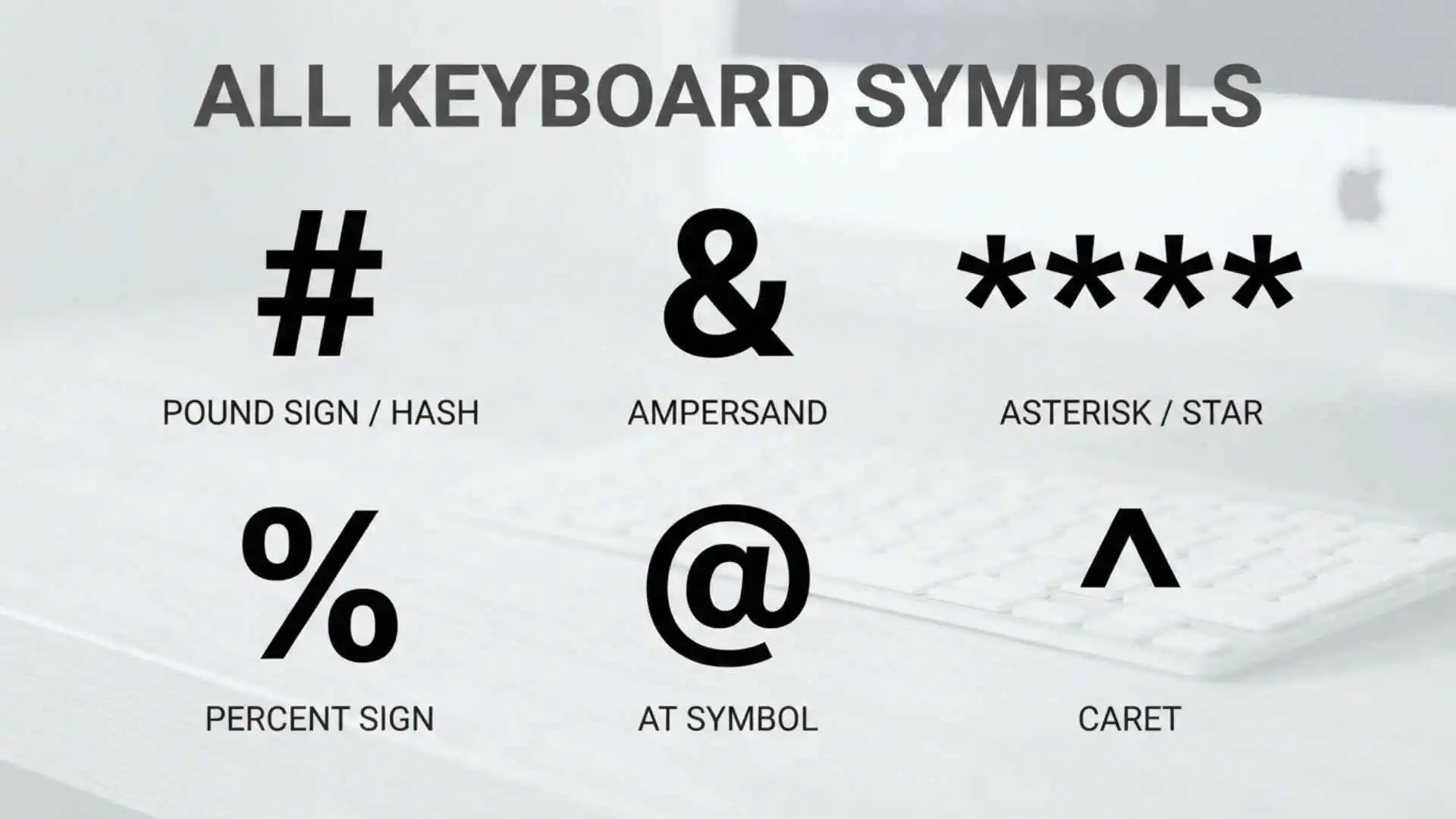
If you are looking for all keyboard symbols, you are probably trying to identify a character, learn what a keyboard symbol is called, find a symbol you can copy, or figure out how to type a special character. This guide brings the most commonly used keyboard symbols together in one easy-to-scan reference.
You will find the names, alternative names, meanings, common uses, keyboard shortcuts, mathematical symbols, currency symbols, programming characters, and special symbols used with computers and digital devices.
This guide primarily covers symbols found on or associated with a standard US QWERTY keyboard. International keyboard layouts can place symbols differently, and no single physical keyboard contains every character available through Unicode.
All Keyboard Symbols at a Glance
The following table provides a quick reference to the most common symbols associated with a standard US QWERTY keyboard.
| Symbol | Name | Also Called | Common Use | |
| ~ | Tilde | — | Approximation, computing | |
| ` | Backtick | Grave accent | Programming, command lines | |
| ! | Exclamation mark | Exclamation point, bang | Emphasis, programming | |
| @ | At sign | At symbol | Email, mentions | |
| # | Number sign | Hash, pound, octothorpe | Hashtags, numbering | |
| $ | Dollar sign | Dollar symbol | Currency | |
| % | Percent sign | Percentage symbol | Percentages | |
| ^ | Caret | Circumflex | Mathematics, programming | |
| & | Ampersand | And sign | “And,” programming | |
| * | Asterisk | Star | Footnotes, multiplication, wildcards | |
| ( | Left parenthesis | Opening parenthesis | Grouping | |
| ) | Right parenthesis | Closing parenthesis | Grouping | |
| – | Hyphen-minus | Hyphen, minus | Words, subtraction | |
| _ | Underscore | Low line | File names, programming | |
| + | Plus sign | Addition sign | Addition | |
| = | Equals sign | Equal sign | Equality, assignment | |
| [ | Left square bracket | Opening bracket | Lists, programming | |
| ] | Right square bracket | Closing bracket | Lists, programming | |
| { | Left curly brace | Opening brace | Programming, mathematics | |
| } | Right curly brace | Closing brace | Programming, mathematics | |
| \ | Backslash | Reverse solidus | File paths, programming | |
| ` | ` | Vertical bar | Pipe | Programming, command lines |
| ; | Semicolon | — | Punctuation, programming | |
| : | Colon | — | Lists, time, programming | |
| ‘ | Apostrophe | Single quote | Possessives, contractions | |
| “ | Quotation mark | Double quote | Quotations, programming | |
| , | Comma | — | Punctuation, lists | |
| < | Less-than sign | Left angle bracket | Mathematics, programming | |
| > | Greater-than sign | Right angle bracket | Mathematics, programming | |
| . | Period | Full stop, dot | Sentences, decimals, domains | |
| / | Slash | Forward slash | URLs, fractions, dates | |
| ? | Question mark | Interrogation mark | Questions, programming |
This table focuses on the characters themselves, not every physical key found on a keyboard.
Symbols on a Standard US QWERTY Keyboard
A US QWERTY keyboard has many symbols that are accessed directly or by holding the Shift key.
Number Row Symbols
On a typical US QWERTY keyboard, the number row produces the following symbols with Shift:
| Number Key | Shift Combination | Symbol | Name |
| 1 | Shift + 1 | ! | Exclamation mark |
| 2 | Shift + 2 | @ | At sign |
| 3 | Shift + 3 | # | Number sign / hash |
| 4 | Shift + 4 | $ | Dollar sign |
| 5 | Shift + 5 | % | Percent sign |
| 6 | Shift + 6 | ^ | Caret |
| 7 | Shift + 7 | & | Ampersand |
| 8 | Shift + 8 | * | Asterisk |
| 9 | Shift + 9 | ( | Left parenthesis |
| 0 | Shift + 0 | ) | Right parenthesis |
This arrangement is specific to the US keyboard layout. Other layouts may use different symbols or positions.
Punctuation and Symbol Keys
Other common symbol keys on a US keyboard include:
| Key | Shift + Key | Symbol | |
| – | Shift + – | _ | |
| = | Shift + = | + | |
| [ | Shift + [ | { | |
| ] | Shift + ] | } | |
| \ | Shift + \ | ` | ` |
| ; | Shift + ; | : | |
| ‘ | Shift + ‘ | “ | |
| , | Shift + , | < | |
| . | Shift + . | > | |
| / | Shift + / | ? |
The backtick/tilde key is another common symbol key:
| Key | Shift + Key | Symbol |
| ` | Shift + ` | ~ |
Keyboard Symbols With Names and Meanings
Knowing the name of a symbol makes it much easier to search for it, explain it, or find instructions for typing it.
~ — Tilde
Also called: Tilde
The tilde is used in mathematics, linguistics, computing, and other technical contexts.
Common uses include:
- Approximation
- Similarity
- File paths
- Programming
- Command-line environments
Example:
~100 can informally mean approximately 100.
` — Backtick
Also called: Grave accent, backquote
The backtick is the character found above the Tab area on a typical US keyboard.
It is commonly used in:
- Programming
- Command-line interfaces
- Markdown
- Text formatting
Do not confuse it with the apostrophe:
‘ is an apostrophe, while ` is a backtick.
! — Exclamation Mark
Also called: Exclamation point, bang
The exclamation mark expresses emphasis, surprise, excitement, or urgency.
Example:
Stop!
In programming, it can represent logical negation or have other language-specific functions.
@ — At Sign
Also called: At symbol
The at sign is widely used in email addresses.
Example:
name@example.com
It is also used for:
- Social media mentions
- Usernames
- Programming
- Configuration files
# — Number Sign
Also called: Hash, pound sign, octothorpe
The meaning of # depends on context.
It can indicate:
- A number
- A hashtag
- A comment in some programming languages
- A label or identifier
Example:
#Travel
$ — Dollar Sign
The dollar sign is primarily associated with dollar-denominated currencies.
Example:
$50
Because multiple currencies use dollar names, the symbol alone may not always identify the exact currency.
% — Percent Sign
The percent sign indicates a proportion per hundred.
Example:
25%
It is commonly used in:
- Statistics
- Discounts
- Finance
- Mathematics
- Measurements
^ — Caret
Also called: Circumflex in some contexts
The caret has several meanings.
It can be used for:
- Exponents in plain-text notation
- Proofreading
- Programming
- Regular expressions
- Technical notation
Example:
2^3 is commonly used in plain text to represent 2 raised to the third power.
& — Ampersand
The ampersand represents the word and.
Example:
Sales & Marketing
It is also widely used in programming, URLs, HTML, and other technical systems.
* — Asterisk
Also called: Star
The asterisk has many uses.
It can represent:
- Footnotes
- Multiplication in plain text
- Wildcards
- Required fields
- Corrections
- Programming operations
Example:
5 * 4 = 20
( and ) — Parentheses
Also called: Round brackets
Parentheses group information.
Example:
(important information)
In mathematics:
(5 + 3) × 2 = 16
They are also widely used in programming for functions, expressions, and conditions.
– — Hyphen-Minus
The keyboard character – is technically called hyphen-minus because it can be used for several purposes.
It commonly appears as:
- A hyphen in compound words
- A minus sign in plain text
- A separator
- Part of a command-line option
Example:
well-known
and:
10 – 4 = 6
The typographic hyphen and mathematical minus sign are technically different Unicode characters.
_ — Underscore
Also called: Low line
The underscore appears as:
_
It is commonly used in:
- File names
- Usernames
- Programming
- Variable names
- URLs
Example:
my_file
+ — Plus Sign
The plus sign represents addition.
Example:
5 + 7 = 12
It can also indicate a positive value or the combination of things.
= — Equals Sign
The equals sign indicates equality in mathematics.
Example:
5 + 5 = 10
In programming, = often has an assignment function rather than meaning mathematical equality.
[ and ] — Square Brackets
Also called: Brackets
Square brackets are used in:
- Quotations
- Lists
- Mathematics
- Programming
- Data structures
Example:
[Apple, Banana, Orange]
{ and } — Curly Braces
Also called: Braces, curly brackets
Curly braces are especially common in programming.
They can also represent mathematical sets.
Example:
{1, 2, 3}
\ — Backslash
The backslash is different from the forward slash.
It is commonly used in:
- Programming
- Escape sequences
- Windows file paths
- Regular expressions
Example:
C:\Users\Name
| — Vertical Bar
Also called: Pipe, vertical line
The vertical bar is frequently called a pipe in programming and command-line environments.
It can be used for:
- Command pipelines
- Logical operations
- Data separation
- Mathematical notation
; — Semicolon
The semicolon is a punctuation mark.
Example:
The meeting ended; everyone went home.
It is also used as a statement terminator in several programming languages.
: — Colon
A colon can introduce a list or explanation.
Example:
Bring these items: a pen, paper, and ruler.
It is also used in:
- Time
- Ratios
- Programming
- URLs
- Data formats
Example:
10:30
‘ — Apostrophe
Also called: Single quote in some contexts
An apostrophe is used in contractions and possessives.
Examples:
don’t
John’s car
In programming, the same character may be used as a single quotation mark.
“ — Double Quotation Mark
Also called: Double quote
Quotation marks indicate direct speech or quoted material.
Example:
She said, “Hello.”
They are also important in programming and data formats.
, — Comma
The comma separates items and helps organize sentences.
Example:
red, blue, green
It is also used to separate values, arguments, and data elements.
< — Less-Than Sign
The less-than sign indicates that one value is smaller than another.
Example:
3 < 5
It is also used in programming and markup.
> — Greater-Than Sign
The greater-than sign indicates that one value is larger than another.
Example:
8 > 4
It also has many technical and programming uses.
. — Period
Also called: Full stop, dot
A period normally ends a sentence.
It is also used in:
- Decimal numbers
- Website addresses
- File names
- Abbreviations
Example:
example.com
/ — Forward Slash
Also called: Slash
The forward slash is used in:
- URLs
- Fractions
- Dates
- Programming
- Paths
Examples:
1/2
? — Question Mark
The question mark indicates a direct question.
Example:
Where are you going?
It also has specialized uses in programming, search syntax, and regular expressions.
Keyboard Symbols You Can Copy
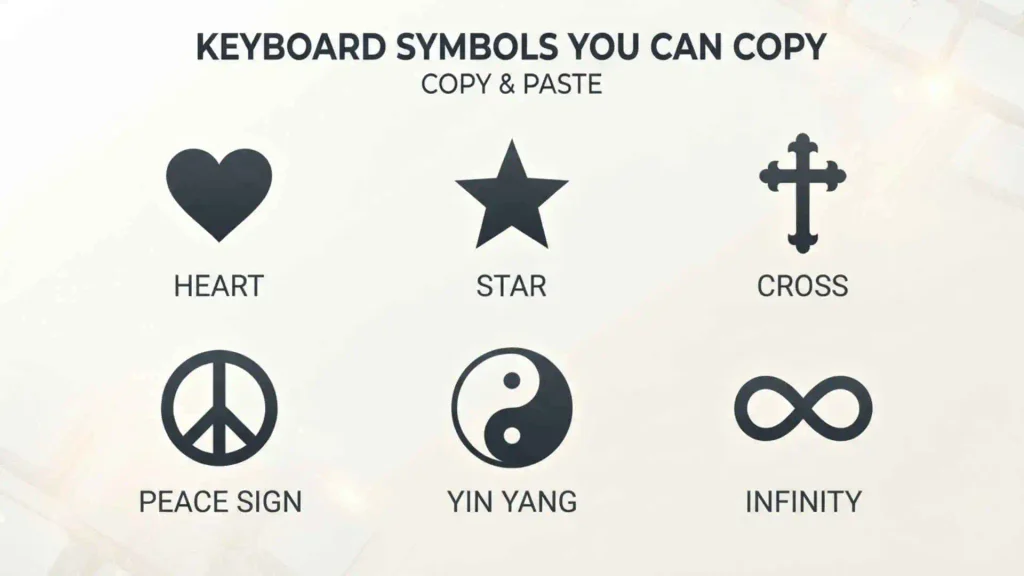
If you only need symbols to copy and paste, this section provides a quick collection.
Common Keyboard Symbols
Copy these symbols:
~ ! @ # $ % ^ & * ( ) – _ + = [ ] { } ` | ; : ‘ ” , < > . / ?
Special Symbols
You can also copy commonly used special characters:
© ® ™ ° ± × ÷ ≤ ≥ ≠ ≈ ∞ √ µ
Currency Symbols
$ € £ ¥ ₹ ₽ ₩ ₺ ₴ ₦ ₱ ฿ ₫ ₭ ₮
Always verify that the symbol is supported by the website, application, font, or device where you plan to paste it.
Keyboard Symbol Shortcuts
The easiest way to type many standard symbols on a US keyboard is with the Shift key.
Shift Symbol Cheat Sheet
| Shortcut | Result | Name | |
| Shift + 1 | ! | Exclamation mark | |
| Shift + 2 | @ | At sign | |
| Shift + 3 | # | Number sign | |
| Shift + 4 | $ | Dollar sign | |
| Shift + 5 | % | Percent sign | |
| Shift + 6 | ^ | Caret | |
| Shift + 7 | & | Ampersand | |
| Shift + 8 | * | Asterisk | |
| Shift + 9 | ( | Left parenthesis | |
| Shift + 0 | ) | Right parenthesis | |
| Shift + – | _ | Underscore | |
| Shift + = | + | Plus sign | |
| Shift + [ | { | Left brace | |
| Shift + ] | } | Right brace | |
| Shift + \ | ` | ` | Vertical bar |
| Shift + ; | : | Colon | |
| Shift + ‘ | “ | Double quote | |
| Shift + , | < | Less than | |
| Shift + . | > | Greater than | |
| Shift + / | ? | Question mark | |
| Shift + ` | ~ | Tilde |
These shortcuts apply to the standard US QWERTY layout. Other keyboard layouts may use different combinations.
How to Type Special Symbols
Not every symbol is printed on a physical keyboard. Some characters can be entered through special-character tools.
On Windows
Windows provides several ways to enter special characters, including character and symbol tools.
Depending on the application and version of Windows, you may use:
- Character Map
- The emoji and symbol panel
- Unicode input methods
- Application-specific symbol menus
The exact method depends on the character and software.
On Mac
macOS includes a Character Viewer that provides access to many special characters and symbols.
You can search for a character by name and insert it into a document or application.
In Microsoft Word
Microsoft Word includes a symbol insertion feature.
You can use the application’s symbol tools to find characters that are not directly available from the keyboard.
On Phones and Tablets
Mobile keyboards usually provide additional symbols through:
- The symbol or number keyboard
- Long-press options
- Emoji and special-character panels
- Alternative keyboard layouts
The exact options depend on the device and keyboard application.
Mathematical Keyboard Symbols
Many mathematical expressions can be written using ordinary keyboard characters.
| Symbol | Name | Common Meaning |
| + | Plus | Addition |
| – | Minus | Subtraction |
| * | Asterisk | Multiplication in plain text |
| / | Slash | Division in plain text |
| = | Equals | Equality |
| % | Percent | Percentage |
| < | Less than | Comparison |
| > | Greater than | Comparison |
| ≤ | Less than or equal to | Comparison |
| ≥ | Greater than or equal to | Comparison |
| ≠ | Not equal to | Inequality |
| ≈ | Approximately equal to | Approximation |
| ± | Plus-minus | Positive or negative |
| × | Multiplication sign | Multiplication |
| ÷ | Division sign | Division |
| √ | Square root | Root |
| ∞ | Infinity | Infinite quantity |
The characters ×, ÷, √, ≤, and ≥ are not normally separate keys on a standard US QWERTY keyboard, so they may need to be inserted using a symbol tool or another input method.
Currency Symbols
Currency symbols are used to represent monetary values.
| Symbol | Common Currency Association |
| $ | Dollar currencies |
| € | Euro |
| £ | Pound sterling |
| ¥ | Japanese yen / Chinese yuan contexts |
| ₹ | Indian rupee |
| ₽ | Russian ruble |
| ₩ | South Korean won |
| ₺ | Turkish lira |
| ₴ | Ukrainian hryvnia |
| ₦ | Nigerian naira |
| ₱ | Philippine peso |
| ฿ | Thai baht |
| ₫ | Vietnamese đồng |
| ₭ | Lao kip |
| ₮ | Mongolian tögrög |
The $ symbol can be ambiguous because several currencies use dollar-based names. Currency codes such as USD, CAD, AUD, and NZD can provide greater precision when necessary.
Keyboard Symbols Used in Programming
Programming languages make extensive use of keyboard characters.
Individual Programming Symbols
Common programming symbols include:
| Symbol | Common Programming Function | |
| ! | Negation or language-specific operation | |
| @ | Decorators, annotations, or language-specific syntax | |
| # | Comments or directives in some languages | |
| $ | Variables or interpolation in some languages | |
| % | Modulo or formatting in some languages | |
| & | Bitwise AND or reference-related operations | |
| * | Multiplication, pointers, unpacking, or wildcards | |
| = | Assignment | |
| < | Less-than comparison | |
| > | Greater-than comparison | |
| ` | ` | Bitwise OR or pipe |
| ^ | Bitwise XOR or other language-specific operation | |
| ~ | Bitwise NOT or other language-specific operation |
The meaning depends on the programming language.
Common Symbol Combinations
Some programming operators are combinations of multiple keyboard characters.
| Combination | Common Meaning | ||
| == | Equality comparison in many languages | ||
| != | Not equal in many languages | ||
| <= | Less than or equal to | ||
| >= | Greater than or equal to | ||
| && | Logical AND in many languages | ||
| ` | ` | Logical OR in many languages | |
| ++ | Increment in some languages | ||
| — | Decrement in some languages | ||
| // | Single-line comment in many languages | ||
| /* */ | Block comment in several languages | ||
| -> | Arrow or pointer-related syntax | ||
| => | Arrow function or related syntax in some languages |
These are symbol combinations, rather than individual keyboard symbols.
Keyboard Symbols for Email and Websites
Several symbols are especially common on the internet.
@
Used in email addresses and mentions.
Example:
user@example.com
.
Used in domain names.
Example:
example.com
/
Used in URLs to separate parts of a web address.
Example:
example.com/about
#
Used for hashtags and page fragments.
Example:
#Technology
_
Often used in usernames, file names, and identifiers.
–
Frequently used in domain names, URLs, usernames, and file names.
Keyboard Symbols vs. Special Characters
The terms keyboard symbol and special character are often used interchangeably, but they can describe different things.
A keyboard symbol generally refers to a character associated with a keyboard, such as:
@ # $ % & *
A special character can refer more broadly to characters outside ordinary letters and numbers, including:
© € ₹ ∞ √
Some special characters can be typed directly with certain keyboard layouts, while others require a character picker or another input method.
Keyboard Symbols vs. Unicode Characters
Unicode is a universal character-encoding system that represents a very large collection of characters from writing systems, mathematics, technical notation, symbols, emoji, and other categories.
A physical keyboard provides access to only a small portion of these characters.
For example, a standard keyboard may directly provide:
@ # $ % & *
while Unicode provides characters such as:
∞ ≠ ≤ ≥ © ® ™
and thousands of additional characters.
Therefore, “all keyboard symbols” does not mean every Unicode character. The list of Unicode characters is much larger than the characters printed on a physical keyboard.
Symbols People Commonly Confuse
Some keyboard characters look similar or have related names.
Hyphen, Minus, En Dash, and Em Dash
These characters are different:
- – — hyphen-minus
- − — mathematical minus sign
- – — en dash
- — — em dash
The ordinary keyboard – is often used when the more precise typographic character is unavailable.
Apostrophe and Backtick
These characters are different:
- ‘ — apostrophe / straight single quote
- ` — backtick / grave accent
They may look similar at small sizes but have different uses.
Slash and Backslash
These characters point in opposite directions:
- / — forward slash
- \ — backslash
They are especially important in computing because they often have completely different functions.
Parentheses, Brackets, and Braces
These are three different groups:
- () — parentheses
- [] — square brackets
- {} — curly braces
Their uses vary between writing, mathematics, programming, and other technical fields.
Quotation Marks and Apostrophes
These characters are also different:
- ‘ — apostrophe or single quote
- ” — double quotation mark
Typography can also use curved quotation marks such as “ ” and ‘ ’, which are different Unicode characters from the straight keyboard versions.
Less Than and Greater Than
These symbols point in opposite directions:
- < — less than
- > — greater than
For example:
3 < 5
8 > 2
Symbols vs. Keyboard Keys
A keyboard key and a keyboard symbol are not necessarily the same thing.
Keys include:
- Enter
- Shift
- Ctrl
- Alt
- Tab
- Esc
- Backspace
- Delete
- Caps Lock
- Function keys
Symbols are characters such as:
@, #, $, %, &, *, +, and ?.
Some keys can produce symbols. For example, holding Shift and pressing 2 on a typical US keyboard produces @.
US vs. International Keyboard Symbols
Keyboard layouts vary around the world.
Common layouts include:
- US QWERTY
- UK QWERTY
- German QWERTZ
- French AZERTY
- Spanish layouts
- Arabic layouts
- Other national and international layouts
The same symbol may therefore appear on a different key or require a different shortcut.
For example, the location of @, quotation marks, currency symbols, and other characters can differ between layouts.
If a shortcut from a US keyboard does not work on your keyboard, check your keyboard language and layout settings.
How to Find an Unknown Keyboard Symbol
If you see a symbol but do not know its name, there are several ways to identify it.
Compare It With a Symbol Chart
Find the character in a keyboard-symbol table such as the one near the beginning of this guide.
Use a Character Viewer
Windows and macOS provide tools for finding and inserting special characters.
Search by Description
If you do not know the exact name, describe its appearance.
For example:
- “keyboard symbol like a wavy line” → tilde
- “vertical line keyboard symbol” → pipe or vertical bar
- “backward slash” → backslash
- “little star symbol” → asterisk
Knowing the correct name can make future searches much easier.
Why Keyboard Symbols Are Important
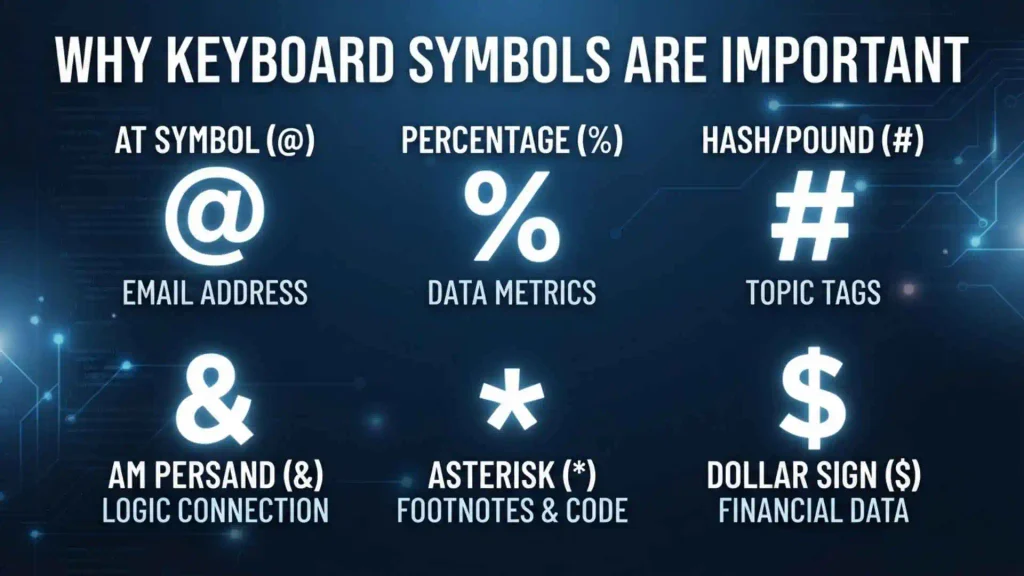
Keyboard symbols are essential to modern digital communication.
They are used in:
- Everyday writing
- Mathematics
- Programming
- Websites
- Social media
- Finance
- Science
- File management
- Data entry
- Technical documentation
A single symbol can communicate information quickly.
For example, @ identifies an email address, % represents a percentage, $ represents a currency symbol, and ? identifies a question.
Frequently Asked Questions
What are all the symbols on a keyboard?
The most common symbols on a standard US QWERTY keyboard include ~, `, !, @, #, $, %, ^, &, *, (, ), -, _, +, =, [, ], {, }, \, |, ;, :, ‘, “, ,, <, >, ., /, and ?.
What are the names of all keyboard symbols?
Common names include tilde, backtick, exclamation mark, at sign, number sign, dollar sign, percent sign, caret, ampersand, asterisk, parentheses, hyphen-minus, underscore, plus sign, equals sign, square brackets, curly braces, backslash, vertical bar, semicolon, colon, apostrophe, quotation mark, comma, less-than sign, greater-than sign, period, slash, and question mark.
What are the symbols above the numbers on a keyboard?
On a typical US QWERTY keyboard, the symbols above the number keys are ! @ # $ % ^ & * ( ), accessed by holding Shift.
What are the 10 symbols on the number row?
The ten symbols are:
! @ # $ % ^ & * ( )
They are produced by pressing Shift with the number keys 1 through 0 on a standard US keyboard.
What is the @ symbol called?
The @ symbol is called the at sign or at symbol. It is commonly used in email addresses, social media mentions, and programming.
What is the # symbol called?
The # symbol is commonly called the number sign, hash, or pound sign. In social media, it is widely known as the hashtag symbol when used before a word or phrase.
What is the * symbol called?
The * symbol is called an asterisk. It can be used for footnotes, multiplication in plain text, wildcards, required fields, and programming.
What is the ~ symbol called?
The ~ symbol is called a tilde. It is used in mathematics, linguistics, programming, file paths, and other technical contexts.
What is the | symbol called?
The | symbol is called a vertical bar. In programming and command-line environments, it is commonly called a pipe.
What is the ^ symbol called?
The ^ symbol is called a caret. It is used in mathematics, programming, regular expressions, and other technical contexts.
What is the _ symbol called?
The _ symbol is called an underscore or low line. It is commonly used in file names, usernames, programming, and variable names.
What is the difference between / and \?
/ is a forward slash, while \ is a backslash. They are different characters and have different functions, especially in computing and programming.
What is the difference between () [] and {}?
() are parentheses, [] are square brackets, and {} are curly braces or braces. They are used differently depending on writing, mathematics, programming, and data structures.
How do I type keyboard symbols?
On a standard US keyboard, many common symbols can be typed with Shift + another key. Other symbols may require a character viewer, symbol menu, Unicode input method, or copy-and-paste.
How do I type special characters on a computer?
You can use keyboard shortcuts, character maps, symbol insertion tools, Unicode input, or copy and paste. The exact method depends on the operating system, application, and keyboard layout.
Are keyboard symbols the same on every keyboard?
No. Keyboard layouts differ by country and language. The location and shortcut for symbols can therefore change between US, UK, German, French, and other layouts.
What is the difference between a keyboard symbol and a special character?
A keyboard symbol usually refers to a symbol available from or associated with a keyboard, while “special character” is a broader term that can include characters that are not directly printed on a keyboard.
Are all Unicode symbols keyboard symbols?
No. Unicode contains far more characters than can physically appear on a standard keyboard. Many Unicode symbols require special input methods or character-selection tools.
What is the easiest way to copy keyboard symbols?
You can copy symbols directly from a reference list. Common examples include @ # $ % & * + = ? and special characters such as © ® ™ € £ ₹ ± × ÷ ∞.
What symbols are used in programming?
Common programming symbols include !, @, #, $, %, &, *, =, <, >, |, ^, ~, parentheses, brackets, and braces. Their exact meanings depend on the programming language.
What are the most commonly used keyboard symbols?
Some of the most common include the period ., comma ,, question mark ?, exclamation mark !, at sign @, number sign #, dollar sign $, percent sign %, ampersand &, asterisk *, hyphen -, underscore _, plus +, and equals =.
Conclusion
Keyboard symbols are an essential part of writing, computing, mathematics, programming, communication, and the internet. The most familiar characters include @, #, $, %, &, *, _, +, =, <, >, /, and ?, while special characters such as ©, €, ₹, ∞, and √ can be inserted through additional character tools.
For a standard US QWERTY keyboard, the Shift key provides many of the symbols above the number and punctuation keys, making it possible to quickly type characters such as !, @, #, $, %, ^, &, *, and ?.
However, there is no single keyboard that contains every possible symbol. International layouts differ, and Unicode contains a much larger collection of characters. When you need a particular character, knowing its name, appearance, and common use makes it much easier to find and type.
Use the tables in this guide as a quick reference whenever you need to identify, understand, type, or copy a keyboard symbol.

Caleb Thornton
I’m Caleb Thornton, a researcher and content writer who loves exploring fascinating subjects and sharing what I learn with readers. My interests include natural places, lakes, symbols, culture, history, and the stories that make ordinary topics more meaningful.
When I write an article, I try to go beyond a basic answer. I look for useful facts, relevant context, and details that can help readers understand the subject more completely.
My purpose is simple: I want every article I contribute to provide genuine value, satisfy the reader’s curiosity, and make discovering new information enjoyable.
## Books by Caleb Thornton
* Symbols & Meanings: Exploring the Signs We See Every Day
* Lakes of the World: Nature, Beauty & Exploration