Cursive symbols make ordinary text look elegant, creative, and personal. If you want to decorate your Instagram bio, customize your WhatsApp status, create a unique username, or add a handwritten touch to your messages, cursive letters and decorative symbols offer an easy way to do it. You can copy and paste many of these characters directly into compatible apps without downloading a special font or installing additional software.
I like how a few stylish letters can change the appearance of a simple word. For example, you can turn “Love” into 𝓛𝓸𝓿𝓮, decorate it with a heart like ♡ 𝓛𝓸𝓿𝓮 ♡, or combine cursive text with stars, flowers, and other aesthetic symbols. These small details help you express your personality while keeping your messages interesting.
In this guide, you will find cursive symbols, fancy alphabet letters, lowercase and uppercase cursive characters, decorative combinations, and copy-and-paste examples. You will also learn how to use cursive text on social media, create stylish usernames, understand the difference between cursive symbols and fonts, and troubleshoot characters that do not display correctly. Choose your favorite style and start creating your own decorative text.
What Are Cursive Symbols?
Cursive symbols are text characters that resemble connected handwriting, calligraphy, or elegant script lettering. They can include stylized alphabet characters, decorative punctuation, hearts, stars, flowers, and other Unicode symbols.
Unicode is a standard that assigns codes to characters so computers and other devices can represent text consistently. Many fancy cursive letters belong to Unicode’s mathematical alphanumeric symbols, although some characters are script-style forms of ordinary letters.
For example, the word “Hello” can appear in several ways:
- Normal text: Hello
- Bold text: 𝐇𝐞𝐥𝐥𝐨
- Cursive text: 𝓗𝓮𝓵𝓵𝓸
- Decorative script: ℋℯ𝓁𝓁ℴ
- Cursive with hearts: ♡ 𝓗𝓮𝓵𝓵𝓸 ♡
- Cursive with stars: ✧ 𝓗𝓮𝓵𝓵𝓸 ✧
These styles can make your text more attractive, but they do not always behave like ordinary letters. Some platforms may display a character differently or fail to support it.
Cursive Symbols Copy and Paste
You can use the cursive symbols below for profile names, social media captions, digital notes, messages, and other creative projects. Select the characters you want, copy them, and paste them wherever the platform supports them.
Fancy Cursive Alphabet Symbols
Use these cursive letters to create names, words, initials, and short phrases.
Uppercase cursive letters:
𝓐 𝓑 𝓒 𝓓 𝓔 𝓕 𝓖 𝓗 𝓘 𝓙 𝓚 𝓛 𝓜
𝓝 𝓞 𝓟 𝓠 𝓡 𝓢 𝓣 𝓤 𝓥 𝓦 𝓧 𝓨 𝓩
Lowercase cursive letters:
𝓪 𝓫 𝓬 𝓭 𝓮 𝓯 𝓰 𝓱 𝓲 𝓳 𝓴 𝓵 𝓶
𝓷 𝓸 𝓹 𝓺 𝓻 𝓼 𝓽 𝓾 𝓿 𝔀 𝔁 𝔂 𝔃
Alternative script letters:
𝒜 ℬ 𝒞 𝒟 ℰ ℱ 𝒢 ℋ ℐ 𝒥 𝒦 ℒ ℳ
𝒩 𝒪 𝒫 𝒬 ℛ 𝒮 𝒯 𝒰 𝒱 𝒲 𝒳 𝒴 𝒵
𝒶 𝒷 𝒸 𝒹 ℯ 𝒻 ℊ 𝒽 𝒾 𝒿 𝓀 𝓁 𝓂
𝓃 ℴ 𝓅 𝓆 𝓇 𝓈 𝓉 𝓊 𝓋 𝓌 𝓍 𝓎 𝓏
You can combine these characters to create a name or phrase. For example, 𝓐𝓷𝓰𝓮𝓵, 𝓢𝓶𝓲𝓵𝓮, and 𝓓𝓻𝓮𝓪𝓶 have a decorative handwritten appearance.
Stylish Cursive Text Combinations
If you want something ready to use, try these combinations:
- ♡ 𝓛𝓸𝓿𝓮 ♡
- ✧ 𝓓𝓻𝓮𝓪𝓶 ✧
- ꧁ 𝓠𝓾𝓮𝓮𝓷 ꧂
- ୨୧ 𝓐𝓷𝓰𝓮𝓵 ୨୧
- ☾ 𝓜𝓸𝓸𝓷 ☽
- ✿ 𝓑𝓵𝓸𝓸𝓶 ✿
- ༺ 𝓟𝓻𝓲𝓷𝓬𝓮 ༻
- ♡ 𝓢𝔀𝓮𝓮𝓽 ♡
- ✨ 𝓑𝓮 𝓗𝓪𝓹𝓹𝔂 ✨
- ☆ 𝓢𝓱𝓲𝓷𝓮 ☆
- ❀ 𝓢𝓸𝓯𝓽 𝓥𝓲𝓫𝓮𝓼 ❀
- 𓆩♡𓆪 𝓜𝔂 𝓦𝓸𝓻𝓵𝓭
These combinations work well for social media bios, short captions, personalized greetings, and decorative digital writing.
Different Types of Cursive Symbols
Cursive lettering is only one part of decorative text. You can combine it with hearts, stars, flowers, arrows, and other characters to create different visual styles.
Cursive Heart Symbols
Heart symbols are popular for romantic messages, friendship captions, profile descriptions, and aesthetic usernames. You can use a single heart or place several around a cursive word.
Copy and paste heart symbols:
♡ ♥ ღ დ ❥ ❣ ❦ ᥫ᭡ ୨♡୧ ♡₊˚ 𓆩♡𓆪
Cursive heart combinations:
- ♡ 𝓛𝓸𝓿𝓮 ♡
- 𝓜𝔂 𝓛𝓸𝓿𝓮 ღ
- ♡ 𝓑𝓮𝓼𝓽 𝓕𝓻𝓲𝓮𝓷𝓭 ♡
- 𝓕𝓸𝓻𝓮𝓿𝓮𝓻 ❥
- ୨♡୧ 𝓢𝔀𝓮𝓮𝓽𝓱𝓮𝓪𝓻𝓽 ୨♡୧
- 𓆩♡𓆪 𝓛𝓸𝓿𝓮 𓆩♡𓆪
Heart symbols can add warmth to your text, but their appearance may vary across devices. Choose a simple heart if you want the message to remain readable on more platforms.
Cursive Star Symbols
Star symbols give cursive text a bright, dreamy, or playful appearance. They are useful for highlighting names, separating phrases, and decorating social media profiles.
Copy and paste star symbols:
☆ ★ ✧ ✦ ✩ ✪ ✫ ✬ ✭ ✯ ⋆ ⭒
Cursive star combinations:
- ✧ 𝓢𝓽𝓪𝓻 ✧
- ★ 𝓓𝓻𝓮𝓪𝓶𝓮𝓻 ★
- ⋆。°✩ 𝓜𝓪𝓰𝓲𝓬 ✩°。⋆
- ☆ 𝓢𝓱𝓲𝓷𝓮 𝓑𝓻𝓲𝓰𝓱𝓽 ☆
- ✦ 𝓑𝓮 𝓨𝓸𝓾𝓻𝓼𝓮𝓵𝓯 ✦
- ⭒ 𝓜𝔂 𝓢𝓽𝔂𝓵𝓮 ⭒
You can place a star before or after your name, or use two stars to frame a short phrase.
Cursive Flower Symbols
Flower symbols create a soft, elegant appearance. They suit nature-inspired usernames, floral captions, creative notes, and aesthetic profiles.
Copy and paste flower symbols:
✿ ❀ ❁ ❃ ❋ ✾ ⚘ ❊ ꕤ 𓆸
Cursive flower combinations:
- ✿ 𝓕𝓵𝓸𝔀𝓮𝓻 ✿
- ❀ 𝓑𝓵𝓸𝓸𝓶 ❀
- ꕤ 𝓖𝓪𝓻𝓭𝓮𝓷 ꕤ
- ✾ 𝓢𝓹𝓻𝓲𝓷𝓰 ✾
- ❁ 𝓑𝓮𝓪𝓾𝓽𝔂 ❁
- 𓆸 𝓖𝓻𝓸𝔀 𝓦𝓲𝓽𝓱 𝓖𝓻𝓪𝓬𝓮
If you prefer a minimal style, place one flower beside your name. For a more decorative look, use matching symbols at both ends of the phrase.
Cursive Decorative Symbols
Decorative symbols can help you create borders, dividers, and frames around cursive text. They are useful when you want a username or short message to stand out.
Copy and paste decorative symbols:
꧁ ꧂ ༺ ༻ ୨୧ 𓆩 𓆪 ✧ ✦ ❖ ⟡ 『 』 【 】
Decorative text examples:
- ꧁ 𝓠𝓾𝓮𝓮𝓷 ꧂
- ༺ 𝓚𝓲𝓷𝓰 ༻
- 『𝓜𝔂 𝓝𝓪𝓶𝓮』
- 【𝓢𝓽𝔂𝓵𝓮】
- ⟡ 𝓓𝓻𝓮𝓪𝓶 𝓑𝓲𝓰 ⟡
- ୨୧ 𝓢𝓸𝓯𝓽 𝓖𝓲𝓻𝓵 ୨୧
Some decorative characters are less widely supported than ordinary letters. If a frame does not display correctly, try a simpler pair of symbols.
Cursive Symbols for Social Media
Different social platforms have different text fields and character restrictions. Cursive symbols can personalize your profile and messages, but it is worth testing them before publishing.
Cursive Symbols for Instagram
Instagram users can use supported cursive characters in many profile and caption fields. These characters can give a bio, display name, or short caption a distinctive appearance.
Instagram bio examples:
- ♡ 𝓙𝓾𝓼𝓽 𝓜𝓮 ♡
- ✨ 𝓛𝓲𝓿𝓮 𝓛𝓪𝓾𝓰𝓱 𝓛𝓸𝓿𝓮
- ୨୧ 𝓓𝓻𝓮𝓪𝓶 𝓑𝓲𝓰 ୨୧
- ☾ 𝓖𝓸𝓸𝓭 𝓥𝓲𝓫𝓮𝓼 ☽
- 𝓢𝓽𝓪𝔂 𝓚𝓲𝓷𝓭 ♡
- ✧ 𝓜𝔂 𝓦𝓸𝓻𝓵𝓭 ✧
- ♡ 𝓢𝓶𝓲𝓵𝓮 𝓜𝓸𝓻𝓮 ♡
- ⋆ 𝓜𝓪𝓴𝓮 𝓘𝓽 𝓗𝓪𝓹𝓹𝓮𝓷 ⋆
Tips for Instagram:
- Keep your bio short enough to read quickly.
- Use cursive lettering for selected words instead of every line.
- Avoid adding so many decorative characters that your message becomes difficult to understand.
- Check how your profile looks on a phone before sharing it.
Remember that decorative Unicode letters are not the same as Instagram’s built-in text formatting. Their availability and appearance can depend on the field, device, and platform updates.
Cursive Symbols for Facebook and WhatsApp
Cursive symbols can add personality to Facebook profiles, WhatsApp statuses, About sections, and personal messages.
Copy and paste examples:
- 𝓗𝓮𝓵𝓵𝓸 ♡
- 𝓗𝓪𝓿𝓮 𝓐 𝓝𝓲𝓬𝓮 𝓓𝓪𝔂 ✨
- 𝓢𝓽𝓪𝔂 𝓗𝓪𝓹𝓹𝔂 ☀
- ♡ 𝓕𝓪𝓶𝓲𝓵𝔂 𝓕𝓲𝓻𝓼𝓽 ♡
- 𝓕𝓻𝓲𝓮𝓷𝓭𝓼 𝓕𝓸𝓻𝓮𝓿𝓮𝓻 ❥
- ✿ 𝓢𝓹𝓻𝓮𝓪𝓭 𝓛𝓸𝓿𝓮 ✿
- ☾ 𝓢𝔀𝓮𝓮𝓽 𝓓𝓻𝓮𝓪𝓶𝓼 ☽
You can also use a cursive phrase in a personal greeting or status update. For important information, however, standard text is often easier for everyone to read.
Cursive Symbols for TikTok and Gaming Names
Cursive letters can make a TikTok display name or gaming nickname look different from ordinary text. Hearts, stars, and decorative frames provide additional styling options.
Username ideas:
- ♛ 𝓠𝓾𝓮𝓮𝓷 ♛
- 𝓚𝓲𝓷𝓰 ✦
- 𝓐𝓷𝓰𝓮𝓵 ♡
- ☾ 𝓛𝓾𝓷𝓪 ☽
- 𝓢𝓱𝓪𝓭𝓸𝔀 ⚡
- ✧ 𝓟𝓱𝓸𝓮𝓷𝓲𝔁 ✧
- 𝓢𝓽𝓪𝓻𝓫𝓸𝔂 ☆
- ♡ 𝓜𝓲𝓼𝓽𝔂 ♡
Before choosing a username, check the platform’s rules. Some services restrict special characters in account handles, even if those characters work in display names or profile descriptions.
For gaming, a simple name with one or two decorative symbols may be more practical than a complicated combination. It can be easier for other players to read, recognize, and search for.
Cursive Symbols vs. Cursive Fonts
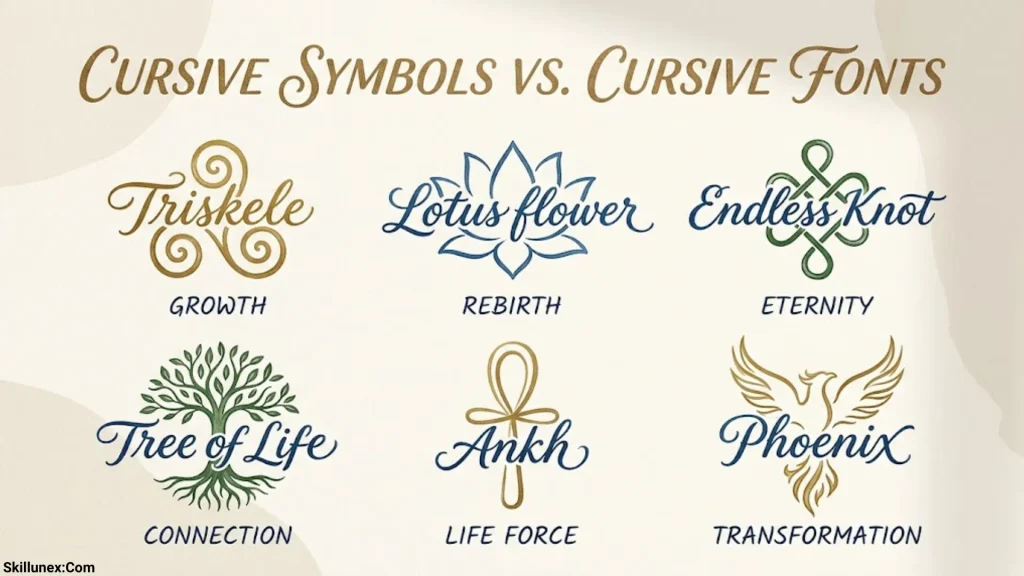
Cursive symbols and cursive fonts can look similar, but they work differently. Understanding the difference helps you choose the right option for your project.
| Feature | Cursive symbols | Cursive fonts |
| What they are | Special text characters | Visual styles applied to text |
| How you use them | Copy and paste the characters | Select a font in a supported app |
| Installation | Usually not required | May require a font to be available or installed |
| Appearance | Can vary across devices | Depends on the font and rendering software |
| Editing | Individual characters can be replaced | Ordinary text remains editable |
| Accessibility | Some characters may be read unexpectedly by assistive technology | Depends on the font and the underlying text |
| Best use | Short bios, names, captions, decorative text | Documents, invitations, designs, and longer text |
For example, 𝓗𝓮𝓵𝓵𝓸 uses special Unicode characters, while Hello displayed in a script font uses ordinary letters rendered in a particular style.
If you want a fancy social media name, cursive symbols can be convenient. If you are designing a long invitation, printable document, or graphic, a cursive font may give you more control over spacing, consistency, and readability.
On a Computer
- Find the cursive letter, symbol, or phrase you want to use.
- Select it with your mouse.
- Press Ctrl + C on Windows or Command + C on macOS.
- Open the app or website where you want to use the text.
- Click the text field and press Ctrl + V or Command + V.
- Review the result before saving or publishing it.
If selecting a symbol is difficult, try copying a complete example line instead of selecting a single character.
On a Mobile Phone
- Find your preferred cursive symbol or text combination.
- Tap and hold the text.
- Adjust the selection handles if necessary.
- Tap Copy.
- Open Instagram, WhatsApp, Facebook, Notes, or another compatible app.
- Tap and hold the destination text field, then choose Paste.
- Check the text to make sure all characters appear correctly.
The exact steps may differ slightly between Android and iPhone, depending on your operating system and app.
Why Cursive Symbols May Not Work
Cursive symbols are convenient, but not every character works everywhere. A symbol that looks correct on your computer may appear differently on another phone or website.
Unsupported Characters
Some devices and applications do not support every Unicode character. An unsupported character may appear as an empty square, a question mark, or a replacement symbol.
What you can do: Try a different cursive alphabet, use a simpler decorative symbol, or test the text on the device where you intend to publish it.
Different Appearance Across Devices
Unicode defines characters, but the exact visual design depends on the font and software rendering them. A cursive letter may look slightly different on Windows, Android, iOS, or a web browser.
What you can do: Preview your text on more than one device if appearance matters, especially when designing a profile or digital invitation.
Platform Restrictions
Some platforms limit which characters can appear in usernames, handles, or other specific fields. A symbol may work in a caption but be rejected in an account handle.
What you can do: Check the platform’s current character rules and use a simpler name if necessary.
Accessibility and Search Problems
Some fancy Unicode letters are mathematical symbols rather than ordinary alphabet characters. Screen readers may announce them in unexpected ways, and search tools may not treat them like standard letters.
What you can do: Use normal text for essential information, names that people need to search for, business details, and important instructions. Reserve decorative cursive characters for short phrases where their meaning remains clear.
Tips for Using Cursive Symbols Effectively
A little decoration can make text look elegant, but too many special characters can make it harder to read. These practical tips will help you create a balanced style.
- Choose a consistent style: Pair similar cursive letters and decorative symbols instead of mixing too many unrelated designs.
- Keep important words readable: Use ordinary text for essential information and cursive characters for short highlights.
- Match the symbols to your message: Hearts work well for affectionate messages, while stars and flowers suit playful or aesthetic designs.
- Check the character support: Preview your text before publishing it on a new platform.
- Avoid unnecessary decoration: A few carefully placed symbols often look cleaner than a long string of characters.
- Consider accessibility: Do not rely on decorative letters alone to communicate important details.
- Use original combinations: Combine your name, favorite symbols, and a short phrase to create a style that feels personal.
For example, ♡ 𝓢𝓽𝓪𝔂 𝓚𝓲𝓷𝓭 ♡ is decorative but easy to understand. A much longer combination of unusual characters may look interesting while becoming difficult to read.
Frequently Asked Questions About Cursive Symbols
What are cursive symbols?
Cursive symbols are special text characters that resemble handwritten script or elegant lettering. They include fancy alphabet characters and can be combined with decorative hearts, stars, flowers, and other symbols.
How do I copy and paste cursive letters?
Select the characters you want, copy them using your device’s copy command, and paste them into a compatible app. On most computers, use Ctrl + C and Ctrl + V on Windows or Command + C and Command + V on macOS.
Can I use cursive symbols on Instagram?
Yes, many Unicode cursive characters work in Instagram bios, captions, and other supported text fields. However, character support can vary by field and platform version, so test your text before saving it.
Are cursive symbols the same as cursive fonts?
No. Cursive symbols are special text characters, while cursive fonts change the appearance of ordinary text. Symbols can often be copied and pasted between compatible apps, whereas a font style depends on the software displaying the text.
Why are some cursive symbols not displaying correctly?
A device or app may not support the character, or its available fonts may render it differently. Try an alternative symbol, choose a simpler cursive style, or use ordinary letters when compatibility is essential.
Conclusion
Cursive symbols offer a simple way to personalize your text with elegant lettering, decorative characters, and creative combinations. You can use them for social media bios, captions, usernames, WhatsApp statuses, personal messages, and other digital projects. With options ranging from fancy alphabet letters to hearts, stars, flowers, and decorative frames, you can find a style that matches your preferences.
Choose a few symbols, copy and paste them into your preferred app, and check how they appear before publishing your text. Keep your design readable, consider how different devices display special characters, and use ordinary letters when accessibility or searchability matters. With the right balance, cursive symbols can make your everyday text feel more distinctive without making it difficult to understand.

I’m Adrian Holloway, a writer and researcher who enjoys exploring the stories, meanings, and interesting facts behind the subjects people search for every day. I’m especially interested in symbols, nature, lakes, places, and cultural topics that help readers understand the world from a different perspective.
I believe useful content should be simple, accurate, and enjoyable to read. When I research a topic, I focus on finding meaningful details and presenting them in a way that makes information easy to understand.
My goal is to create helpful articles that answer real questions while encouraging readers to discover something new with every visit.
Books by Adrian Holloway
The Language of Symbols: Meanings, Stories & Traditions
Hidden Wonders of Nature: Lakes, Landscapes & Discovery