Divider symbols are characters or combinations of characters used to separate words, sections, headings, messages, captions, and other types of text. They can be simple, such as • or |, or decorative, such as ✦ ───────── ✦.
If you are looking for divider symbols to copy and paste, you can find plenty of options below. This guide includes simple, aesthetic, cute, fancy, decorative, horizontal, vertical, Unicode, social media, and text divider symbols.
The best choice depends on where you want to use the divider. Simple characters generally work well everywhere, while elaborate Unicode designs are better when appearance is more important than maximum compatibility.
Divider Symbols Copy and Paste
The easiest way to use a divider symbol is to copy it directly from the examples below and paste it wherever you need it.
Popular Divider Symbols
Here are some popular divider characters and combinations:
•
·
|
│
┃
‖
─
━
═
✦
✧
★
☆
❖
◆
◇
※
⁕
⁂
✿
❀
♡
♥
⋆
Simple Divider Symbols
These designs work particularly well for social media captions, bios, headings, digital journals, and decorative text.
Horizontal Divider Symbols
Horizontal dividers separate one section of text from another. They are among the most common types of text dividers.
Thin Line Dividers
Try these simple horizontal lines:
──────────────
────────────────────
——————–
____________________
· · · · · · · · · · · ·
• • • • • • • • • • • •
Unicode line characters can create a cleaner appearance than repeated hyphens.
Heavy Line Dividers
For a stronger visual break, use:
━━━━━━━━━━━━━━
━━━━━━━━━━━━━━━━━━━━
▬▬▬▬▬▬▬▬▬▬▬▬
════════════════
████████████
Heavy dividers can work well between major sections, especially in decorative text.
Double Line Dividers
Double lines create a more formal or prominent separator:
══════════════
║════════════║
╔════════════╗
╚════════════╝
═╬════════╬═
Use these carefully in long text because highly decorative dividers can make a page feel crowded.
Vertical Divider Symbols
Vertical divider symbols separate items that appear next to one another rather than creating a horizontal section break.
Simple Vertical Dividers
Common choices include:
|
│
┃
¦
‖
║
For example:
Home │ About │ Contact
or:
Books | Movies | Music
These are especially useful for navigation-style text, lists, profiles, menus, and short descriptions.
Decorative Vertical Dividers
For a more decorative style, try:
✦ │ ✦
♡ │ ♡
❖ │ ❖
★ │ ★
✧ │ ✧
❀ │ ❀
These work well when separating short pieces of information in a profile or social media post.
Aesthetic Divider Symbols
Aesthetic dividers are popular because they can make plain text look more visually interesting.
Cute Divider Symbols
Try these cute combinations:
♡ ───────── ♡
୨୧ ───────── ୨୧
꒰ঌ ───── ໒꒱
✿ · · · · · ✿
♡₊˚ ───── ˚₊♡
。・:*˚:✧。
Use decorative combinations sparingly when readability is important.
Fancy Divider Symbols
Fancy dividers can give headings, captions, or messages a more elaborate appearance:
༺────────༻
꧁────────꧂
❖═══════❖
╰┈➤
✦━━━━━━✦
╞═══════╡
╰☆☆╮
These are especially suitable for decorative posts, profiles, invitations, and creative writing.
Minimalist Divider Symbols
For a modern and clean appearance, use:
────────
· · · · · ·
• ───────── •
│
─
━
╴╴╴╴╴
Minimal dividers are often the safest choice because they do not distract from the surrounding text.
Floral and Heart Dividers
Floral and heart characters are useful for softer decorative styles:
❀ ───────── ❀
✿ ─────── ✿
🌸 ───── 🌸
♡ ───────── ♡
♥ ─────── ♥
❀ • ❀ • ❀
Keep in mind that emoji-based dividers may render differently across devices than ordinary Unicode text characters.
Star and Sparkle Dividers
Star and sparkle symbols create a decorative or magical appearance:
✦ ───────── ✦
✧ ─────── ✧
★ ───────── ★
☆ • ☆ • ☆
⋆。°✩
✦ · · · ✦
⋆ ───── ⋆
These are popular for social media, bios, usernames, creative writing, and aesthetic posts.
Unicode Divider Symbols
Many text dividers use Unicode characters. Unicode is a standard that assigns characters and symbols digital code points so they can be represented across different computer systems.
Common Unicode Line Characters
Some useful line characters include:
| Symbol | Common Use |
| ─ | Light horizontal line |
| ━ | Heavy horizontal line |
| │ | Light vertical line |
| ┃ | Heavy vertical line |
| ═ | Double horizontal line |
| ║ | Double vertical line |
| ╱ | Diagonal line |
| ╲ | Diagonal line |
| ╳ | Crossed lines |
| ╴ | Short line |
These characters are particularly useful for building text-based separators and simple decorative layouts.
Decorative Unicode Characters
Not every decorative character is technically named a “divider symbol.” Many are simply characters that can be used as dividers.
Examples include:
✦
✧
❖
◆
◇
⁕
⁂
※
❀
✿
★
☆
For example:
✦ ✦ ✦
can function as a divider even though the individual star character is not itself a horizontal line.
Divider Symbols for Social Media
Divider symbols can make social media captions, bios, and profile descriptions easier to organize visually.
Instagram Divider Symbols
You can use simple or decorative separators in Instagram captions and bios:
♡ ───────── ♡
✦ • ✦ • ✦
────── ✦ ──────
୨୧ ───────── ୨୧
• ───────── •
Simple designs are usually preferable for bios because space is limited.
TikTok and Bio Dividers
For profile descriptions and short posts, try:
✦ ─ ✦
♡ │ ♡
★ • ★ • ★
────୨ৎ────
⋆。°✩
A short divider can separate different pieces of information without requiring a new paragraph.
Discord and Profile Dividers
Discord profiles, messages, and community posts can also use text-based separators:
════════════
━━━━━━ ✦ ━━━━━━
╭──────────╮
│ ✦ INFO ✦ │
╰──────────╯
Always check how a decorative design looks on both desktop and mobile before relying on it for important information.
Divider Symbols for Text and Documents
Divider symbols can also be useful outside social media.
Text Separators
A separator can break up short sections of plain text:
Introduction ───────── Conclusion
Name │ Age │ Location
Topic • Date • Author
Option 1 | Option 2 | Option 3
These are useful when you want separation without creating a large visual gap.
Dividers for Notes and Headings
For notes, journals, study materials, or personal documents, simple dividers are often best:
────────────────
════════════════
• • • • • • • •
✦ ───────── ✦
For professional documents, a simple line usually looks cleaner than a highly decorative Unicode combination.
Divider Symbols for Websites and WordPress
A text divider and a webpage divider are not necessarily the same thing.
Unicode Text Dividers
If you want the divider to be part of the actual text, you can paste a Unicode design into a WordPress Paragraph block.
For example:
✦ ───────── ✦
This becomes text and can usually be copied along with the surrounding content.
WordPress Separator Blocks
WordPress also provides a Separator block for creating a visual divider between sections of webpage content.
A Separator block is generally a better choice when you want a true webpage layout element rather than a character inside a paragraph.
HTML and CSS Dividers
Websites can also create dividers with HTML and CSS.
For example, an HTML horizontal rule can be represented with:
<hr>
CSS can then control its appearance, including width, thickness, spacing, and borders.
This is different from a Unicode divider because HTML and CSS create a webpage element, while Unicode characters are part of the text itself.
How to Copy and Paste Divider Symbols
Using divider symbols is usually as simple as selecting the desired character or design and copying it.
On Windows
Select the divider with your mouse, copy it using Ctrl + C, and paste it using Ctrl + V.
You can paste the symbol into a text editor, browser, social media post, document, or other compatible application.
On Mac
Select the desired symbol, press Command + C to copy it, and press Command + V to paste it.
You can also use the Mac character viewer to search for additional Unicode characters.
On Mobile
On a phone or tablet, press and hold the symbol or text you want to copy, select it, and choose Copy. Then press and hold in the destination field and choose Paste.
Saving frequently used dividers in a notes app can make them easier to reuse.
How to Choose the Right Divider Symbol
The best divider depends on the purpose, audience, and platform.
Best for Simple Text
Use:
─
│
•
·
|
These are clean and easy to understand.
Best for Aesthetic Designs
Try:
✦ ───────── ✦
✧ ─────── ✧
♡ ───────── ♡
❖ ─────── ❖
These provide more visual personality.
Best for Social Media
Short designs are usually more practical:
✦ • ✦
♡ ─ ♡
★ ─ ★
୨୧ ─ ୨୧
Long decorative dividers can take up valuable space in captions and profiles.
Best for Maximum Compatibility
If you need the divider to work across as many environments as possible, choose relatively simple characters such as:
–
|
*
•
─
│
Highly decorative Unicode combinations can look different depending on the font, application, operating system, or device.
Why Do Divider Symbols Look Different on Different Devices?
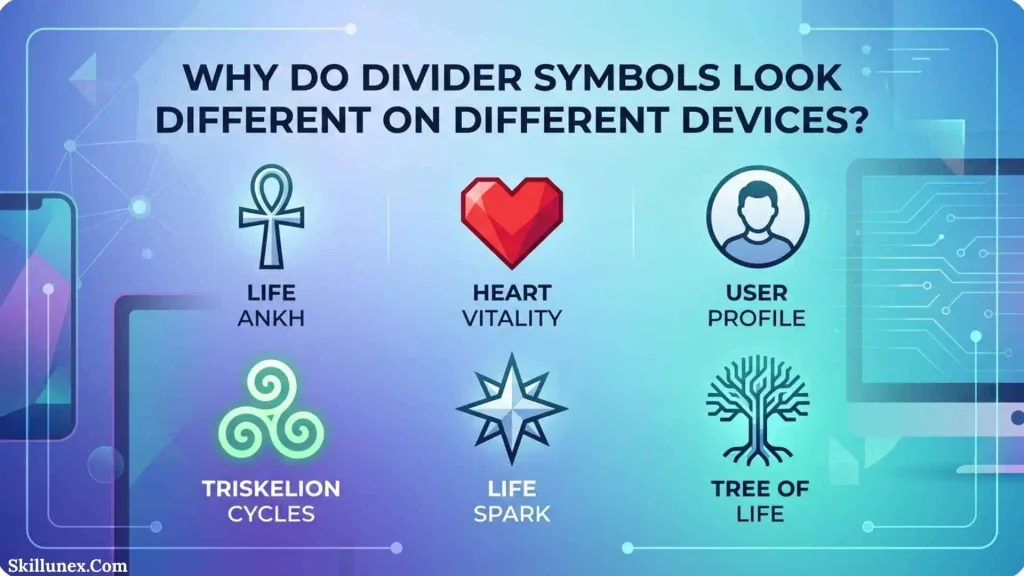
Unicode identifies characters, but the way those characters are displayed depends on the font and rendering system available on a device.
As a result, a divider that looks perfect on one computer may appear slightly different on another.
Common Compatibility Problems
A decorative divider may:
- Use a different font
- Have different spacing
- Appear wider or narrower
- Wrap onto another line
- Display an unsupported-character box
- Look different on mobile
- Render differently between apps
For important content, test decorative dividers before publishing them.
Divider Symbols vs. Separators and Lines
These terms are related but can describe different things.
A symbol is an individual character, such as ✦ or •.
A separator is something used to distinguish one item from another, such as |.
A divider generally creates a more noticeable break between sections.
A divider line is usually a horizontal or vertical line, such as:
────────────
A decorative divider combines characters to create a visual design:
✦ ───────── ✦
Understanding these differences can help you choose the right type for your project.
Common Uses for Divider Symbols
Divider symbols can be used in many different types of content.
Social Media
They can separate sections of captions, profiles, and posts.
Bios and Profiles
Vertical dividers can organize information:
Writer │ Blogger │ Creator
Messages
A decorative divider can separate different parts of a long message.
Creative Writing
Authors can use dividers to indicate scene breaks:
✦ ───────── ✦
Journals and Notes
Simple lines can visually divide topics, dates, or sections.
Websites
Unicode dividers can be used as decorative text, while HTML and CSS are usually better for structural webpage separators.
Frequently Asked Questions About Divider Symbols
What are divider symbols?
Divider symbols are characters or combinations of characters used to visually separate words, sections, headings, messages, or other content. Examples include •, |, │, ─, ═, and decorative combinations such as ✦ ───────── ✦.
What is the best divider symbol?
There is no single best divider symbol. For simple text, ─ or • works well. For vertical separation, │ is useful. For decorative designs, combinations such as ✦ ───────── ✦ can create a more attractive appearance.
What are aesthetic divider symbols?
Aesthetic divider symbols are decorative characters and combinations designed to make text look more visually appealing. Examples include ✦, ✧, ♡, ❖, ✿, and combinations such as ♡ ───────── ♡.
How do I copy and paste divider symbols?
Select the divider symbol or design, copy it using your device’s normal copy function, and paste it where you want it. On Windows, you can generally use Ctrl + C and Ctrl + V; on Mac, use Command + C and Command + V.
What symbol can I use for a horizontal line?
Common horizontal divider characters include ─, ━, ═, and -. You can repeat them to create longer lines, such as ────────────.
What symbol can I use for a vertical divider?
Common vertical divider symbols include |, │, ┃, ║, and ‖. For example: Home │ About │ Contact.
Do divider symbols work on Instagram?
Many Unicode divider symbols can be used on Instagram, but their appearance can vary. Simple characters are generally a safer choice than highly elaborate designs.
Do Unicode divider symbols work on mobile?
Many do, but support and appearance can vary by operating system, font, and application. Testing a decorative divider before publishing is recommended.
Can I use divider symbols in WordPress?
Yes. Unicode divider characters can be inserted into WordPress text blocks. For a structural webpage separator, however, the WordPress Separator block is usually more appropriate.
What is the difference between a divider and a separator?
A separator generally distinguishes individual items, while a divider usually creates a stronger visual break between sections. In everyday use, the terms can overlap.
Are all decorative divider symbols Unicode?
Many are made from Unicode characters, but a decorative divider can also be created using ordinary keyboard characters, HTML, CSS, images, or other design elements.
Why does my divider look different after I paste it?
The receiving application may use a different font or rendering system. Unicode characters can therefore have slightly different appearances across devices and platforms.
Can I use divider symbols in a professional document?
Yes, but simple dividers are usually more appropriate for professional documents. Characters such as ─, │, and ═ tend to be less distracting than elaborate decorative combinations.
Conclusion
Divider symbols are a simple way to separate and decorate text. Whether you need a copy and paste divider for social media, a simple line for a document, a vertical separator for a profile, or an aesthetic design for a caption, there are many options to choose from.For the cleanest results, use simple characters such as •, |, │, ─, and ═. When you want a more decorative appearance, combinations such as ✦ ───────── ✦, ♡ ───────── ♡, and ❖ ─────── ❖ can add visual personality.
Many are ordinary Unicode symbols that are simply being combined for decorative purposes. Their appearance can also vary between devices and applications.For everyday text, simple divider symbols are usually the most reliable choice. For social media, bios, creative writing, and decorative content, you can experiment with more elaborate designs while checking how they appear on your target platform

Isla Kensington
I’m Isla Kensington, a writer with a passion for research, culture, nature, and the fascinating meanings behind everyday things. I enjoy taking topics that may seem simple at first and discovering the history, facts, and ideas that make them more interesting.
I write with readers in mind. My aim is to provide clear explanations, useful information, and interesting details without making a topic unnecessarily complicated.
I believe learning should feel like discovering something rather than simply reading facts. That philosophy guides the content I create and the topics I choose to explore.
## Books by Isla Kensington
* Symbols Around the World: A Guide to Meaning & Culture
* Nature’s Beautiful Places: Lakes, Landscapes & Natural Treasures